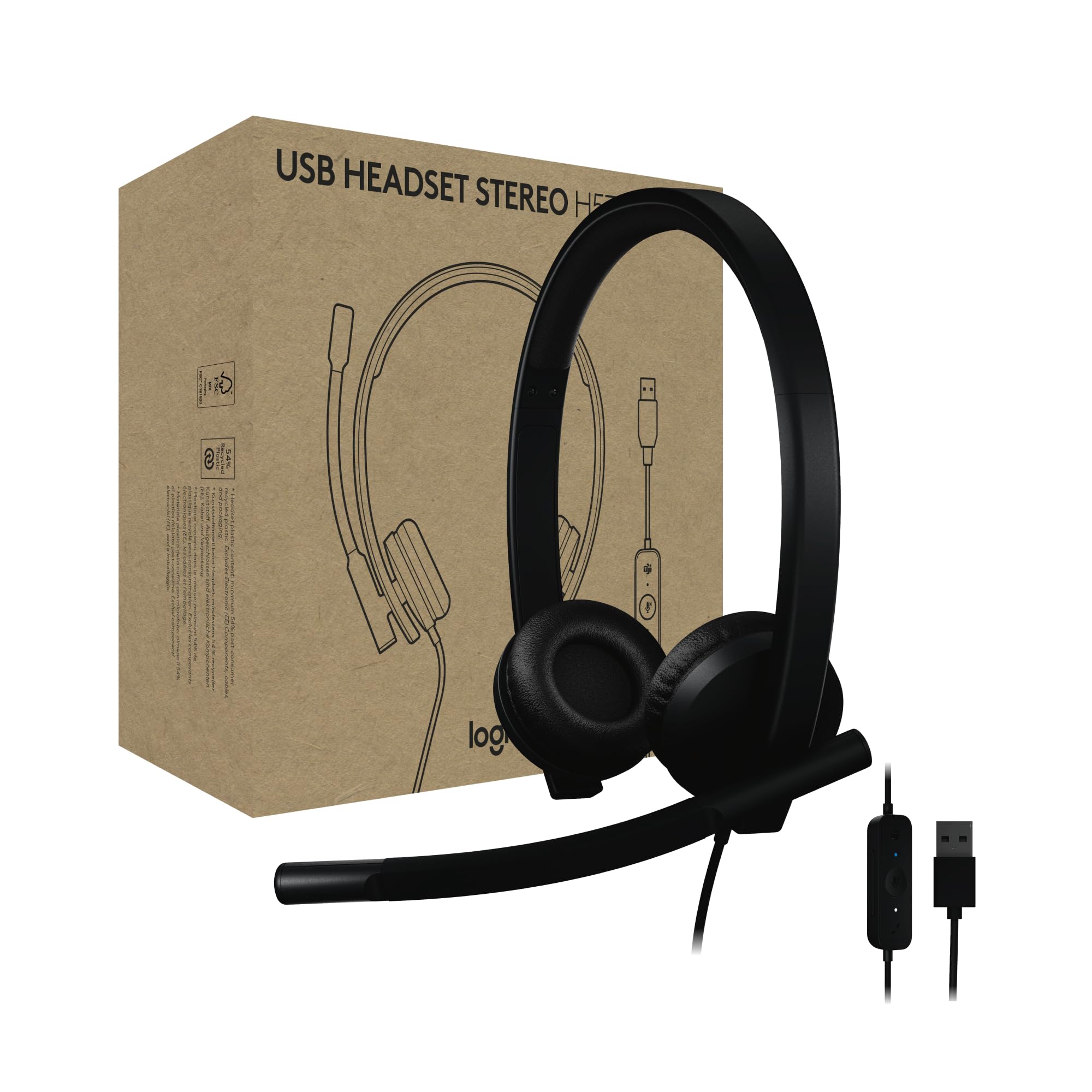
Enjoy Clear Audio On Teams Calls With The Logitech H570E Usb Headset With Microphone For Pc And Mac, A Reliable Wired Headset That'S Certified For Microsoft Teams. This Entry-Level Computer Headset With Microphone Delivers Better Sound With Easy Controls For Enhanced Communication And Productivity. It Features Enterprise-Quality Audio With Dual Noise-Canceling Mics And A 30 Mm Driver. The H570E Office Headset With Mic Easily Connects To Laptops Via Usb-A Or Usb-C (3) With No Additional Software Required. It Offers The Convenience Of Inline Call Controls And A Dedicated Teams Button With Quick Access To Teams Activities, Including The Ability To Join Teams Meetings, Answer Or End Calls, Mute Or Unmute, And Adjust Volume. Designed For Sustainability And Comfort, This Laptop Headset Offers A Lightweight Design With A Minimum Of 54% Post-Consumer Recycled Plastic (1) In The Plastic Parts, Padded Headband, And Replaceable Earpads. Its Perfect For Long Online Calls And Meetings. And For It Admins, Using Logitech Sync Offers A Secure And Scalable Approach To Remotely Manage Logitech Devices Like The H570E Work Headset.
⚠️ WARNING (California Proposition 65): This product may contain chemicals known to the State of California to cause cancer, birth defects, or other reproductive harm. For more information, please visit www.P65Warnings.ca.gov.
Frequently Asked Questions
Q: What are the dimensions of the Logitech H570e USB Headset?A: The Logitech H570e USB Headset measures one point ninety-seven inches in length, six point eighteen inches in width, and six point seventy-three inches in height. This lightweight design ensures comfort for extended use.
Q: What materials are used in the Logitech H570e USB Headset?A: The headset is made primarily from plastic, with at least fifty-four percent of the plastic components being post-consumer recycled material. This design supports sustainability while providing a reliable product.
Q: How much does the Logitech H570e USB Headset weigh?A: The headset weighs one hundred thirteen grams. This featherweight design contributes to its comfort for long periods of wear.
Q: How do I connect the Logitech H570e USB Headset to my computer?A: You can connect the headset to your computer via a USB-A cable with a simple plug-and-play setup. No additional software is required for installation.
Q: Is the Logitech H570e USB Headset suitable for Mac and PC?A: Yes, the Logitech H570e USB Headset is compatible with both Mac and PC. Its USB-A connection provides versatility across different operating systems.
Q: Can I use the Logitech H570e USB Headset for gaming?A: While the Logitech H570e is designed for office use and Microsoft Teams calls, it can also be used for casual gaming. However, its primary focus is on clear communication rather than gaming audio performance.
Q: What is the battery life of the Logitech H570e USB Headset?A: The Logitech H570e USB Headset does not require batteries as it is a wired headset. This ensures uninterrupted usage without concerns about battery life.
Q: How do I clean the Logitech H570e USB Headset?A: To clean the headset, use a soft, damp cloth to wipe down the exterior. Avoid using harsh chemicals that could damage the plastic or audio components.
Q: Are the earpads on the Logitech H570e USB Headset replaceable?A: Yes, the earpads on the Logitech H570e USB Headset are designed to be replaceable. This feature allows for extended product life and increased hygiene.
Q: Is the Logitech H570e USB Headset safe for long use?A: Yes, the lightweight design and padded headband of the Logitech H570e USB Headset make it safe and comfortable for extended use. It is designed specifically for long calls and meetings.
Q: What is the warranty policy for the Logitech H570e USB Headset?A: The Logitech H570e USB Headset typically comes with a limited warranty, which covers defects in materials and workmanship. Check the manufacturer's website for specific warranty details.
Q: What if my Logitech H570e USB Headset arrives damaged?A: If your headset arrives damaged, you should contact the retailer or Logitech customer support immediately for assistance with returns or exchanges. Keep all packaging for the return process.
Q: Can I adjust the microphone level on the Logitech H570e USB Headset?A: Yes, the Logitech H570e USB Headset allows you to customize audio settings through the Logi Tune software. You can adjust microphone levels and sidetone for enhanced communication.
Q: What makes the Logitech H570e USB Headset suitable for Microsoft Teams?A: The headset is certified for Microsoft Teams, featuring dual noise-canceling microphones and a dedicated Teams button for easy access to calls and meetings. This enhances productivity during team interactions.
Q: Does the Logitech H570e USB Headset have call and mute indicators?A: Yes, the headset includes LED lights on the controller that indicate call and mute status. This feature provides a convenient visual cue during calls.
I bought this H570e headset for long conference calls, and it's surprisingly comfortable. The ear pads fit well, and I can wear it for hours without discomfort. The sound is decent for calls, but I wish it had a bit more bass for music. Still a solid buy!
C
Carlos Mendez
Disappointing Quality Control
I received my Logitech headset, but it arrived with a damaged microphone. It worked fine otherwise, but I need the mic for calls. Reached out to customer service, and they were helpful, but I'm still waiting for a replacement. Just be cautious with quality!
J
Jamal Patel
Good Sound, Minor Setup Issue
The sound quality from this Logitech headset is impressive, especially for the price. However, I had a little trouble getting it to work with my Mac at first. After a few adjustments in the settings, it was fine. Just a heads up if you're not tech-savvy!
S
Sofia Alvarez
Solid Headset for Work Calls
I've been using the Logitech H570e for my daily Zoom meetings, and it's been great! The noise-canceling mics really help filter out background noise, making everything sound crystal clear. Plus, the USB-A connection means it's super easy to set up on my PC. Totally worth it!