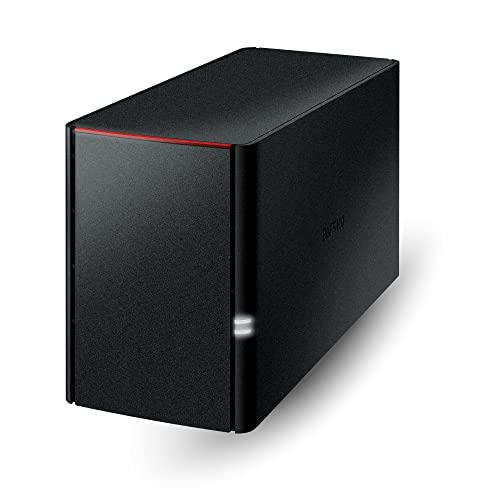
Buffalos Linkstation 220 Is An Affordable And Intuitive 2-Drive Network Storage Device That Comes Equipped With A Whole Host Of Features, Perfect For Storing, Sharing, Serving And Protecting Your Most Important Data.Backup Multiple Pcs And Mac Computers Simultaneously And Enjoy Uninterrupted Access To Terabytes Of Storage On Your Network And Over The Internet.
⚠️ WARNING (California Proposition 65): This product may contain chemicals known to the State of California to cause cancer, birth defects, or other reproductive harm. For more information, please visit www.P65Warnings.ca.gov.
Frequently Asked Questions
Q: What is the storage capacity of the BUFFALO LinkStation 220?A: The storage capacity is twelve terabytes. It comes with two drive bays, shipping in RAID 1 configuration for automatic backup.
Q: What materials is the BUFFALO LinkStation 220 made of?A: The device is made of metal. This ensures durability and protection for your data storage needs.
Q: What are the dimensions of the BUFFALO LinkStation 220?A: The dimensions are eight point eleven inches in length, three point four inches in width, and five inches in height. This compact size makes it easy to place in any home or office setup.
Q: How do I set up the BUFFALO LinkStation 220?A: Simply connect the LinkStation to your router. It is compatible with Windows and macOS, and you can get installation support anytime.
Q: Can I access my files remotely with the BUFFALO LinkStation 220?A: Yes, you can access your files remotely. It functions as a subscription-free personal cloud, allowing you to manage your data from anywhere.
Q: Is the BUFFALO LinkStation 220 easy to install?A: Yes, installation is effortless. You just need to connect it to your router and follow the provided instructions.
Q: How should I maintain the BUFFALO LinkStation 220?A: Keep the device in a dry, cool place to prevent overheating. Regularly check for firmware updates to ensure optimal performance.
Q: Does the BUFFALO LinkStation 220 have a warranty?A: Yes, it comes with a two-year warranty. This warranty includes coverage for the hard drives included with the device.
Q: What type of data security features does the BUFFALO LinkStation 220 have?A: The device features SSL encryption for secure file transfers and RAID configurations for data redundancy. This setup helps protect your important files.
Q: Can I back up multiple devices with the BUFFALO LinkStation 220?A: Yes, you can back up multiple computers and devices. The NAS Navigator management utility makes it easy to set up automated backups.
Q: Is the BUFFALO LinkStation 220 suitable for sharing files with others?A: Yes, it allows you to securely share files with family and friends. You can configure individual access restrictions for privacy.
Q: How do I troubleshoot issues with the BUFFALO LinkStation 220?A: If you experience issues, refer to the user manual for troubleshooting steps. You can also contact BUFFALO's US-based support for assistance.
Q: What should I do if my BUFFALO LinkStation 220 arrives damaged?A: If it arrives damaged, contact customer support immediately to initiate a return or exchange process. They will guide you through the steps.
Q: Is the BUFFALO LinkStation 220 compatible with MacOS?A: Yes, it is compatible with MacOS. You can use NAS Navigator 2 for MacOS ten point thirteen or later for easy management.
Q: How do I ensure my BUFFALO LinkStation 220 is secure?A: To ensure security, regularly update your passwords and enable access restrictions for specific folders. This helps keep your data private.
Q: Can I change the RAID configuration on the BUFFALO LinkStation 220?A: Yes, you can change the RAID configuration. It ships in RAID 1 but can be set to RAID 0 for full use of the twelve terabytes.