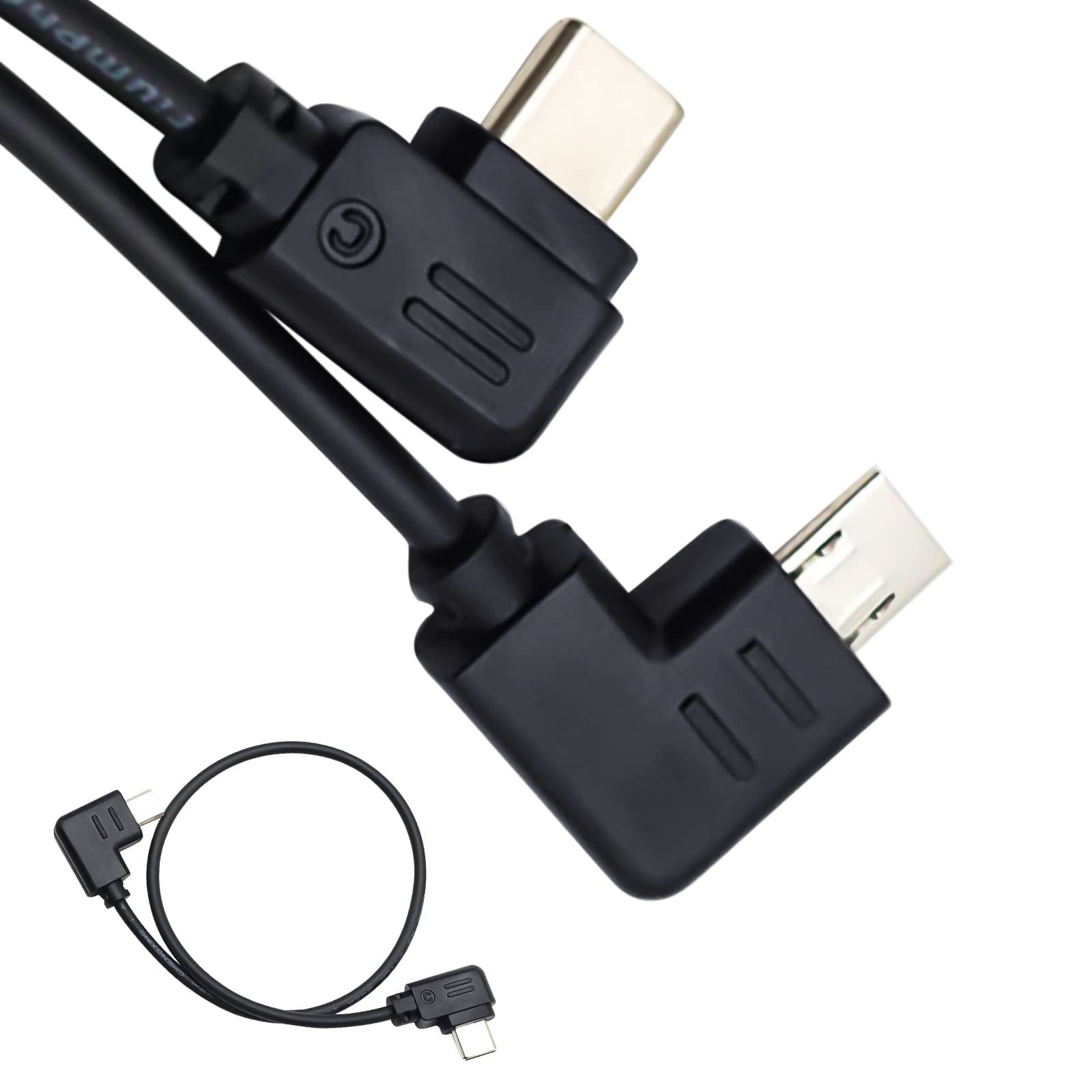
Introduction: This Rss Cable Connects The Camera Control Port Of Ronin-Sc To The Multi Port On A For S0Ny Camera To Control The Camera Lightweight And Durable, Easy To Carry And Store The Camera Control Cable May Enable The Stabilizer To Control Compatible Cameras To: Capture Photo; Start/Stop Recording Video; Zoom Control (Digital Or Optical); Trigger Auto Focusnote: Above Functions Depends On The Camera And Stabilizer, Not Our Cables. Only 'Capture Photo' &Amp; 'Start/Stop Recording' Functions Works For Some Old Cameras. &Nbsp; Specification: Color:&Nbsp;Black Material: Pvc Length: About 11.8 Inch (30Cm) One End: Usb-C, Also Called Type-C Another End:&Nbsp;Multi-Usb, Also Called S2 As Popular Abbr In Business &Nbsp; How To Use? 1. Connect The Cable To Camera And Stabilizer 2. Turn On The Stabilizer And Select Specified Camera In The Setting 3. Switch On The Camera 4. If Not Work, Re-Start The Stabilizer First And Turn On The Camera 5. When Using A Lens Without The Power Zoom&Nbsp;Function, Please Activate The Camera'S Digital Zoom Function To Control The Digital Zoom. Specific Setting Method: Select Menu--Select Settings--Select Zoom Settings--Select Digital Zoom. 6.&Nbsp;Notice: When You Connect The Cable To Your Camera, Set The ''Usb Connection'' Function Of The Camera To ''Computer Remote''. The Specific Setting Method Is As Follows: Select ''Menu''-Select ''Settings'' - Select ''Usb Connection''-- Select ''Computer Remote Control . How To Operate (Press The Red Button On The Stabilizer) 1. Focus: Half-Press&Nbsp;Of The&Nbsp;Red Button To Activate Focus 2. Shoot: Press The Red Button For 2 Seconds Means Photography One Time 3. Making Video: Click Red Button And Then Let Go On The Stabilizer To Start Recording &Nbsp; Suitable For For Dji Ronin-Sc&Nbsp;2 Stabilizer Used To Control For S0Ny Cameras With Multi-Usb Port,&Nbsp;Such As Rx100 V, A6000, A6300, A6400, A6500, A9, A7, A7S, A7/A7S/A7R Ii, A7/A7R Iii, A7R Iv, A7S Iii, A9 Ii, Etc. &Nbsp; Package Include 1 X Control Cable
⚠️ WARNING (California Proposition 65): This product may contain chemicals known to the State of California to cause cancer, birth defects, or other reproductive harm. For more information, please visit www.P65Warnings.ca.gov.
Frequently Asked Questions
Q: What materials are used to make the LingoFoto RSS Control Cable?A: The LingoFoto RSS Control Cable is made of high-quality PVC material. This ensures durability and safety for long-term use.
Q: How long is the LingoFoto RSS Control Cable?A: The total length of the LingoFoto RSS Control Cable is about eleven point eight inches, or thirty centimeters. This size is designed for convenient use with stabilizers and cameras.
Q: What color is the LingoFoto RSS Control Cable?A: The LingoFoto RSS Control Cable is available in black. This color makes it less visible and blends easily with most equipment.
Q: How do I connect the LingoFoto RSS Control Cable?A: To connect the cable, plug one end into your camera and the other into the stabilizer's control port. Ensure both devices are powered on for proper functionality.
Q: Is the LingoFoto RSS Control Cable compatible with my camera?A: Yes, it is compatible with various Sony cameras that have a Multi-USB port, including models like A9, A7, and RX100 V. Check your camera's specifications to confirm.
Q: How do I use the LingoFoto RSS Control Cable with my stabilizer?A: To use the cable, connect it to the camera and stabilizer, turn on both devices, and select the correct camera settings in the stabilizer. Follow the manual for detailed instructions.
Q: How should I store the LingoFoto RSS Control Cable?A: Store the cable in a dry, cool place to prevent any damage. Avoid bending it sharply to maintain its integrity and performance.
Q: Can I clean the LingoFoto RSS Control Cable?A: Yes, you can clean the cable gently with a damp cloth. Avoid using harsh chemicals that could damage the PVC material.
Q: What should I do if the LingoFoto RSS Control Cable doesn't work?A: If the cable doesn’t work, check the connections and ensure that both the camera and stabilizer are properly set up. Restart the stabilizer as needed.
Q: Is the LingoFoto RSS Control Cable safe for outdoor use?A: Yes, the LingoFoto RSS Control Cable can be used outdoors, but it should be protected from extreme weather conditions to ensure its longevity.
Q: Does the LingoFoto RSS Control Cable have a warranty?A: Yes, the LingoFoto RSS Control Cable typically comes with a manufacturer's warranty. Check the packaging or the product manual for specific details.
Q: How does the LingoFoto RSS Control Cable enhance camera functionality?A: The cable allows for remote control of camera functions such as photo capture, video recording, and autofocus triggering, streamlining the shooting process.
Q: Is the LingoFoto RSS Control Cable easy to carry?A: Yes, the LingoFoto RSS Control Cable is lightweight and designed for easy portability. It can be conveniently stored in camera bags.
Q: What devices can I use with the LingoFoto RSS Control Cable?A: The cable is primarily designed for use with the DJI Ronin-SC stabilizer and compatible Sony cameras that feature a Multi-USB port.
Q: How do I troubleshoot connection issues with the LingoFoto RSS Control Cable?A: If you experience connection issues, ensure all devices are powered, correctly connected, and set to the appropriate modes. Restart both devices if necessary.