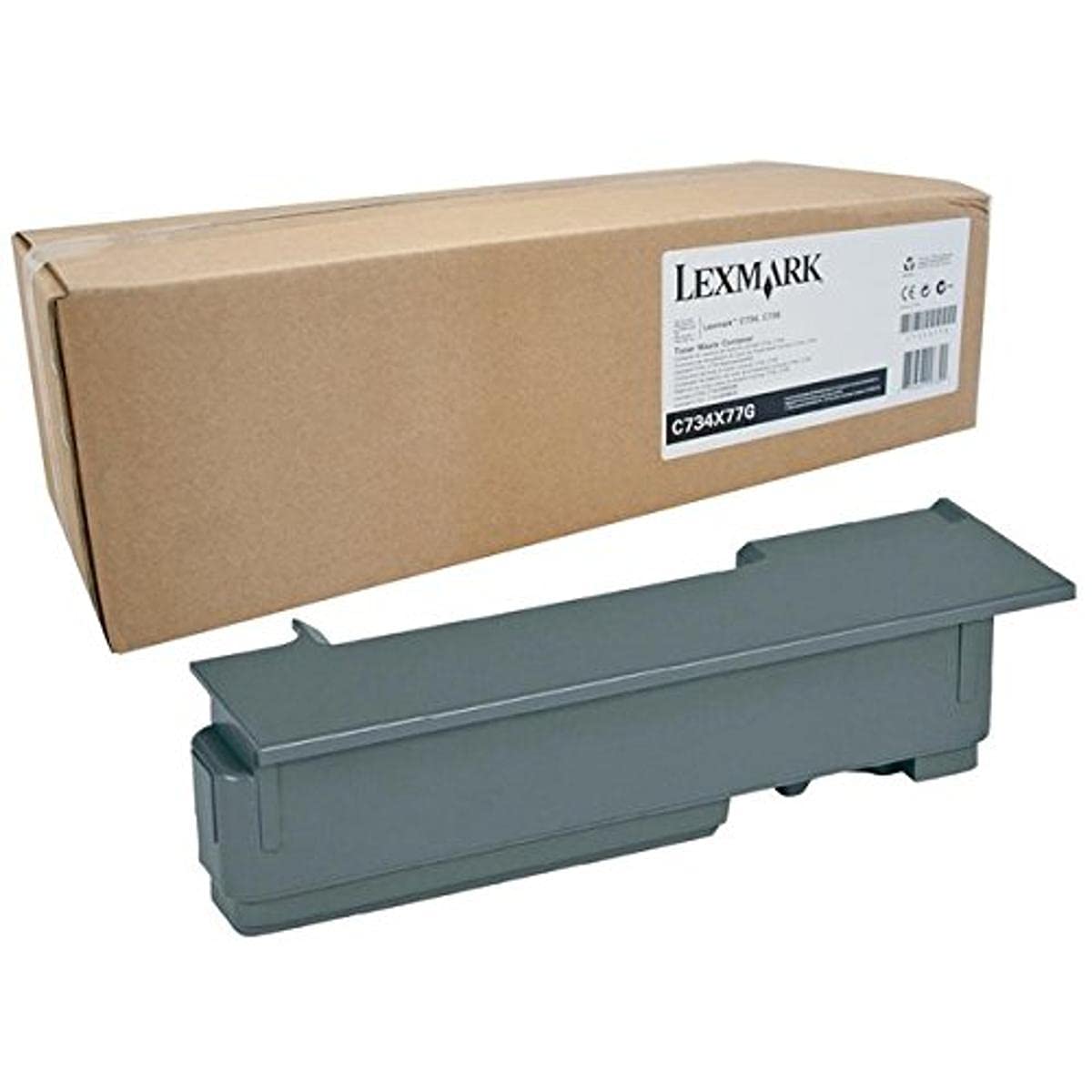
Waste Toner Box Combines Exceptional Print Quality With Clean-Hands Technology For Performance You Can Trust - No Soap Required. Container Fits In Lexmark C734Dtn, C734N, C734Dw, C735Dn, C736Dn, C736Dtn, C736N, C746Dn, C746N, C746Dtn, C748De, C748E, C748Dte, X734De, X736De, X738De, X738Dte, X746De, X748De And X748Dte. Capacity Is Up To 25,000 Pages.
⚠️ WARNING (California Proposition 65): This product may contain chemicals known to the State of California to cause cancer, birth defects, or other reproductive harm. For more information, please visit www.P65Warnings.ca.gov.
Frequently Asked Questions
Q: What is the capacity of the Lexmark C734X77G Waste Toner Box?A: The Lexmark C734X77G Waste Toner Box has a capacity of up to twenty-five thousand pages. This high capacity ensures that you can manage larger print jobs efficiently.
Q: What are the dimensions of the Lexmark C734X77G Waste Toner Box?A: The package dimensions are eleven point four centimeters in length, fourteen point four centimeters in width, and forty-five point four centimeters in height. This size allows for convenient storage and handling.
Q: What materials are used in the Lexmark C734X77G Waste Toner Box?A: The Lexmark C734X77G Waste Toner Box does not specify any particular materials. However, it is designed to provide exceptional print quality and clean-hands technology.
Q: How do I install the Lexmark C734X77G Waste Toner Box?A: To install the Lexmark C734X77G Waste Toner Box, follow your printer's manual instructions for replacing the waste toner box. It typically involves opening the printer and securely placing the new box in the designated slot.
Q: Is the Lexmark C734X77G Waste Toner Box compatible with my printer?A: Yes, the Lexmark C734X77G Waste Toner Box is compatible with several models including C734dtn, C734n, and C746n, among others. Ensure your printer model is listed for optimal performance.
Q: Can I use the Lexmark C734X77G Waste Toner Box in multiple printer models?A: Yes, you can use the Lexmark C734X77G Waste Toner Box in multiple compatible printer models. It fits various Lexmark printers designed to work with this specific waste toner box.
Q: How should I store the Lexmark C734X77G Waste Toner Box?A: Store the Lexmark C734X77G Waste Toner Box in a cool, dry place away from direct sunlight. This will help maintain its performance and integrity until it is ready for use.
Q: What safety precautions should I take with the Lexmark C734X77G Waste Toner Box?A: Always handle the Lexmark C734X77G Waste Toner Box with care to avoid spills. Although it features clean-hands technology, it's advisable to wash your hands after handling.
Q: How do I dispose of the Lexmark C734X77G Waste Toner Box safely?A: The Lexmark C734X77G Waste Toner Box should be disposed of according to local regulations for electronic waste. Check with your local waste management for specific disposal guidelines.
Q: What do I do if the Lexmark C734X77G Waste Toner Box arrives damaged?A: If the Lexmark C734X77G Waste Toner Box arrives damaged, contact the seller immediately for a replacement or refund. Most retailers have customer service policies to address such issues.
Q: Does the Lexmark C734X77G Waste Toner Box come with a warranty?A: Yes, the Lexmark C734X77G Waste Toner Box typically comes with a manufacturer's warranty. Check with the retailer for specific warranty details.
Q: Is the Lexmark C734X77G Waste Toner Box easy to replace?A: Yes, the Lexmark C734X77G Waste Toner Box is designed for easy replacement. Follow the instructions in your printer manual for a straightforward installation process.
Q: Can I recycle the Lexmark C734X77G Waste Toner Box?A: Yes, you can recycle the Lexmark C734X77G Waste Toner Box. Many manufacturers provide recycling programs for used toner boxes, ensuring environmentally friendly disposal.
Q: How does the clean-hands technology work in the Lexmark C734X77G Waste Toner Box?A: The clean-hands technology in the Lexmark C734X77G Waste Toner Box minimizes toner spills during replacement. This feature enhances user experience by keeping hands clean.
Q: What should I do if my printer shows a warning about the waste toner box?A: If your printer shows a warning about the waste toner box, check the installation and ensure it is securely in place. If the issue persists, consider replacing the box.