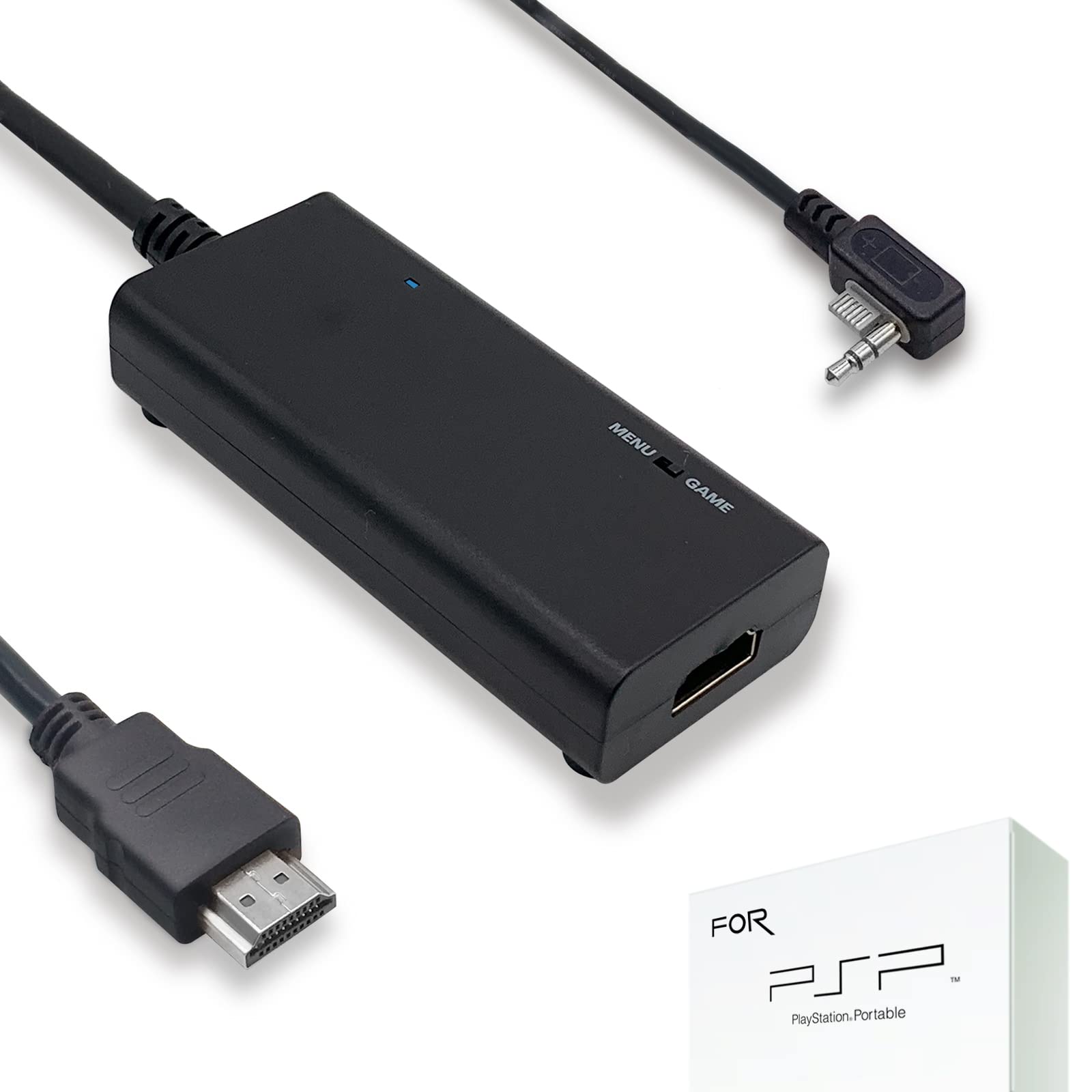
Our Mission Statementtake Out The Classic Consoles And Get Them Set Up In The Simplest Way For Modern Displays That Are Omitting Old Cable Hookups.This Is An Affordable & Convenient Option To Get Good Video Quality When It Comes To Retro Gaming.Go Back And Experience All The Things You Missed As A Kid: The Games, The Consoles, The Controllers.Psp To Tvthere Are 2 Ways To Display Psp On Hdtv:1. Menu: Settings > Connected Display Settings > Switch Video Output.2. Press The Display Button Down Long Enough Until The Screen Pops Up In Tv.Toggle To ''Menu'' When Psp Menu Display And Toggle To ''Game'' When Playing Psp Games.Maximum Compatibility With Trending Displays In Full Screennative Resolution From Psp2000/Psp3000 Is Upscaled To 720P For Best Matching With Current Hdmi Standard.You Can Only Get Partial Display In The Central Area Of Tv Screen With Component Cable.However, If You Want To Play Psp At Home On Big-Screen Hdtv With Visual Enjoyment, This Hdmi Cable Is What You Need!Manual Adjustment On Tvthis Cable Has Been Specifically Calibrated For Psp 2000 / Psp 3000.However, Final Output Doesn'T Only Depend On The Cable Quality But The Games You Are Playing And Television Quality.Try To Adjust The Backlight, Brightness, Dynamic Setting Or Other Parameters On Tv If You Want To Improve The Display More.Charging Issuethe Image May Be Wavy Or Distorted When Charging The Psp Battery Which Is Not Full Enough Because Of Current Interference.So It'S Recommendation That Playing Psp With The Full Battery Charging Or Without Charging To Get The Best Image On Tv.Lengthadapter: 10 Ft; Hdmi Cable: 6 Ft; Microusb Cable: 6 Ft.
⚠️ WARNING (California Proposition 65): This product may contain chemicals known to the State of California to cause cancer, birth defects, or other reproductive harm. For more information, please visit www.P65Warnings.ca.gov.
Frequently Asked Questions
Q: What is the length of the HDMI cable?A: The HDMI cable is six feet long, which provides ample reach for connecting your PSP to a TV or monitor.
Q: How long is the MicroUSB cable?A: The MicroUSB cable is also six feet long, allowing for convenient charging while playing.
Q: What type of HDMI cable is included?A: The product includes a high-quality HDMI cable designed to convert signals from the PlayStation Portable to modern HDMI standards.
Q: Is this HDMI cable compatible with all TVs?A: Yes, this HDMI cable is compatible with most modern HDTVs and monitors that support HDMI input.
Q: Is it easy to set up the HDMI cable with my PSP?A: Yes, it is plug-and-play, making it simple to connect your PSP to your TV without complicated installation.
Q: How do I switch the display from PSP to TV?A: To switch the display, go to Settings > Connected Display Settings and select Switch Video Output on your PSP.
Q: Can I play games while charging my PSP with this cable?A: While you can play games while charging, it is recommended to use a fully charged battery to avoid image distortion.
Q: What should I do if the image quality is poor?A: If the image quality is poor, try adjusting the backlight, brightness, and other settings on your TV for better display.
Q: Is there a warranty or guarantee with this product?A: Yes, the product comes with a free replacement guarantee within three hundred sixty-five days if there are any issues.
Q: How does this cable improve video quality?A: The cable upscales the native resolution from PSP to seven hundred twenty pixels for optimal visual quality on modern screens.
Q: Will this cable work for both PSP 2000 and PSP 3000?A: Yes, this HDMI cable is specifically calibrated for both the PlayStation Portable 2000 and 3000 models.
Q: What if my TV doesn't support HDMI?A: If your TV doesn't support HDMI, this cable will not work, and you may need a different type of adapter.
Q: Can I use longer HDMI cables with this adapter?A: Yes, the detachable design allows for high-end or extended HDMI cables to be used for longer distances.
Q: Does this product include customer support?A: Yes, customer support is available twenty-four hours a day, seven days a week for any inquiries or issues.
Q: What color is the HDMI cable?A: The HDMI cable is black, providing a sleek and modern look that blends well with most electronic setups.