

Cart
0


Lenovo Chromebook S330 Laptop, 14 Inch Fhd Display, Mediatek Mt8173C, 4Gb Ram, 64Gb Storage, Chrome Os
Vendor: Lenovo
Type: Business Laptops
Sku: WBCOMB07GLV1VC7
Availability: In Stock
Couldn't load pickup availability
Guarantee safe checkout

Sold by Electroeshop, an authorized reseller.
Returns accepted within 30 days | support@electroeshop.com
Shipping Information
- Free Standard Shipping — United States only
- Processing Time: 1–3 business days
- Estimated Delivery: 3–5 business days after dispatch
- Double-boxed, fully insured & discreetly packaged
- Tracking number sent via email once dispatched
- Orders over $250 require signature upon delivery. Taxes calculated at checkout.
Returns & Refund
Returns accepted within 30 days of delivery.
Damaged or Defective Item
Free return shipping + replacement or full refund
Wrong Item Received
Free return shipping + replacement or full refund
Change of Mind
Return shipping at customer's expense · 25% restocking fee applies
All returns require a Return Authorization (RA) number before sending.
View Full Return & Refund Policy
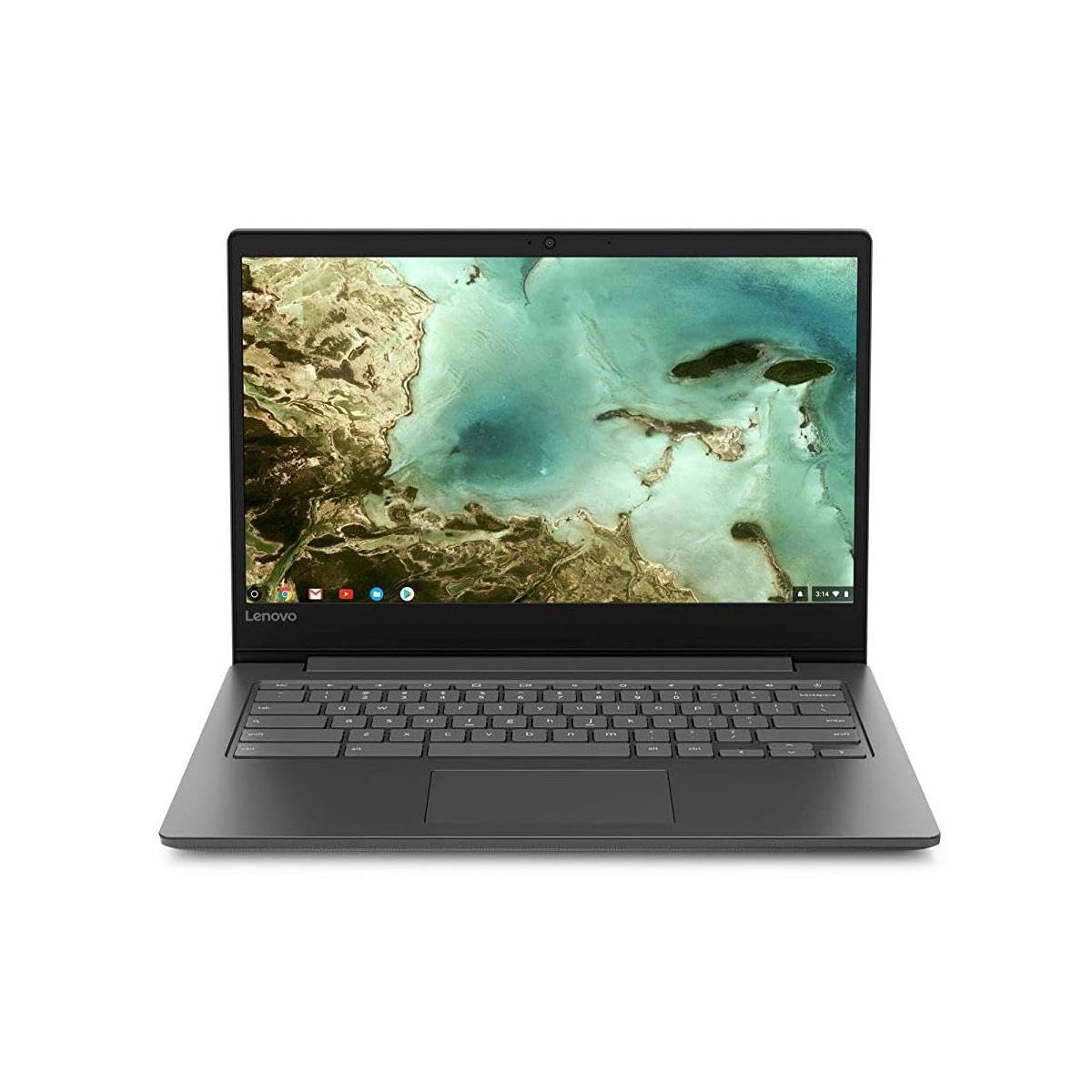
Lenovo Chromebook S330 Laptop, 14 Inch Fhd Display, Mediatek Mt8173C, 4Gb Ram, 64Gb Storage, Chrome Os
$246.91

Frequently Asked Questions
- Q: What are the dimensions of the Lenovo Chromebook S330? A: The dimensions of the Lenovo Chromebook S330 are nine point one inches in length, twelve point eight inches in width, and zero point eight inches in height.
- Q: What is the weight of the Lenovo Chromebook S330? A: The Lenovo Chromebook S330 weighs three point three pounds, making it lightweight and portable.
- Q: What type of display does the Lenovo Chromebook S330 have? A: The Lenovo Chromebook S330 features a fourteen-inch full high-definition display with an aspect ratio of sixteen to nine.
- Q: What processor does the Lenovo Chromebook S330 use? A: The Lenovo Chromebook S330 is equipped with a MediaTek MT8173C processor, providing efficient performance for daily tasks.
- Q: How much RAM does the Lenovo Chromebook S330 have? A: The Lenovo Chromebook S330 has four gigabytes of LPDDR3 RAM, suitable for multitasking.
- Q: What storage capacity does the Lenovo Chromebook S330 offer? A: The Lenovo Chromebook S330 offers sixty-four gigabytes of eMMC storage for fast boot-ups and software loading.
- Q: How do I set up the Lenovo Chromebook S330? A: To set up the Lenovo Chromebook S330, simply power it on and sign in with your Google account; no additional setup is required.
- Q: Can I use the Lenovo Chromebook S330 for gaming? A: Yes, the Lenovo Chromebook S330 is suitable for casual gaming, but it is primarily designed for everyday computing tasks.
- Q: Is the Lenovo Chromebook S330 suitable for students? A: Yes, the Lenovo Chromebook S330 is ideal for students due to its lightweight design and efficient performance for online learning.
- Q: How do I connect external devices to the Lenovo Chromebook S330? A: You can connect external devices to the Lenovo Chromebook S330 using its USB-C, USB 3.0, and micro SD ports.
- Q: What is the battery life of the Lenovo Chromebook S330? A: The Lenovo Chromebook S330 provides up to ten hours of battery life, ensuring all-day usage.
- Q: How do I keep the Lenovo Chromebook S330 clean? A: To keep the Lenovo Chromebook S330 clean, use a soft, lint-free cloth to wipe the screen and keyboard regularly.
- Q: Is the Lenovo Chromebook S330 easy to maintain? A: Yes, the Lenovo Chromebook S330 requires minimal maintenance, primarily software updates and occasional cleaning.
- Q: What if the Lenovo Chromebook S330 is damaged upon arrival? A: If the Lenovo Chromebook S330 arrives damaged, you should contact customer support for assistance with returns or exchanges.
- Q: What warranty does the Lenovo Chromebook S330 come with? A: The Lenovo Chromebook S330 typically comes with a one-year limited warranty, covering manufacturing defects.
- Q: Can I upgrade the RAM or storage on the Lenovo Chromebook S330? A: No, the RAM and storage on the Lenovo Chromebook S330 are soldered and cannot be upgraded.