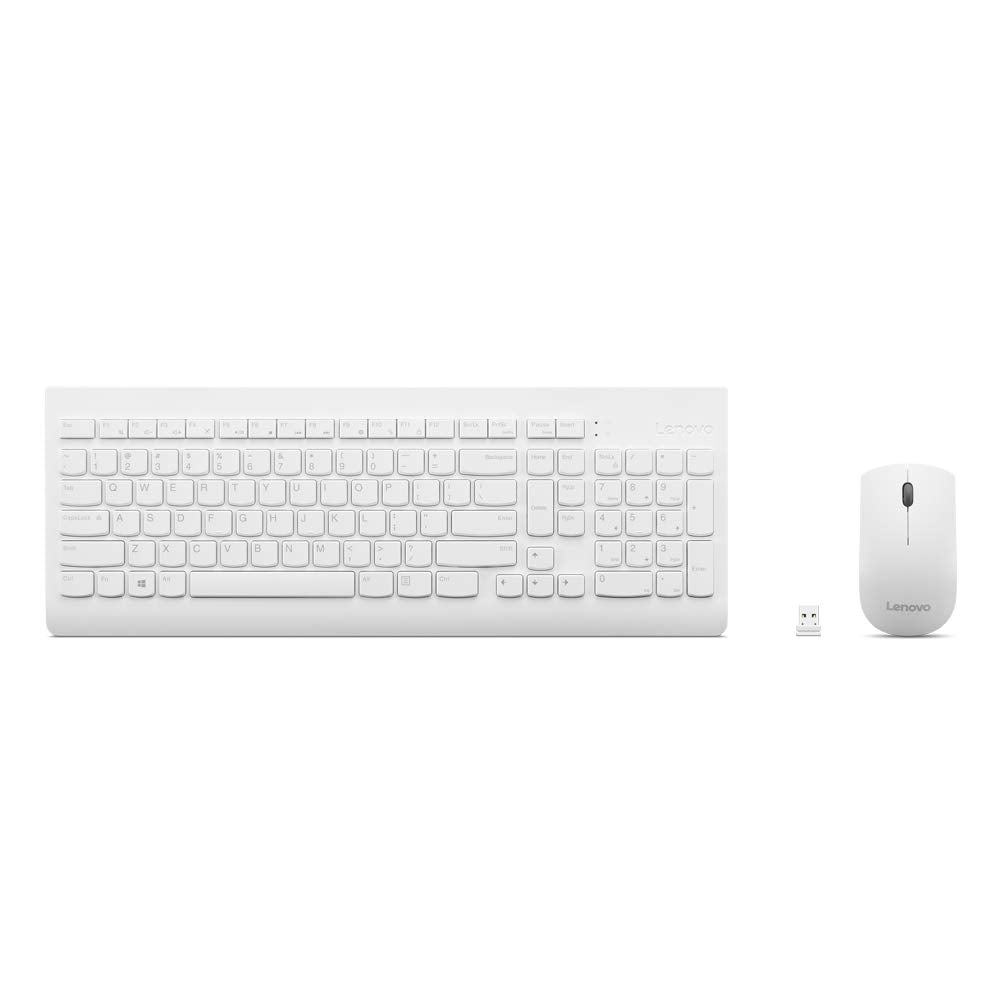
Elevate Simplicity To New Heights With The Lenovo 510 Wireless Keyboard And Mouse Combo. This Dynamic Duo Brings A Touch Of Modern Elegance To Your Workspace. Crafted With A Sleek And Understated Design, This Wireless Keyboard And Mouse Seamlessly Integrate Into Your Setup. Seamless Wireless Connectivity: Experience The Freedom Of Wireless Connection With The Lenovo 510 Combo. A Single 2.4 Ghz Nano-Usb Receiver Effortlessly Links Your Pc To Both Devices, Liberating Your Usb Ports For Other Essential Peripherals. No Complex Setup Required - Simply Plug In And Embark On A Hassle-Free Journey. Rediscover The Joy Of Typing On A Full-Size Tilting Computer Keyboard With The Lenovo 510. Wave Goodbye To Clutter And Tangled Cords As You Immerse Yourself In A Spacious, Unobstructed Workspace. The Keyboard'S Water-Resistant Casing Ensures Durability And Resilience Against Unexpected Spills. Engage In Precise Pointing And Control With The Wireless Mouse That Accompanies The Lenovo 510. Designed To Cater To Both Left And Right-Handed Users, Its Ambidextrous Layout Guarantees Ergonomic Comfort. With A 1200 Dpi Optical Sensor, Every Movement Is Accurate And Responsive, Enhancing Your Productivity. With A Remarkable Battery Life Of Up To 12 Months On Just A Single Aa Battery, You Can Bid Farewell To The Inconvenience Of Constantly Replacing Batteries And Say Hello To A Cord-Free Lifestyle. Please Note That Battery Life May Vary Based On Individual Usage Patterns.
⚠️ WARNING (California Proposition 65): This product may contain chemicals known to the State of California to cause cancer, birth defects, or other reproductive harm. For more information, please visit www.P65Warnings.ca.gov.
Frequently Asked Questions
Q: What are the dimensions of the Lenovo 510 Wireless Combo?A: The dimensions are sixteen point six nine inches in length, six point one two inches in width, and zero point eight one inches in height.
Q: What type of battery does the Lenovo 510 Wireless Combo use?A: It uses a single AA battery, providing a battery life of up to twelve months.
Q: Is the Lenovo 510 Wireless Combo suitable for both left and right-handed users?A: Yes, the wireless mouse is designed with an ambidextrous layout to accommodate both left and right-handed users.
Q: How do I connect the Lenovo 510 Wireless Combo to my computer?A: Simply plug the included two point four GHz nano-USB receiver into a USB port on your computer to establish a wireless connection.
Q: Is the Lenovo 510 Wireless Combo easy to set up?A: Yes, it requires no complex installations; just plug in the receiver and start using it.
Q: What features enhance the comfort of the Lenovo 510 Wireless Combo?A: The combo includes a full-size keyboard with a tilting design and a comfortable mouse with a twelve hundred DPI optical sensor for precision.
Q: How do I clean the Lenovo 510 Wireless Combo?A: To clean, use a soft, dry cloth to wipe down the keyboard and mouse; avoid using liquids directly on the devices.
Q: Are there any spill-resistant features in the Lenovo 510 Wireless Combo?A: Yes, the keyboard has a water-resistant casing, offering protection against accidental spills.
Q: What should I do if the keyboard or mouse stops working?A: Check the battery for the mouse and ensure the USB receiver is securely connected; if issues persist, consider replacing the battery.
Q: Does the Lenovo 510 Wireless Combo come with a warranty?A: Yes, Lenovo products typically come with a limited warranty; check the product documentation for specific details.
Q: Can I use the Lenovo 510 Wireless Combo with multiple devices?A: No, it is designed to connect to one device at a time via the single USB receiver.
Q: What is the material of the Lenovo 510 Wireless Combo?A: While specific material details are not provided, the design emphasizes durability and an elegant aesthetic.
Q: How much weight does the Lenovo 510 Wireless Combo add to my setup?A: The weight of the combo is not specified, but it is designed for a lightweight and portable experience.
Q: Is the Lenovo 510 Wireless Combo compatible with all operating systems?A: Yes, it is compatible with most operating systems that support USB input devices.
Q: What are the color options available for the Lenovo 510 Wireless Combo?A: It is available in a sleek white color, adding a modern touch to your workspace.