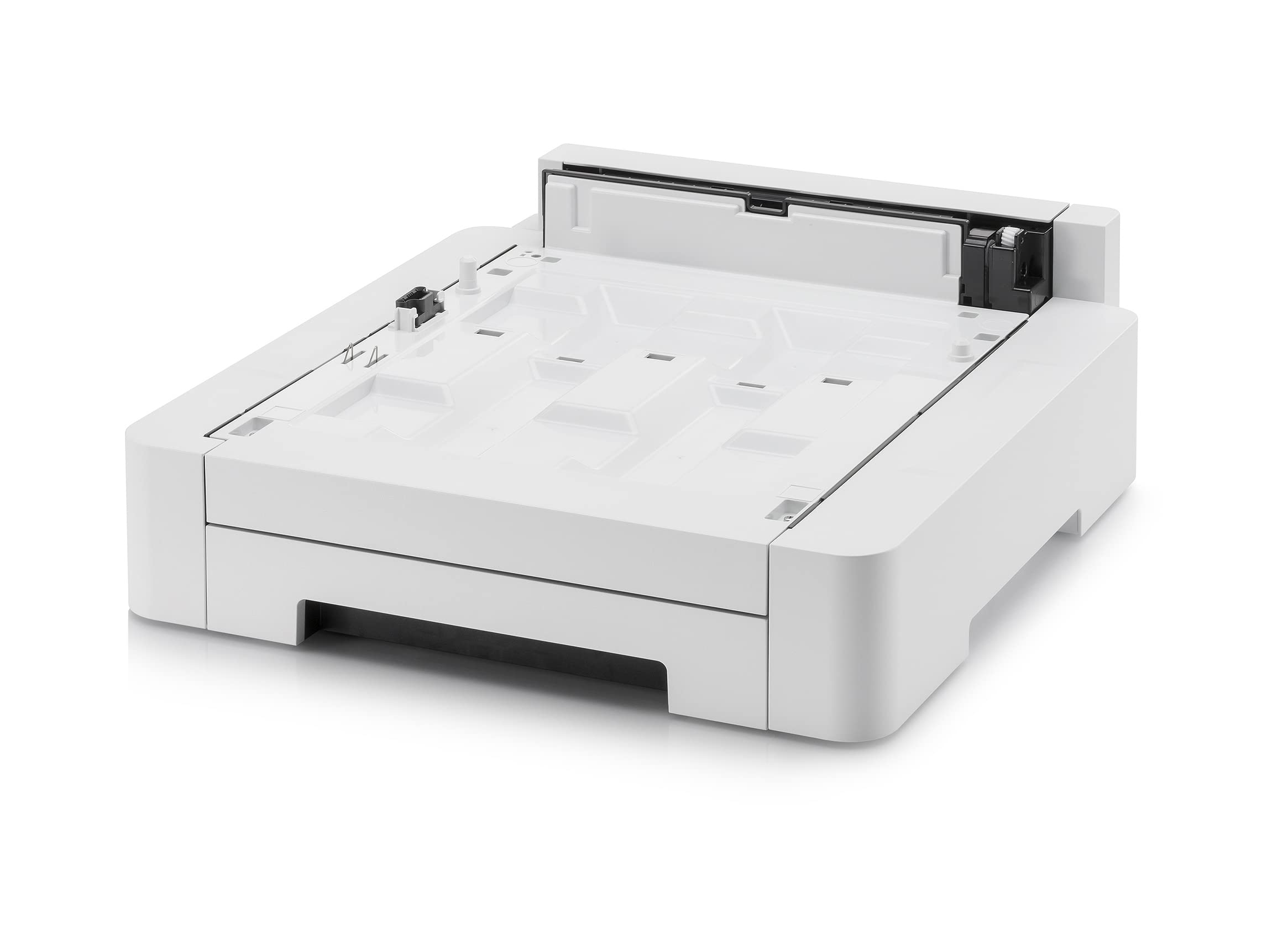
Kyocera 1203R60Un0 Model Pf-5110 250 Sheet Paper Feed Drawer For Use With Ecosys P5026Cdn, P5026Cdw, M5521Cdw And M5526Cdw Color Printers Key Features - For Use With Ecosys P5026Cdn, P5026Cdw, M5521Cdw And M5526Cdw Color Printers - Paper Size: 5.5 X 8.5 - 8.5 X 14 (Statement To Legal) - Paper Weight: 16 Lb Bond - 90 Lb Index (60 - 163Gsm) - Dimensions: 16.5 X 19 X 6 - Weight: 8 Lbs.
⚠️ WARNING (California Proposition 65): This product may contain chemicals known to the State of California to cause cancer, birth defects, or other reproductive harm. For more information, please visit www.P65Warnings.ca.gov.
Frequently Asked Questions
Q: What are the dimensions of the Kyocera PF-5110 Printer Paper Tray?A: The dimensions are four hundred ten millimeters by four hundred forty-seven point five millimeters by one hundred forty-seven millimeters. This size accommodates various paper formats from DIN A6 to A4.
Q: What is the maximum paper capacity of this tray?A: The tray can hold up to two hundred fifty sheets of paper. This allows for efficient printing without frequent paper refills.
Q: What paper weights does the PF-5110 support?A: It supports paper weights ranging from sixty grams per square meter to one hundred sixty-three grams per square meter. This versatility is ideal for different printing needs.
Q: How do I install the Kyocera PF-5110 Paper Tray?A: To install, slide the tray into the designated slot on the printer until it clicks into place. Ensure that it aligns properly with the printer for optimal function.
Q: Is the PF-5110 compatible with all Kyocera printers?A: No, it is specifically designed for certain models including the Ecosys P5021cdn and P5026cdw. Always check compatibility before purchasing.
Q: Can I use this tray for custom paper sizes?A: Yes, it can accommodate custom paper sizes ranging from one hundred five millimeters by one hundred forty-eight millimeters to two hundred sixteen millimeters by three hundred fifty-six millimeters. This feature enhances flexibility in printing.
Q: What is the best way to clean the PF-5110 Paper Tray?A: Use a soft, damp cloth to wipe the tray. Avoid abrasive cleaners to prevent damage and maintain its quality.
Q: Is the PF-5110 made of durable materials?A: Yes, it is constructed from high-quality plastic designed for durability. This ensures longevity even with regular use.
Q: How should I store the PF-5110 Paper Tray when not in use?A: Store it in a dry, cool place away from direct sunlight. This will help prevent warping and maintain its form.
Q: Can I return the PF-5110 if it doesn't fit my printer?A: Yes, most retailers offer a return policy. Always check the specific return conditions before purchasing.
Q: What if the PF-5110 arrives damaged?A: Contact the seller immediately to report the damage. They will guide you on how to proceed with a return or replacement.
Q: Does the PF-5110 come with a warranty?A: Yes, it typically includes a manufacturer's warranty. Check the warranty details provided by the retailer for specific terms.
Q: Is this tray easy to adjust for different paper sizes?A: Yes, it features adjustable guides that make it simple to fit various paper sizes. This ensures precise alignment for printing.
Q: Is the PF-5110 suitable for a home office?A: Yes, it is perfect for home office use due to its compact size and efficient paper capacity. It enhances productivity by reducing paper refills.
Q: What color is the Kyocera PF-5110 Paper Tray?A: The tray is white, which fits well in most office environments. Its neutral color blends seamlessly with various printer models.