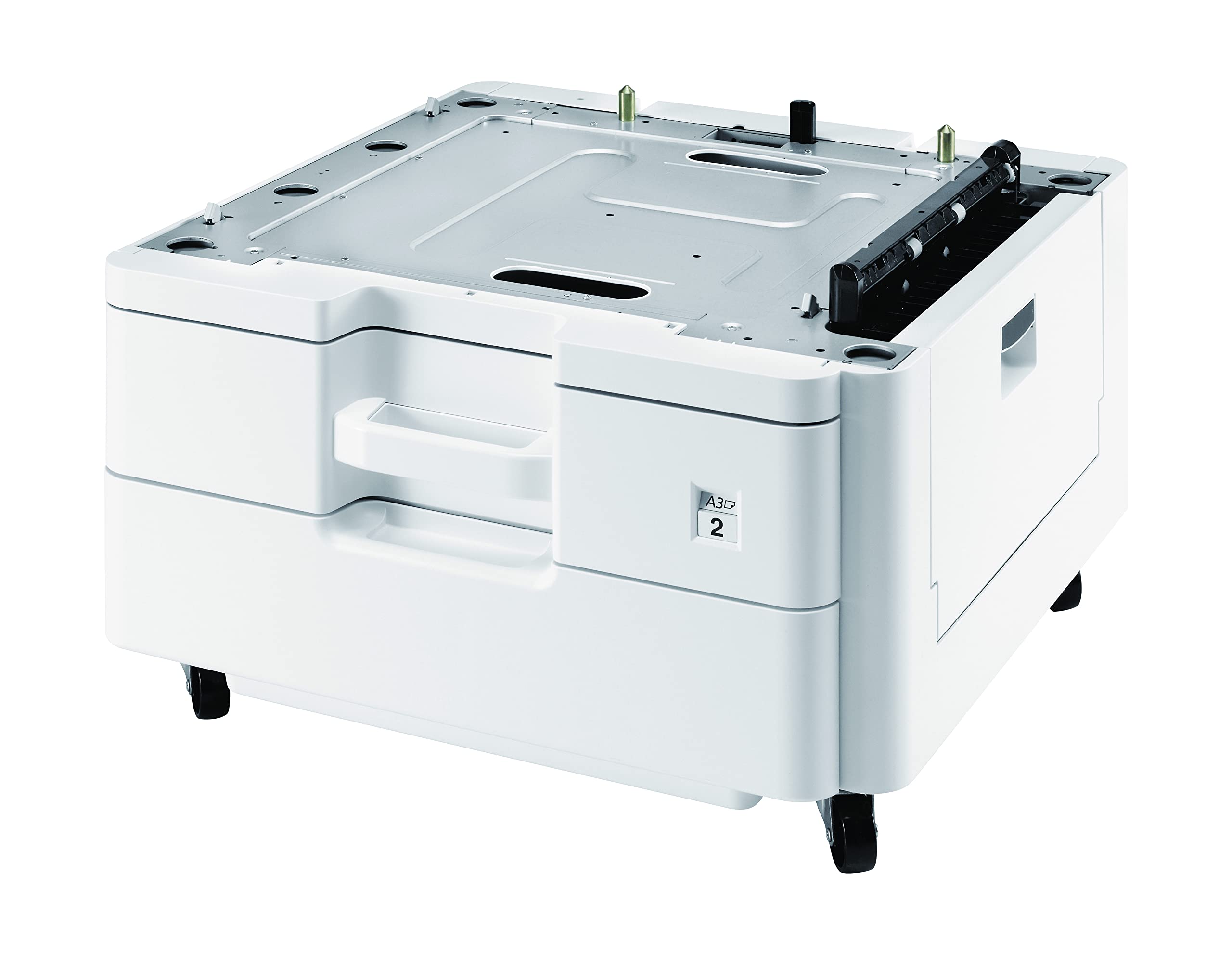
Kyocera 1203Np2Us0 Model Pf-470 500-Sheet Paper Feeder And Cabinet; For Use With Fs-C8520Mfp, Fs-C8525Mfp, Fs-6525Mfp, Fs-6530Mfp, M4132Idn, M4125Idn, M8124Cidn, M8130Cidn And Others Printers Key Features Designed To Work With Fs-C8520Mfp, Fs-C8525Mfp, Fs-6525Mfp, Fs-6530Mfp, M4132Idn, M4125Idn, M8124Cidn, M8130Cidn And Others Printers 500 Sheets Capacity A3, A4, A5, B5, Letter, Legal, And Custom Media Sizes (98 X 148 To 297 X 432 Mm) 60 G/M To 256 G/M Media Weights Dimensions 23.23'' X 13.83'' X 13.86'' Weight 62.39 Lbs
⚠️ WARNING (California Proposition 65): This product may contain chemicals known to the State of California to cause cancer, birth defects, or other reproductive harm. For more information, please visit www.P65Warnings.ca.gov.
Frequently Asked Questions
Q: What is the capacity of the Kyocera Mita PF-470 Paper Tray?A: The capacity is five hundred sheets. This allows for efficient document handling and reduces the need for frequent refills.
Q: What sizes of paper can the PF-470 accommodate?A: The PF-470 can accommodate A3, A4, A5, B5, Letter, Legal, and custom media sizes. This versatility makes it suitable for various printing needs.
Q: What are the dimensions of the Kyocera PF-470 Paper Tray?A: The dimensions are twenty-three point twenty-three inches in length, thirteen point eighty-three inches in width, and thirteen point eighty-six inches in height. This compact size ensures it fits well with most printer setups.
Q: What weight of media can the PF-470 handle?A: The tray can handle media weights ranging from sixty grams per square meter to two hundred fifty-six grams per square meter. This range allows for a variety of paper types.
Q: How do I install the Kyocera PF-470 Paper Tray?A: To install, simply align the tray with the printer's designated input slot and slide it into place until it clicks. Ensure it's securely attached for optimal performance.
Q: Is the PF-470 compatible with multiple printer models?A: Yes, it is compatible with various Kyocera models including FS-C8520MFP, FS-C8525MFP, FS-6525MFP, FS-6530MFP, M4132idn, M4125idn, M8124cidn, and M8130cidn. This makes it a versatile choice for different office setups.
Q: What should I do to keep the PF-470 in good condition?A: Regularly clean the tray with a dry cloth to remove dust and debris. Avoid using harsh chemicals that could damage the surface.
Q: Can I store the PF-470 outside?A: No, it is not recommended to store the PF-470 outside. It should be kept in a dry, indoor environment to prevent damage from moisture or extreme temperatures.
Q: What if the paper tray arrives damaged?A: If the tray arrives damaged, contact customer support for assistance with returns or exchanges. Make sure to keep the original packaging for potential returns.
Q: Is the PF-470 easy to use with different media types?A: Yes, the PF-470 is designed for easy use with various media types. Simply adjust the settings on your printer for the specific media size and weight.
Q: How heavy is the Kyocera PF-470 Paper Tray?A: The weight is sixty-two point thirty-nine pounds. This sturdy construction contributes to its durability and stability during operation.
Q: Does the PF-470 require any special maintenance?A: No, it does not require special maintenance. Regular cleaning and ensuring proper paper loading are sufficient for optimal performance.
Q: Is the PF-470 suitable for high-volume printing?A: Yes, it is suitable for high-volume printing due to its five hundred sheets capacity. This feature minimizes interruptions during large printing tasks.
Q: What is the brand of the Kyocera PF-470 Paper Tray?A: The brand is Kyocera. This brand is well-known for its reliable printing solutions.
Q: What materials are used in the PF-470's construction?A: The materials primarily include high-quality plastic and metal components for durability. This ensures a long-lasting product suitable for office environments.