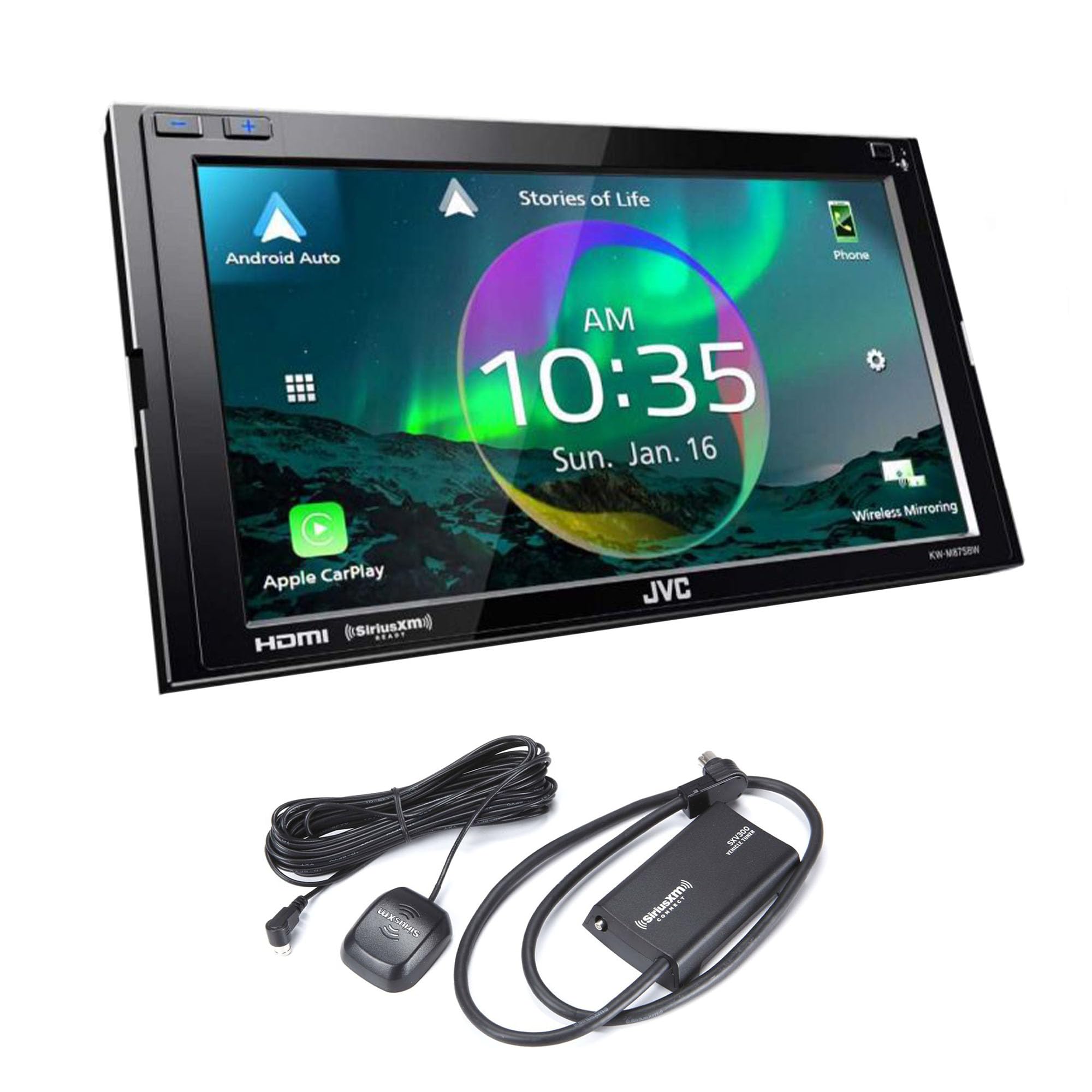
Jvc Kw-M875Bw Digital Multimedia Receiver (Does Not Play Cds) - Clear Resistive Touch Panel Display Short Chassis 3-3/8In. Depth (85Mm) Dynamic Gui Gesture Touch Control With Widgets Apple Carplaytm (Via Wi-Fi Or Usb) Android Autotm (Via Wi-Fi Or Usb) Usb Mirroring For Iphone & Androidtm Wi-Fi Mirroring For Androidtm Rear Hdmi Type-D Input Usb Type-C 5V 3.0A Current Charging Includes Usb Extension + Usb Type-C To Type-A Adapter Audio Decoder Mp3/Wma/Aac/Wav/Flac/Vorbis Video Decoer Mpeg1/2,Mpeg4/Wmv/H.264/Mkv Siriusxm Ready, Tuner, Antenna And Subscription Sold Separately Idatalink Maestro Ready - Advanced Vehicle Integration Bluetooth V5.0 (Hfp1.7, Spp, A2Dp, Avrcp1.6, Pbap) Iphone / Androidtm Bluetooth Automatic Pairing Sirius Xm Sxv300V1 Vehicle Tuner Kit For Satellite Radio - Connect, Control And Enjoy All The Wonders Of Satellite Radio On The Sly. The Compact Sxv300 Tuner Is Truly Plug-And-Play With Compatible Car Stereos And Installs Easily And Discreetly Behind The Dash For A Fully Integrated Look.
⚠️ WARNING (California Proposition 65): This product may contain chemicals known to the State of California to cause cancer, birth defects, or other reproductive harm. For more information, please visit www.P65Warnings.ca.gov.
Frequently Asked Questions
Q: What are the dimensions of the JVC KW-M875BW receiver?A: The JVC KW-M875BW has a short chassis depth of three and three eighths inches, or eighty-five millimeters.
Q: What audio formats does the JVC KW-M875BW support?A: The receiver supports multiple audio formats including MP3, WMA, AAC, WAV, FLAC, and Vorbis.
Q: Is the JVC KW-M875BW compatible with satellite radio?A: Yes, the JVC KW-M875BW is SiriusXM Ready, but the tuner, antenna, and subscription are sold separately.
Q: How do I connect my phone to the JVC KW-M875BW?A: You can connect your phone to the JVC KW-M875BW via Apple CarPlay or Android Auto using Wi-Fi or USB.
Q: Can I use the JVC KW-M875BW with an iPhone?A: Yes, the JVC KW-M875BW is compatible with iPhones through USB or Wi-Fi for Apple CarPlay.
Q: How do I install the JVC KW-M875BW receiver in my car?A: Installation typically requires connecting wires to the car's audio system and mounting the receiver securely in the dash.
Q: What type of Bluetooth does the JVC KW-M875BW use?A: The receiver features Bluetooth version five point zero, supporting various profiles including HFP, A2DP, and AVRCP.
Q: How can I clean the display of the JVC KW-M875BW?A: You should clean the display with a soft, lint-free cloth and avoid using harsh chemicals or abrasive materials.
Q: Is the JVC KW-M875BW safe to use while driving?A: Yes, but it's essential to ensure that any setup or adjustments are made when the vehicle is stationary.
Q: What is the power output of the JVC KW-M875BW?A: The receiver delivers twenty-two watts RMS and fifty watts peak power across four channels.
Q: Does the JVC KW-M875BW support USB mirroring?A: Yes, the receiver supports USB mirroring for both iPhone and Android devices.
Q: What are the benefits of using the JVC KW-M875BW with Apple CarPlay?A: Apple CarPlay provides seamless access to apps, navigation, and hands-free calling directly from the receiver's interface.
Q: Can I expect high-resolution audio from the JVC KW-M875BW?A: Yes, the JVC KW-M875BW is designed for high-resolution audio playback, enhancing your listening experience.
Q: What is included in the bundle with the JVC KW-M875BW?A: The bundle includes the JVC KW-M875BW receiver and the Sirius XM SXV300v1 Connect Vehicle Tuner Kit for satellite radio.
Q: What should I do if the JVC KW-M875BW arrives damaged?A: If the receiver arrives damaged, you should contact customer support immediately for return or replacement options.