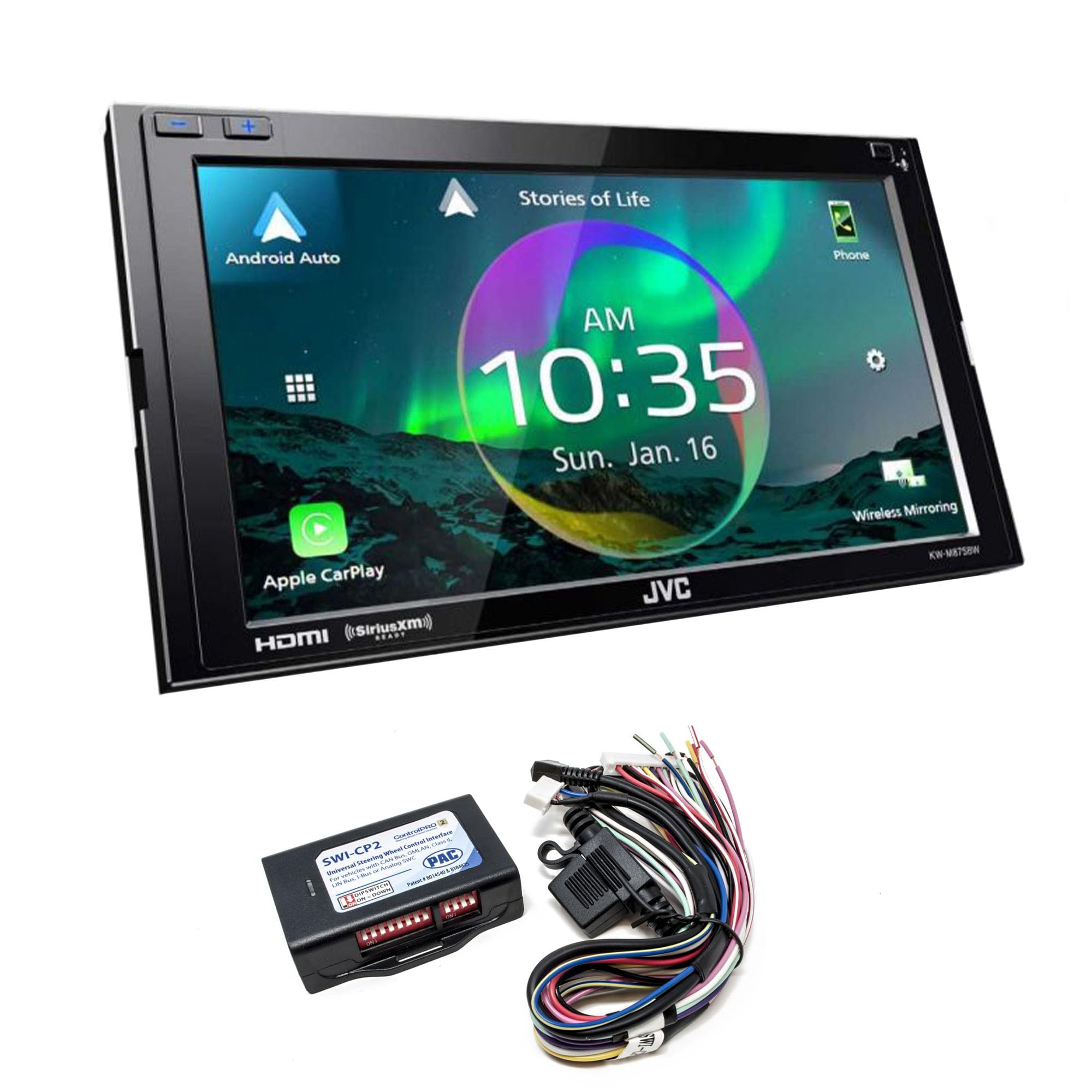
Jvc Kw-M875Bw Digital Multimedia Receiver (Does Not Play Cds) - Clear Resistive Touch Panel Display Short Chassis 3-3/8In. Depth (85Mm) Dynamic Gui Gesture Touch Control With Widgets Apple Carplaytm (Via Wi-Fi Or Usb) Android Autotm (Via Wi-Fi Or Usb) Usb Mirroring For Iphone & Androidtm Wi-Fi Mirroring For Androidtm Rear Hdmi Type-D Input Usb Type-C 5V 3.0A Current Charging Includes Usb Extension + Usb Type-C To Type-A Adapter Audio Decoder Mp3/Wma/Aac/Wav/Flac/Vorbis Video Decoer Mpeg1/2,Mpeg4/Wmv/H.264/Mkv Siriusxm Ready, Tuner, Antenna And Subscription Sold Separately Idatalink Maestro Ready - Advanced Vehicle Integration Bluetooth V5.0 (Hfp1.7, Spp, A2Dp, Avrcp1.6, Pbap) Iphone / Androidtm Bluetooth Automatic Pairing Pac Audio Swi-Cp2 Universal Analog/Can-Bus Steering Wheel Control Interface - The Controlpro Swi-Cp2 Retains The Built-In Steering Wheel Controls In Vehicles When Replacing The Factory Radio With An Aftermarket Radio. It Is Compatible With Todays Most Popular Vehicles, Even With More Complex Electronic Systems Including Can Bus, Gmlan, And Class Ii Systems. The Simple To Use Module Can Be Configured In Multiple Ways, Via Dip Switches, Direct From A Usb Connected Pc, Or A Button Learning Procedure. Wiring And Vehicle Configuration Switch Settings Are Provided Through The Controlpro Web-App And Mobile Apps For Android And Ios Devices. The Swi-Cp2 Is Designed To Minimize Installation Time, Much Faster Than Any Other Products Available In The Market Today.
⚠️ WARNING (California Proposition 65): This product may contain chemicals known to the State of California to cause cancer, birth defects, or other reproductive harm. For more information, please visit www.P65Warnings.ca.gov.
Frequently Asked Questions
Q: What are the specifications of the JVC KW-M875BW receiver?A: The JVC KW-M875BW receiver features a short chassis with a depth of three and three-eighths inches (eighty-five millimeters). It has a clear resistive touch panel display and supports dynamic GUI gesture touch control.
Q: Does the JVC KW-M875BW support Apple CarPlay?A: Yes, the JVC KW-M875BW supports Apple CarPlay via Wi-Fi or USB connection. This allows for seamless integration with your iPhone for hands-free functionality.
Q: What audio formats can the JVC KW-M875BW decode?A: The JVC KW-M875BW can decode multiple audio formats including MP3, WMA, AAC, WAV, FLAC, and Vorbis. This versatility ensures compatibility with various music files.
Q: How do I install the JVC KW-M875BW in my vehicle?A: To install the JVC KW-M875BW, connect the receiver to your vehicle's power and speaker wires according to the manual. The PAC SWI-CP2 interface helps retain steering wheel controls during installation.
Q: Is the JVC KW-M875BW compatible with Android Auto?A: Yes, the JVC KW-M875BW is compatible with Android Auto via Wi-Fi or USB. This feature enables you to access Android apps safely while driving.
Q: What should I do to ensure the JVC KW-M875BW remains in good condition?A: To keep the JVC KW-M875BW in good condition, regularly clean the touch screen with a soft, lint-free cloth. Avoid using harsh chemicals that could damage the display.
Q: Can I use the JVC KW-M875BW in my older vehicle?A: Yes, the JVC KW-M875BW can be used in older vehicles, especially with the PAC SWI-CP2 steering wheel control interface for compatibility with factory controls.
Q: What is the power output of the JVC KW-M875BW?A: The power output of the JVC KW-M875BW is twenty-two watts RMS and fifty watts peak per channel across four channels. This ensures strong audio performance.
Q: Does the JVC KW-M875BW come with a warranty?A: Yes, the JVC KW-M875BW typically comes with a one-year manufacturer's warranty. Check with the retailer for specific warranty details.
Q: How do I connect my smartphone to the JVC KW-M875BW?A: To connect your smartphone to the JVC KW-M875BW, use Bluetooth for wireless pairing or connect via a USB cable for a wired connection. Follow the prompts on the receiver's display.
Q: What additional accessories are needed for the JVC KW-M875BW?A: For full functionality, you may need additional accessories like a SiriusXM tuner and subscription, which are sold separately. Ensure you have a compatible antenna as well.
Q: Is the JVC KW-M875BW easy to navigate?A: Yes, the JVC KW-M875BW features a user-friendly interface with dynamic GUI gesture touch control. This makes it easy to navigate through menus and settings.
Q: Can I mirror my smartphone on the JVC KW-M875BW?A: Yes, the JVC KW-M875BW supports USB mirroring for iPhone and Android devices, allowing you to display your smartphone screen on the receiver.
Q: What type of display does the JVC KW-M875BW have?A: The JVC KW-M875BW has a clear resistive touch panel display, which provides intuitive control and visibility under various lighting conditions.
Q: What should I do if my JVC KW-M875BW doesn’t turn on?A: If your JVC KW-M875BW doesn’t turn on, check all power connections and fuses. Ensure the wiring harness is securely connected to the vehicle's power supply.