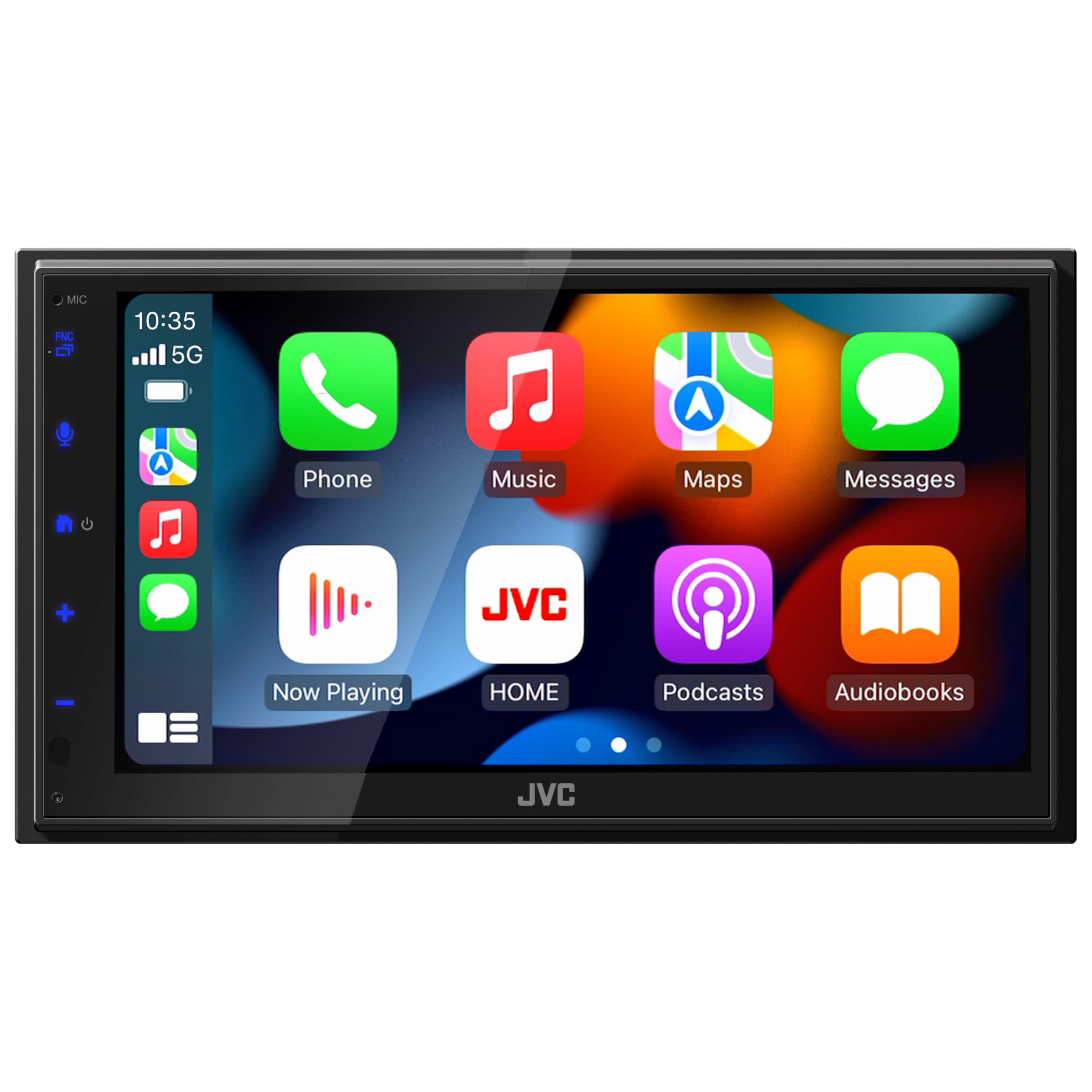
Upgrade Your In-Car Entertainment With The Jvc Kw-M690Bw 6.8'' Capacitive Touchscreen Car Stereo. This Advanced Receiver Offers Seamless Wireless Integration With Both Apple Carplay And Android Auto, Allowing You To Access Your Smartphone'S Features Directly From The Dashboard. The 13-Band Graphic Equalizer Provides Extensive Audio Customization, Enabling You To Fine-Tune Sound Settings To Match Your Preferences For An Immersive Listening Experience. With Usb Mirroring For Android Devices, You Can Display And Control Your Smartphone'S Apps Directly On The Receiver'S Screen, Enhancing Convenience And Accessibility. The Compact, Short Chassis Design Ensures Easy Installation Across Various Vehicle Types, Making It A Versatile Choice For Those Looking To Enhance Their Car'S Audio System. The Intuitive 6.8'' Capacitive Touchscreen Offers A Responsive And User-Friendly Interface, Allowing You To Navigate Through Features And Settings With Ease. Elevate Your Driving Experience With The Jvc Kw-M690Bw, Combining Cutting-Edge Technology With Superior Sound Quality For The Ultimate In-Car Entertainment. Enhance Your Journey With Jvc'S State-Of-The-Art Car Stereo Technology
⚠️ WARNING (California Proposition 65): This product may contain chemicals known to the State of California to cause cancer, birth defects, or other reproductive harm. For more information, please visit www.P65Warnings.ca.gov.
Frequently Asked Questions
Q: What are the dimensions of the JVC KW-M690BW car stereo?A: The JVC KW-M690BW measures eighteen inches in length, eight inches in width, and fourteen point zero two inches in height. This compact design allows for versatile installation in various vehicle types.
Q: What type of touchscreen does the JVC KW-M690BW have?A: The JVC KW-M690BW features a six point eight inch capacitive touchscreen. This provides a responsive and user-friendly interface for easy navigation.
Q: Is the JVC KW-M690BW compatible with both Apple and Android devices?A: Yes, the JVC KW-M690BW is compatible with both wireless Apple CarPlay and Android Auto. This allows seamless integration with smartphones for navigation and music.
Q: How do I install the JVC KW-M690BW car stereo?A: To install the JVC KW-M690BW, use the provided wiring harness and follow the installation instructions in the manual. Its short chassis design simplifies the installation process.
Q: Can I mirror my Android smartphone on the JVC KW-M690BW?A: Yes, you can mirror your Android smartphone's display directly onto the JVC KW-M690BW via USB. This feature allows easy access to apps and content from your phone.
Q: How do I customize sound settings on the JVC KW-M690BW?A: You can customize sound settings using the thirteen-band graphic equalizer. This allows you to fine-tune audio preferences for an optimal listening experience.
Q: How do I keep the JVC KW-M690BW in good condition?A: To maintain the JVC KW-M690BW, avoid using abrasive cleaners and wipe the touchscreen with a soft, dry cloth. Regular cleaning helps preserve its appearance and functionality.
Q: Is the JVC KW-M690BW easy to navigate while driving?A: Yes, the intuitive interface of the JVC KW-M690BW makes navigation easy while driving. Its responsive touchscreen allows quick access to features without distraction.
Q: What should I do if the JVC KW-M690BW doesn't power on?A: If the JVC KW-M690BW doesn't power on, check the wiring connections and ensure the vehicle's ignition is on. If issues persist, refer to the troubleshooting section of the manual.
Q: Does the JVC KW-M690BW come with a warranty?A: Yes, the JVC KW-M690BW typically comes with a limited warranty from the manufacturer. Check the warranty details included with your purchase for specific coverage.
Q: Can I use voice commands with the JVC KW-M690BW?A: Yes, the JVC KW-M690BW supports voice commands through Apple CarPlay and Android Auto. This feature allows for hands-free control of navigation and music.
Q: Is the JVC KW-M690BW suitable for all vehicle types?A: Yes, the compact design of the JVC KW-M690BW allows for installation in a wide range of vehicle types. Its short chassis makes it versatile for various setups.
Q: What audio formats does the JVC KW-M690BW support?A: The JVC KW-M690BW supports multiple audio formats, ensuring compatibility with various music files. This versatility enhances your listening options.
Q: How do I reset the JVC KW-M690BW if needed?A: To reset the JVC KW-M690BW, locate the reset button on the unit and press it with a pointed object. This will restore the factory settings.
Q: Can I connect multiple Bluetooth devices to the JVC KW-M690BW?A: Yes, the JVC KW-M690BW can connect to multiple Bluetooth devices, allowing you to switch between devices for hands-free calls and music streaming.