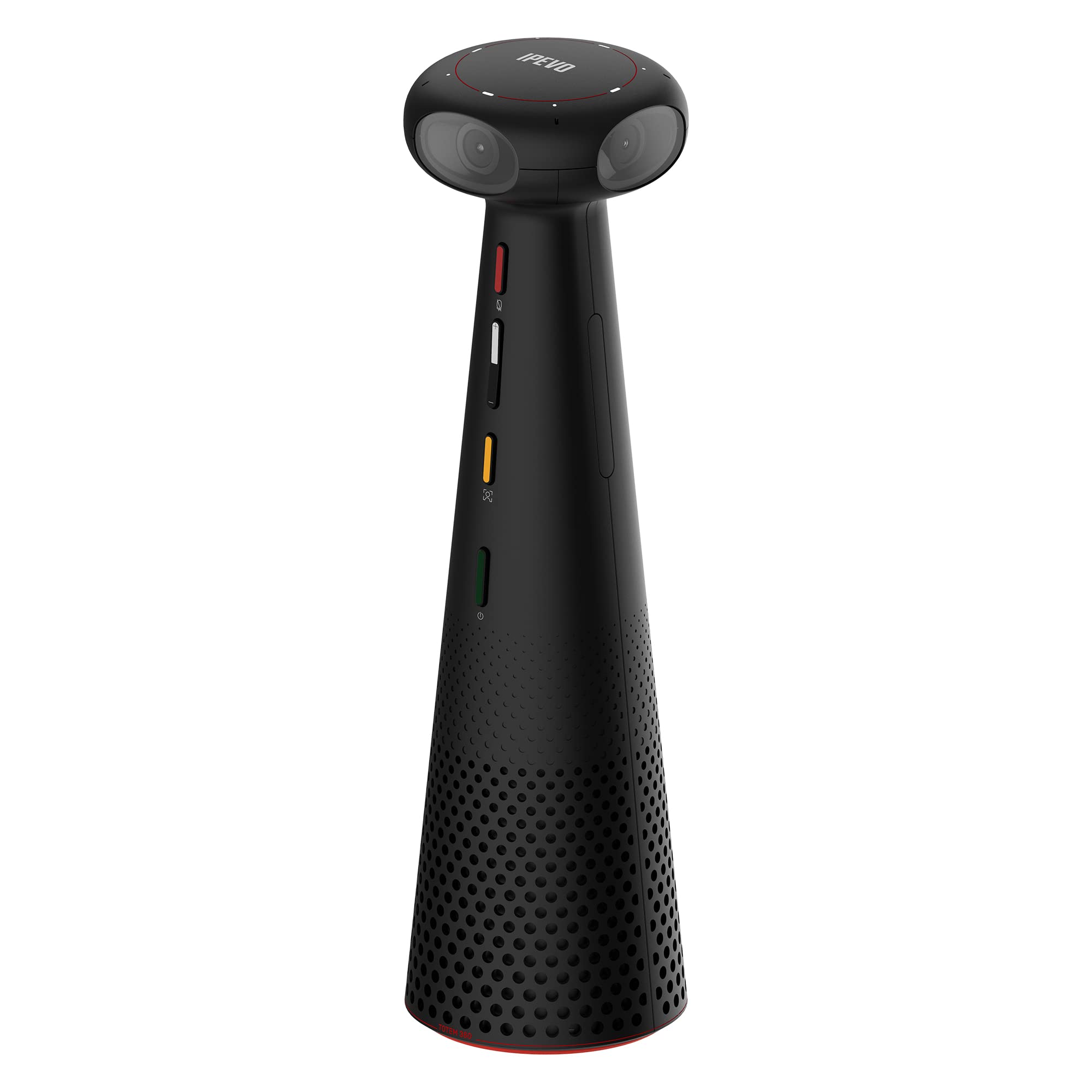
Create An Effective Conferencing Platform For Your Teams, Your Lectures, And Your Presentations. The Immersive Video Modes Of Totem 360 Encourage The Engagement Of The Online Participants, Just As If They Were Present In The Meeting Room Or Lecture Hall. Thanks To Totem'S Easy Portability And Quick Deployment, Any Room Can Become A Hybrid Conferencing Space.There Are Four Video Modes That Provide A Tailored Conferencing Experience Matching Different Scenarios:Conferencing Modethe Conferencing Mode Provides A 360 View Of The Whole Table, While Tracking Up To Four Active Speakers, Highlighting Them In Individual Close-Ups.Surround Modein This Mode, The 360 View Is Divided Into Two Horizontal Screens, Providing A Full View Of Everyone At The Table.Hybrid Learning Modethe Hybrid Learning Mode Makes The Lessons Immersive For The Online Participants, Allowing Them To See The Lecturer And The Class At The Same Time. The Onboard Ai Tracks The Presenter'S Movements, Keeping The Focus Of The Shot On The Presenter And The Presented Materials.Presentation Modethe Presentation Mode Provides A Directional View That Brings Full Focus To Up To Two Presenters. In This Mode, The Ai Tracks The Presenters In Front Of The Camera, Keeping Them In The Focus Of The Shot.Totem 360 Is Equipped With Four Microphones And A 360 Speaker. The Microphones Pick Up Sound From All Directions And Thanks To The Beamforming Technology Are Capable Of Determining The Direction Of The Sound. This Is Used To Track The Active Speakers. The Onboard Ai Noise Reduction Makes Sure Your Meeting Won'T Get Disturbed By Sounds From The Background.
⚠️ WARNING (California Proposition 65): This product may contain chemicals known to the State of California to cause cancer, birth defects, or other reproductive harm. For more information, please visit www.P65Warnings.ca.gov.
Frequently Asked Questions
Q: What are the dimensions of the IPEVO Totem 360?A: The IPEVO Totem 360 measures two point eight inches in length, two point eight inches in width, and ten inches in height. This compact size makes it easy to fit into various meeting spaces.
Q: What materials is the IPEVO Totem 360 made of?A: The IPEVO Totem 360 is primarily made from high-quality electronics materials. This ensures durability and optimal performance during hybrid conferencing.
Q: How much does the IPEVO Totem 360 weigh?A: The weight of the IPEVO Totem 360 is not specified in the product details. However, it is designed for portability.
Q: How do I set up the IPEVO Totem 360?A: Setting up the IPEVO Totem 360 is simple; just plug it into a power source and connect it to your device via USB-C. It is compatible with multiple conferencing platforms.
Q: Is the IPEVO Totem 360 easy to use?A: Yes, the IPEVO Totem 360 is designed for easy use with a plug-and-play setup. You can start your meetings almost instantly without any complex configurations.
Q: Can the IPEVO Totem 360 be used in multiple meeting rooms?A: Yes, the IPEVO Totem 360 can be easily deployed in multiple meeting rooms. It transforms any room into a hybrid conferencing space with minimal setup.
Q: How should I care for the IPEVO Totem 360?A: To care for the IPEVO Totem 360, keep it clean and avoid exposure to moisture. Use a soft, dry cloth to wipe the device periodically.
Q: Is the IPEVO Totem 360 safe for use in various environments?A: Yes, the IPEVO Totem 360 is designed for safe use in office and educational environments. It complies with standard safety regulations.
Q: How do I store the IPEVO Totem 360 when not in use?A: When not in use, store the IPEVO Totem 360 in a dry place away from direct sunlight. Ensure it is unplugged to maintain its longevity.
Q: How does the IPEVO Totem 360 compare to traditional conference cameras?A: The IPEVO Totem 360 offers a unique panoramic view and multiple AI-enhanced video modes, providing a more immersive experience than traditional conference cameras.
Q: Is the IPEVO Totem 360 suitable for small meetings?A: Yes, the IPEVO Totem 360 is suitable for small meetings, as it captures a full view of the table and tracks active speakers effectively.
Q: What if I encounter issues with the IPEVO Totem 360?A: If you encounter any issues with the IPEVO Totem 360, consult the user manual for troubleshooting tips or contact customer support for assistance.
Q: Is there a warranty for the IPEVO Totem 360?A: Yes, the IPEVO Totem 360 comes with a manufacturer's warranty. Check the specific terms and duration with your purchase.
Q: Can I return the IPEVO Totem 360 if it doesn't meet my needs?A: Yes, you can return the IPEVO Totem 360 if it does not meet your needs, subject to the retailer's return policy.
Q: How can I ensure my meetings are secure with the IPEVO Totem 360?A: To ensure secure meetings with the IPEVO Totem 360, use secure internet connections and follow best practices for online conferencing.