

Cart
0


Iogear Mini Displayport (M) To Dvi (F) Adapter Full Hd 1080P Thunderbolt Compatible Dvi 1.0 Up To 1.65Gbps Macbook Air/P
Free Standard Shipping Across USA
Vendor: Iogear
Type: HDMI & Display Cables
Sku: WBEEAB00E98MRZK
Availability: Sold Out
Couldn't load pickup availability
Guarantee safe checkout

Sold by Electroeshop, an authorized reseller.
Returns accepted within 30 days | support@electroeshop.com
Shipping Information
- Free Standard Shipping — United States only
- Processing Time: 3–5 business days
- Estimated Delivery: 6–10 business days after dispatch
- Double-boxed, fully insured & discreetly packaged
- Tracking number sent via email once dispatched
Returns & Refund
Returns accepted within 30 days of delivery.
Damaged or Defective Item
Free return shipping + replacement or full refund
Wrong Item Received
Free return shipping + replacement or full refund
Change of Mind
Return shipping at customer's expense · 25% restocking fee applies
All returns require a Return Authorization (RA) number before sending.
View Full Return & Refund Policy
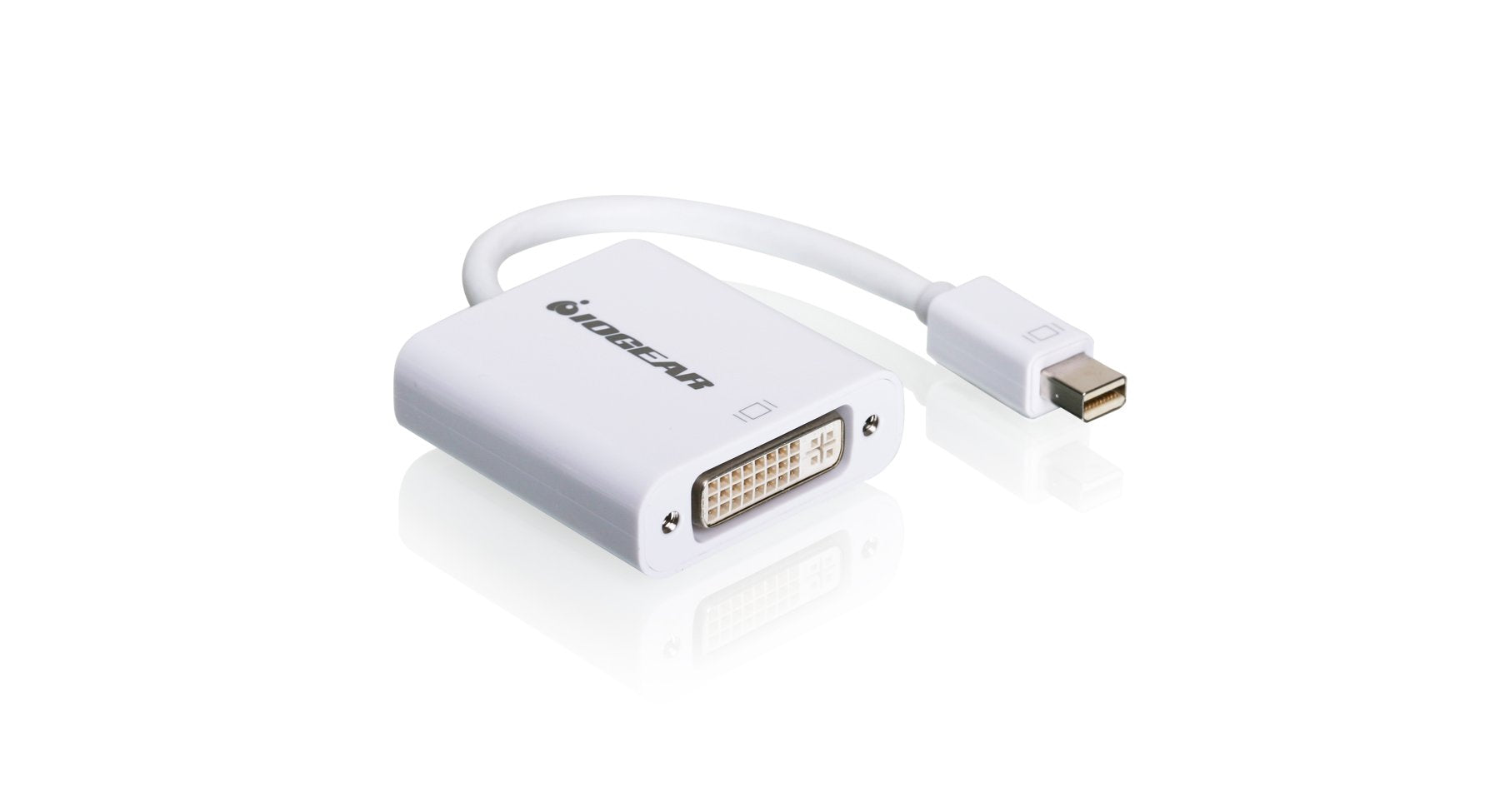
Iogear Mini Displayport (M) To Dvi (F) Adapter Full Hd 1080P Thunderbolt Compatible Dvi 1.0 Up To 1.65Gbps Macbook Air/P
$17.09

Frequently Asked Questions
- Q: What materials is the IOGEAR Mini DisplayPort to DVI Adapter made of? A: The IOGEAR Mini DisplayPort to DVI Adapter is made of copper. This material ensures reliable signal transmission for high-quality video output.
- Q: What are the dimensions of the IOGEAR Mini DisplayPort to DVI Adapter? A: The adapter measures zero point six inches in length, one point seven inches in width, and seven point three inches in height. These dimensions make it compact and easy to transport.
- Q: What video resolutions does this adapter support? A: This adapter supports resolutions up to Full HD one thousand eighty p and one thousand nine hundred twenty by one thousand two hundred. It delivers clear and sharp visuals for your devices.
- Q: How do I connect the IOGEAR Mini DisplayPort to DVI Adapter? A: To connect the adapter, plug the Mini DisplayPort end into your device and the DVI end into your projector or monitor. This allows for seamless video output.
- Q: Is the adapter compatible with MacBook devices? A: Yes, the adapter is compatible with Apple MacBook and iMac devices. It facilitates easy connection to external DVI displays.
- Q: What is the maximum data transfer rate of this adapter? A: The adapter supports a maximum data transfer rate of one point six five gigabits per second. This ensures efficient video signal transmission.
- Q: How should I clean the IOGEAR Mini DisplayPort to DVI Adapter? A: You can clean the adapter by wiping it gently with a soft, dry cloth. Avoid using liquid cleaners to prevent damage.
- Q: Does the adapter support Deep Sleep Mode? A: Yes, the adapter supports Deep Sleep Mode. This feature helps conserve power when the connected device is not in use.
- Q: Can this adapter be used with projectors? A: Yes, this adapter can be used with DVI projectors. It allows for high-definition video output from your Mini DisplayPort device.
- Q: What should I do if the adapter doesn't work? A: If the adapter doesn't work, ensure both ends are securely connected. If issues persist, try using it with another device or check for compatibility.
- Q: Is there a warranty for the IOGEAR Mini DisplayPort to DVI Adapter? A: Yes, the adapter typically comes with a manufacturer's warranty. Check the packaging or the manufacturer's website for specific warranty details.
- Q: What types of displays can I connect this adapter to? A: You can connect this adapter to any display with a DVI-I port, including monitors and projectors. This versatility enhances its usability.
- Q: Is the IOGEAR Mini DisplayPort to DVI Adapter plug-and-play? A: Yes, the adapter is plug-and-play. This means you can connect it without needing additional drivers or software.
- Q: What’s the weight of the IOGEAR Mini DisplayPort to DVI Adapter? A: The adapter is lightweight, making it easy to carry around. Its portability is great for on-the-go use.
- Q: Does this adapter support high-definition video? A: Yes, the adapter supports high-definition video output. You can enjoy clear and detailed images on your connected display.