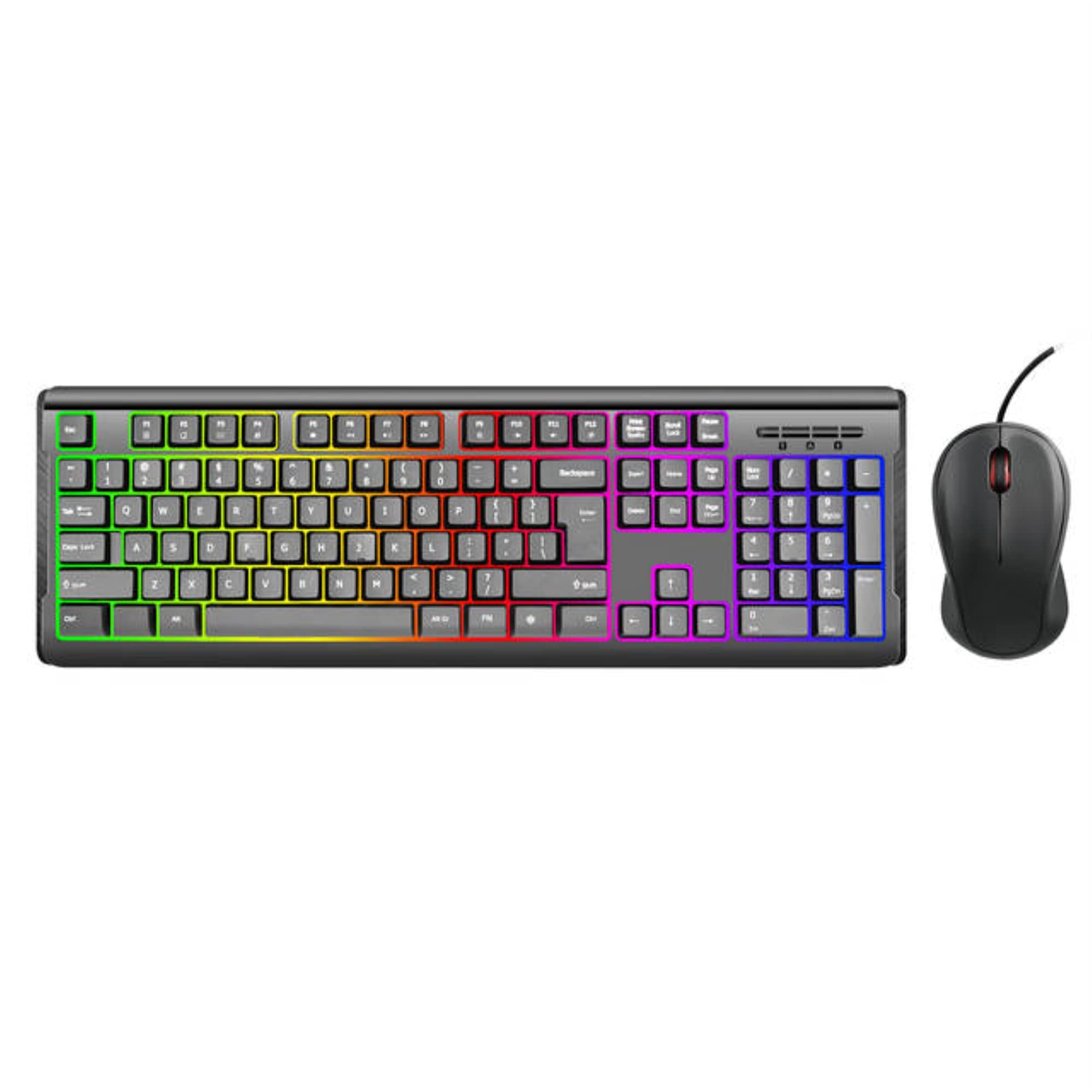
Imicro Kb-Rp2169C Rainbow Backlit Wired Usb Keyboard & Mouse. Used For Notebooks And Desktop Computers, Abs Plastic For Key Cap, 4.5V - 5.5V Operating Voltage. 180 Cm (3.2Cm Dia) Usb
⚠️ WARNING (California Proposition 65): This product may contain chemicals known to the State of California to cause cancer, birth defects, or other reproductive harm. For more information, please visit www.P65Warnings.ca.gov.
Frequently Asked Questions
Q: What materials are used in the iMicro KB-RP2169C keyboard and mouse?A: The iMicro KB-RP2169C is made of ABS plastic for the key caps. This material is known for its durability and resistance to wear.
Q: What are the dimensions of the iMicro KB-RP2169C keyboard?A: The keyboard measures twenty-one point zero six inches in length, six point four six inches in width, and one point three eight inches in height. These dimensions make it a compact choice for various setups.
Q: What is the operating voltage for the iMicro KB-RP2169C?A: The operating voltage for the iMicro KB-RP2169C is between four point five volts and five point five volts. This range ensures compatibility with most USB ports.
Q: How do I connect the iMicro KB-RP2169C to my computer?A: You simply plug the USB connector into a compatible USB port on your computer. It is designed for both notebooks and desktop computers.
Q: Is the iMicro KB-RP2169C suitable for gaming?A: Yes, the iMicro KB-RP2169C can be used for gaming. Its features, including a resolution of one thousand DPI, provide a responsive experience.
Q: Can I use the iMicro KB-RP2169C with a laptop?A: Yes, the iMicro KB-RP2169C is compatible with laptops. It connects via USB and is suitable for notebook use.
Q: How should I clean the iMicro KB-RP2169C keyboard and mouse?A: To clean the iMicro KB-RP2169C, use a soft, damp cloth to wipe the surfaces. Avoid using harsh chemicals that could damage the plastic.
Q: Is the iMicro KB-RP2169C waterproof?A: No, the iMicro KB-RP2169C is not waterproof. It is advisable to keep liquids away from the keyboard and mouse to prevent damage.
Q: What is the warranty policy for the iMicro KB-RP2169C?A: The iMicro KB-RP2169C typically comes with a standard warranty. Check with the retailer for specific warranty details and duration.
Q: What should I do if the iMicro KB-RP2169C does not work after setup?A: If the iMicro KB-RP2169C does not work, check the USB connection and try plugging it into a different port. If issues persist, consult the user manual or contact customer support.
Q: Can I use the iMicro KB-RP2169C with multiple devices?A: No, the iMicro KB-RP2169C is designed for use with one device at a time. You will need to unplug it to connect to another device.
Q: Is the iMicro KB-RP2169C suitable for office use?A: Yes, the iMicro KB-RP2169C is ideal for office use. Its ergonomic design and functionality support long hours of work.
Q: What is the current consumption of the iMicro KB-RP2169C?A: The iMicro KB-RP2169C has an operation current of fifty milliamps. This low power requirement ensures energy efficiency.
Q: Does the iMicro KB-RP2169C come with customizable backlighting?A: Yes, the iMicro KB-RP2169C features rainbow backlighting. This allows users to enjoy customizable lighting effects.
Q: What type of USB does the iMicro KB-RP2169C use?A: The iMicro KB-RP2169C uses a standard USB connector. It is compatible with most USB ports available on computers.