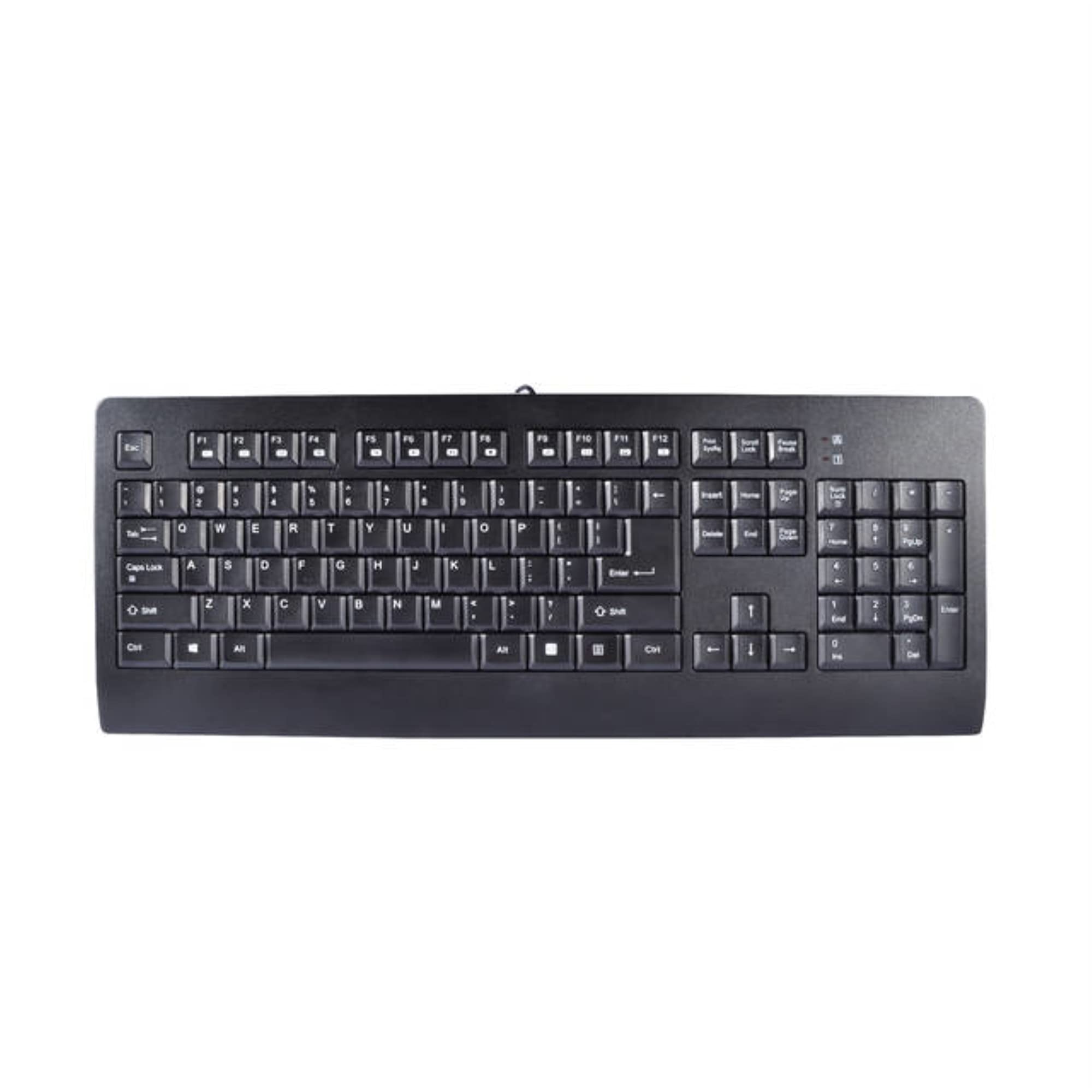
The Kb-Im898Rl Is A Single Chip Keyboard Encoder, These Devices Detect The Key Press And Release Activity, Sends The Scan Code To System, And Accepts The Command From The Kb-Im898Rl Function In Usb Interface Environment For Usb Interface, It Support Usb Standard Request Version 1.1 As Well As Hid Class Request Version 1.1
⚠️ WARNING (California Proposition 65): This product may contain chemicals known to the State of California to cause cancer, birth defects, or other reproductive harm. For more information, please visit www.P65Warnings.ca.gov.
Frequently Asked Questions
Q: What are the dimensions of the iMicro KB-IM898RL keyboard?A: The iMicro KB-IM898RL keyboard measures one point zero six inches in length, seven point seven six inches in width, and eighteen point three nine inches in height.
Q: What is the operating voltage of the iMicro keyboard?A: The operating voltage of the iMicro KB-IM898RL is between four point four volts and five point five volts.
Q: What is the temperature range for the iMicro KB-IM898RL keyboard?A: The keyboard operates effectively in temperatures ranging from negative five degrees to forty degrees Celsius.
Q: Is the iMicro keyboard compatible with different operating systems?A: Yes, the iMicro KB-IM898RL is compatible with Windows ten, eight, seven, Vista, XP, and several older Windows versions, as well as Mac OS and Cent OS.
Q: What is the lifespan of the keyboard button switches?A: The keyboard button switch activation is rated for eight million cycles, ensuring long-lasting performance.
Q: How do I connect the iMicro KB-IM898RL to my computer?A: To connect the iMicro KB-IM898RL, simply plug the USB connector into an available USB port on your computer.
Q: Is the iMicro keyboard easy to install?A: Yes, the iMicro KB-IM898RL requires no special installation; it connects via USB and is ready for use immediately.
Q: Can I use the iMicro KB-IM898RL keyboard for gaming?A: Yes, the iMicro KB-IM898RL is suitable for gaming due to its reliable key response and durability.
Q: What is the recommended way to clean the iMicro keyboard?A: To clean the iMicro KB-IM898RL, use a soft, damp cloth to wipe the surface and avoid any harsh chemicals.
Q: How should I store the iMicro KB-IM898RL keyboard when not in use?A: It is best to store the iMicro KB-IM898RL in a cool, dry place, preferably in its original packaging to prevent dust accumulation.
Q: Is the iMicro keyboard safe for children?A: Yes, the iMicro KB-IM898RL is safe for children as it adheres to RoHS standards, ensuring it is free from hazardous materials.
Q: What should I do if the iMicro keyboard arrives damaged?A: If the iMicro KB-IM898RL arrives damaged, contact customer support for assistance with the return process and potential replacement.
Q: Does the iMicro KB-IM898RL come with a warranty?A: Yes, the iMicro KB-IM898RL typically comes with a manufacturer's warranty; check the packaging or contact support for details.
Q: How can I troubleshoot if my iMicro keyboard is not responding?A: If the iMicro KB-IM898RL is unresponsive, try reconnecting the USB cable, checking your computer settings, or testing it on another device.
Q: Is there a user manual available for the iMicro KB-IM898RL?A: Yes, a user manual for the iMicro KB-IM898RL can usually be found online on the manufacturer’s website or included in the packaging.