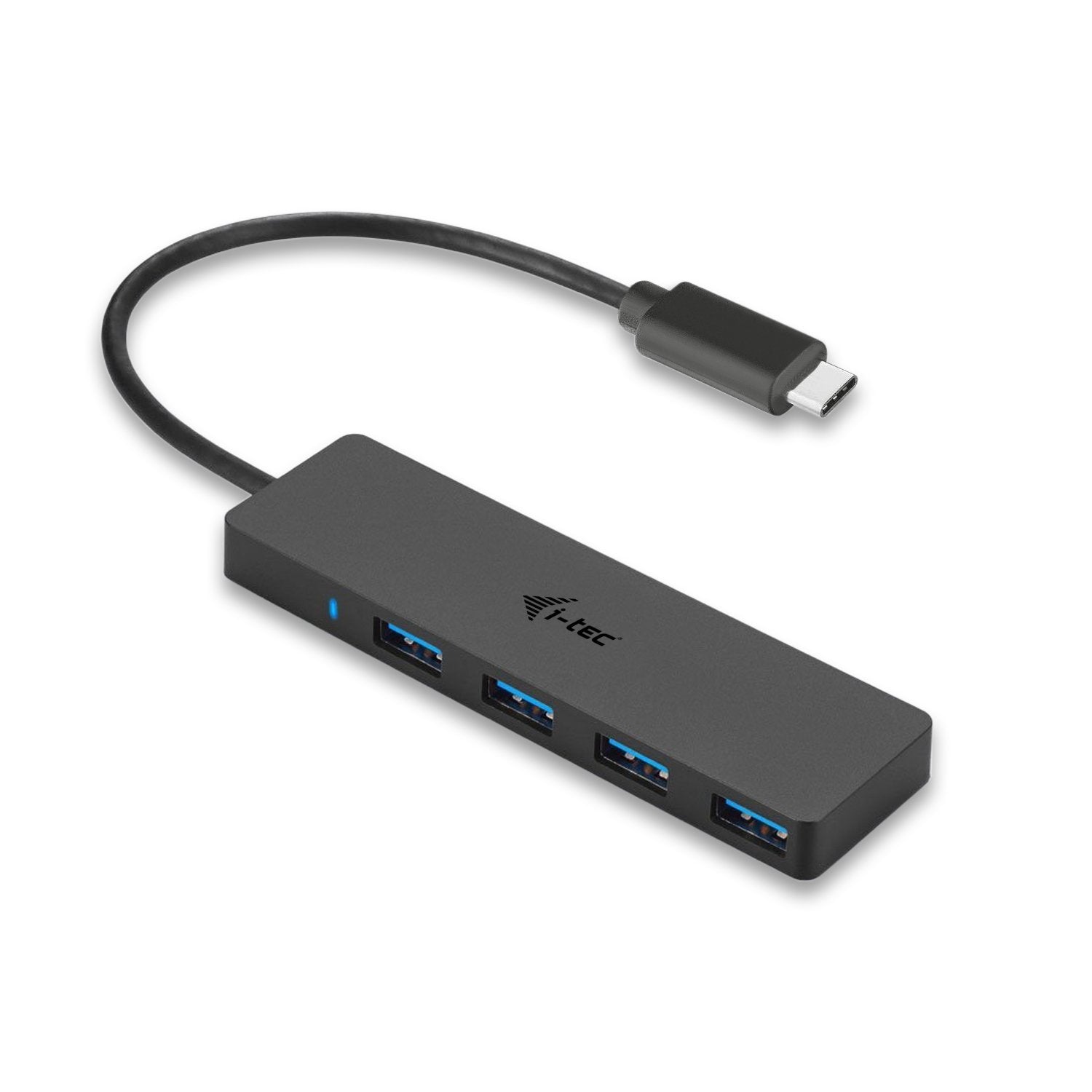
Is Your Latest Notebook, Tablet Or Smartphone Equipped With A Single Usb-C Port Or Thunderbolt 3 And You Want To Use Common Usb Peripherals? Are You Forced To Constantly Plug And Unplug Your Favorite Usb Devices Due To The Lack Of Usb Ports? With This Hub You Get Another 4 Standard Usb 3.0 Ports. Connect Your External Keyboard And Mouse, Transfer Data Or Movies From A Usb Flash Drive At Speeds Up To 5 Gbps Or Charge Your Mobile Devices. This Hub Does Not Require Installation Of Drivers. You Will Just Connect It By The Usb-C Cable And Immediately You Can Start Using It. This Hub Has A Built In Overcurrent Protection Of Your Computer In Case Of Short Connection On The Peripheries. The Interface Is Compatible With Usb 2.0. Thanks To Its Compact Dimensions And Low Weight You Can Carry In Your Bag Everywhere.Hub Is Suitable For Use With Apple Macbook 2015, Chromebook Pixel 2015, Acer Switch Alpha 12, Dell Xps 13, Hp Elitebook Folio G1 And Other Devices With The Usb-C Connector. The Usb-C Connector Has Many Advantages, It Is Smaller, Symmetrical And Allows Easy Connection, Because Now You Deed Not Take Care Of The Rotation Of The Connector
⚠️ WARNING (California Proposition 65): This product may contain chemicals known to the State of California to cause cancer, birth defects, or other reproductive harm. For more information, please visit www.P65Warnings.ca.gov.
Frequently Asked Questions
Q: What are the dimensions of the i-tec USB-C Slim 4-Port HUB?A: The i-tec USB-C Slim 4-Port HUB measures four point thirty-three inches in length, zero point thirty-nine inches in width, and one point eighteen inches in height.
Q: What material is the i-tec USB-C Slim 4-Port HUB made of?A: The i-tec USB-C Slim 4-Port HUB is made of plastic, ensuring durability while remaining lightweight.
Q: What ports are available on the i-tec USB-C Slim 4-Port HUB?A: The HUB features four USB-A three point zero ports for connecting various USB devices and one USB-C three point one port for connecting to your computer.
Q: How do I use the i-tec USB-C Slim 4-Port HUB?A: To use the i-tec USB-C Slim 4-Port HUB, simply connect it to your device using the provided USB-C cable, and it will be ready for use.
Q: Is the i-tec USB-C Slim 4-Port HUB compatible with Windows and Mac?A: Yes, the i-tec USB-C Slim 4-Port HUB is compatible with Windows seven, eight, eight point one, ten, Mac OS, Linux, and Android six or higher.
Q: Can I use the i-tec USB-C Slim 4-Port HUB to charge devices?A: Yes, you can use the HUB to charge your mobile devices while also connecting other peripherals.
Q: How should I care for the i-tec USB-C Slim 4-Port HUB?A: To care for the i-tec USB-C Slim 4-Port HUB, keep it in a dry environment and avoid exposing it to extreme temperatures.
Q: Is the i-tec USB-C Slim 4-Port HUB safe to use?A: Yes, the HUB includes built-in overcurrent protection to safeguard your devices during use.
Q: How do I store the i-tec USB-C Slim 4-Port HUB?A: Store the i-tec USB-C Slim 4-Port HUB in a protective case or pouch to prevent scratches and damage when not in use.
Q: Can the i-tec USB-C Slim 4-Port HUB be used with Thunderbolt devices?A: Yes, the HUB is compatible with Thunderbolt three devices, expanding its usability.
Q: What devices is the i-tec USB-C Slim 4-Port HUB suitable for?A: The HUB is suitable for devices such as Apple MacBook 2015, Chromebook Pixel 2015, Acer Switch Alpha twelve, Dell XPS thirteen, and HP EliteBook Folio G1.
Q: What speeds can I expect from the i-tec USB-C Slim 4-Port HUB?A: The HUB supports high-speed data transmission up to five gigabits per second, allowing for quick file transfers.
Q: Does the i-tec USB-C Slim 4-Port HUB require driver installation?A: No, the i-tec USB-C Slim 4-Port HUB does not require any driver installation; it is plug-and-play.
Q: What operating systems support the i-tec USB-C Slim 4-Port HUB?A: The HUB supports various operating systems including Windows, Mac OS, Linux, and Android six or higher.
Q: Is there a warranty for the i-tec USB-C Slim 4-Port HUB?A: The i-tec USB-C Slim 4-Port HUB typically comes with a manufacturer's warranty, but specific details should be checked with the retailer.