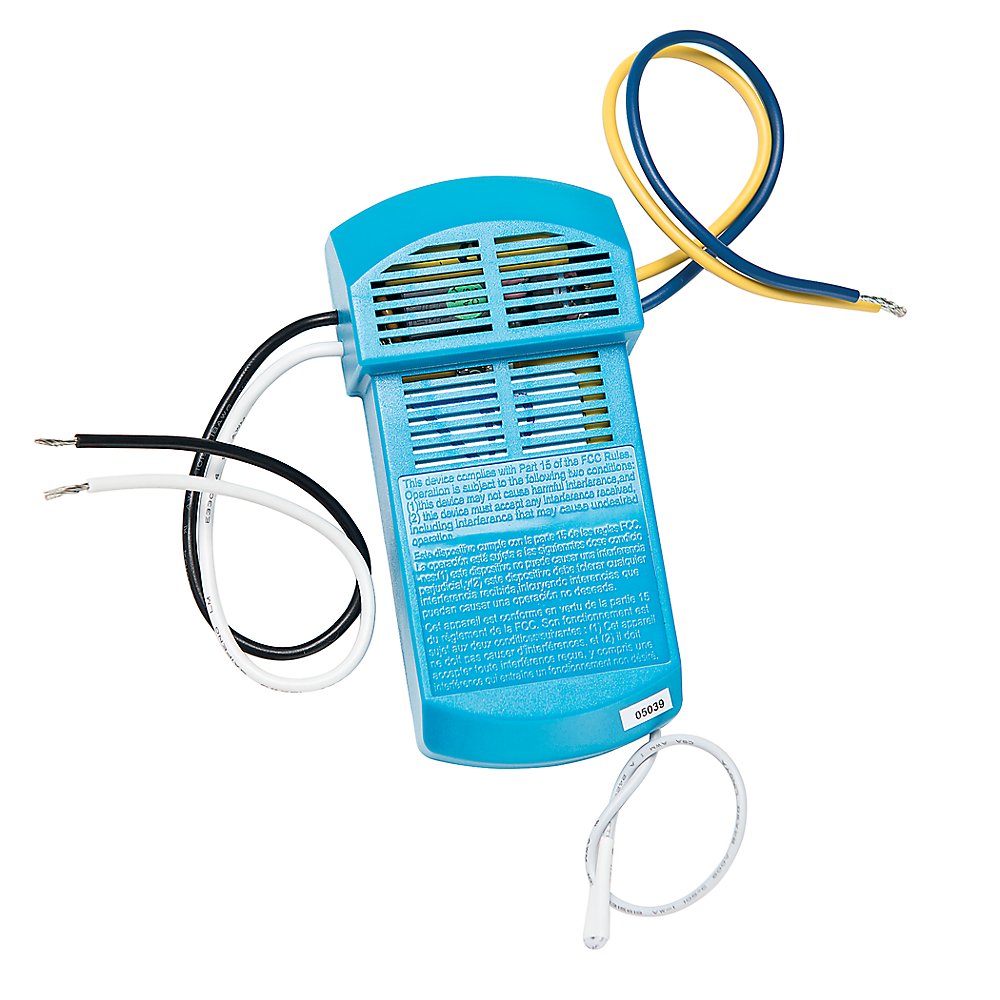
Interested In Expanding Your Simple Connect Programmable Control So That More Of Your Ceiling Fans And Lights Revolve Around Your Schedule? The Simple Connect Add On Receiver Is Bluetooth Compatible And Works With Any Major Brand Of Ceiling Fan With Pull Chains. Simply Install The Receiver And Pair It To Your Controller. With A Few Keystrokes In The App You Can Control Multiple Fans. The Simple Connect App Is Available For Ios Or Android Devices.
⚠️ WARNING (California Proposition 65): This product may contain chemicals known to the State of California to cause cancer, birth defects, or other reproductive harm. For more information, please visit www.P65Warnings.ca.gov.
Frequently Asked Questions
Q: What are the dimensions of the Hunter Universal Ceiling Fan Receiver?A: The dimensions are five inches in length, two and a half inches in width, and one inch in height. This compact size ensures easy installation in the canopy of your ceiling fan.
Q: What material is the Hunter Universal Ceiling Fan Receiver made of?A: The receiver is made of metal. This durable material is designed to withstand installation in various ceiling fan environments.
Q: Is the Hunter Universal Ceiling Fan Receiver compatible with all ceiling fans?A: Yes, it is compatible with any major brand of ceiling fan that has pull chains. This universal compatibility makes it a versatile addition to your fan system.
Q: How do I install the Hunter Universal Ceiling Fan Receiver?A: To install, simply place the receiver in the fan's canopy and connect it according to the instructions. Pairing it with your controller can be done easily through the Simple Connect app.
Q: Can I use the Hunter Universal Ceiling Fan Receiver with Smart Home systems?A: Yes, it is Bluetooth compatible and can be integrated with Smart Home systems via the Simple Connect app. This allows for remote control of multiple fans.
Q: Does the Hunter Universal Ceiling Fan Receiver require batteries?A: No, the receiver does not require batteries. It operates through the connection to your ceiling fan and the Simple Connect app.
Q: What should I do if my Hunter Universal Ceiling Fan Receiver stops working?A: If the receiver stops working, first check the connections and ensure it is paired with the Simple Connect app. If issues persist, refer to the troubleshooting section of the manual or contact customer support.
Q: Can I control multiple fans with the Hunter Universal Ceiling Fan Receiver?A: Yes, you can control multiple fans using the Simple Connect app. This feature allows you to manage all compatible fans from a single interface.
Q: Is the Hunter Universal Ceiling Fan Receiver suitable for outdoor use?A: No, this receiver is designed for indoor use only. Using it outdoors may void the warranty and lead to malfunction.
Q: How do I care for my Hunter Universal Ceiling Fan Receiver?A: To care for the receiver, ensure it remains dry and avoid exposure to moisture. Regularly check connections to maintain optimal performance.
Q: What is the warranty on the Hunter Universal Ceiling Fan Receiver?A: The receiver typically comes with a one-year warranty. This covers manufacturing defects but does not cover damage due to improper installation.
Q: Can I return the Hunter Universal Ceiling Fan Receiver if it doesn't meet my needs?A: Yes, you can return the receiver if it does not meet your expectations. Make sure to check the return policy for specific conditions and time frames.
Q: What is the power requirement for the Hunter Universal Ceiling Fan Receiver?A: The receiver operates on standard household voltage. Ensure your ceiling fan is compatible with the receiver's electrical specifications.
Q: Does the Hunter Universal Ceiling Fan Receiver work with dimmable lights?A: Yes, it can be used with dimmable lights, as long as they are compatible with the ceiling fan and the receiver system.
Q: How do I pair the Hunter Universal Ceiling Fan Receiver with my controller?A: Pairing is done through the Simple Connect app. Follow the app instructions to connect and customize your fan settings.