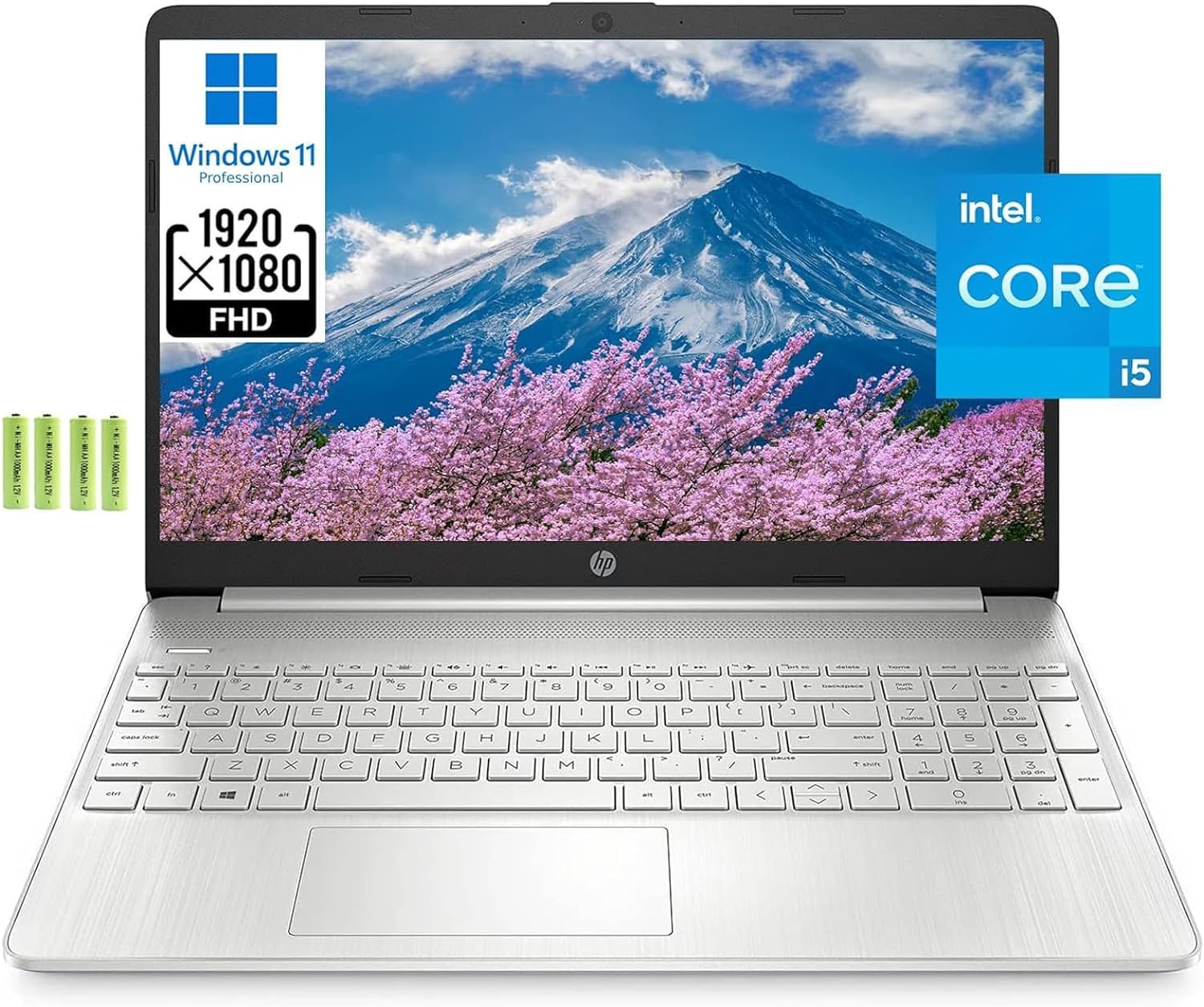
Lanbertant Sells Computers With Upgraded Configurations. The Manufacturer Box Maybe Opened For It To Be Tested And Inspected And To Install The Upgrades To Achieve The Specifications As Advertised. If No Modifications Are Listed, The Item Is Unopened And Untested. Defects & Blemishes Are Significantly Reduced By Our In Depth Inspection & Testing. Brand: Hp Screen Size: 15.6 Inches Screen Resolution: 1920 X 1080 Touchscreen: No Processor: 11Th Gen Intel Core I5-1135G7 (Up To 4.2 Ghz With Intel Turbo Boost Technology, 8 Mb L3 Cache, 4 Cores) System Memory (Ram): 8 Gb Ddr4-2666 Mhz Ram (2 X 4 Gb) Total Storage Capacity: Upgraded 512Gb Pcie Nvme M.2 Ssd Keyboard: Full-Size Keyboard With Integrated Numeric Pad Webcam: Hp True Vision 720P Hd Camera With Integrated Dual Array Digital Microphones Audio: Dual Speakers Optical Drive: Optical Drive Not Included Battery Life: Up To 9 Hours And 15 Minutes Wireless Connectivity:Realtek Rtl8821Ce-M 802.11A/B/G/N/Ac (1X1) Wi-Fi And Bluetooth 4.2 Combo Ports:2X Superspeed Usb Type-A, 1X Superspeed Usb Type-C, 1X Hdmi 1.4B, 1X Headphone/Microphone Combo, 1X Ac Smart Pin. Power Supply: 3-Cell, 41 Wh Li-Ion, 45 W Smart Ac Power Adapter Battery Type: 3-Cell, 41 Wh Li-Ion Operating System: Windows 11 Professional Color: Natural Silver Dimensions:14.11 X 9.53 X 0.71 Inches Weight:3.75 Lbs Bundle: Lanbertent Aa Batteries.The Accessory Is A Cost-Effective Choice For You To Charge The Other Two While Using Two Batteries Uninterruptedly For Wireless Mouse Or Keyboard.
⚠️ WARNING (California Proposition 65): This product may contain chemicals known to the State of California to cause cancer, birth defects, or other reproductive harm. For more information, please visit www.P65Warnings.ca.gov.
Frequently Asked Questions
Q: What is the screen size of the HP Laptop?A: The screen size is fifteen point six inches. This provides a Full HD resolution of one thousand nine hundred twenty by one thousand eighty pixels.
Q: What type of processor does the HP Laptop have?A: The HP Laptop features an eleventh generation Intel Core i5-1135G7 processor. It can reach speeds of up to four point two gigahertz with Intel Turbo Boost Technology.
Q: How much RAM does the HP Laptop have?A: The laptop comes with eight gigabytes of RAM. This allows for smooth multitasking and efficient performance.
Q: What is the total storage capacity of the HP Laptop?A: The total storage capacity is five hundred twelve gigabytes. It utilizes upgraded PCIe NVMe M.2 SSD technology for faster data access.
Q: What is the weight of the HP Laptop?A: The weight of the HP Laptop is three point seventy-five pounds. This makes it lightweight and portable for business or personal use.
Q: Does the HP Laptop have a touchscreen?A: No, the HP Laptop does not have a touchscreen. It features a standard non-touch display for traditional navigation.
Q: How do I connect to Wi-Fi on the HP Laptop?A: You can connect to Wi-Fi using the Realtek RTL8821CE-M Wi-Fi six and Bluetooth four point two combo. Simply select your network from the settings menu.
Q: Is the HP Laptop suitable for gaming?A: Yes, the HP Laptop can handle light gaming. It is equipped with Intel Iris Xe Graphics, which provides decent performance for casual games.
Q: How long does the battery last on the HP Laptop?A: The battery can last up to nine hours and fifteen minutes. This is ideal for extended use without needing to recharge frequently.
Q: What type of ports does the HP Laptop have?A: The laptop includes two SuperSpeed USB Type-A ports and one SuperSpeed USB Type-C port. It also has an HDMI port and a headphone/microphone combo.
Q: What materials are used in the construction of the HP Laptop?A: The HP Laptop features a natural silver finish, and while specific materials are not listed, it is designed for durability and portability.
Q: Can I upgrade the RAM on the HP Laptop?A: No, the RAM is not user-upgradable. The laptop comes with eight gigabytes of RAM pre-installed.
Q: What operating system does the HP Laptop run?A: The laptop runs on Windows eleven Professional. This version is optimized for business and education use.
Q: How do I clean the HP Laptop?A: You can clean the laptop by using a soft, lint-free cloth. Avoid using harsh chemicals or abrasive materials that could damage the screen.
Q: What should I do if the HP Laptop arrives damaged?A: If the HP Laptop arrives damaged, you should contact customer support immediately. They will assist you with the return process and provide further instructions.