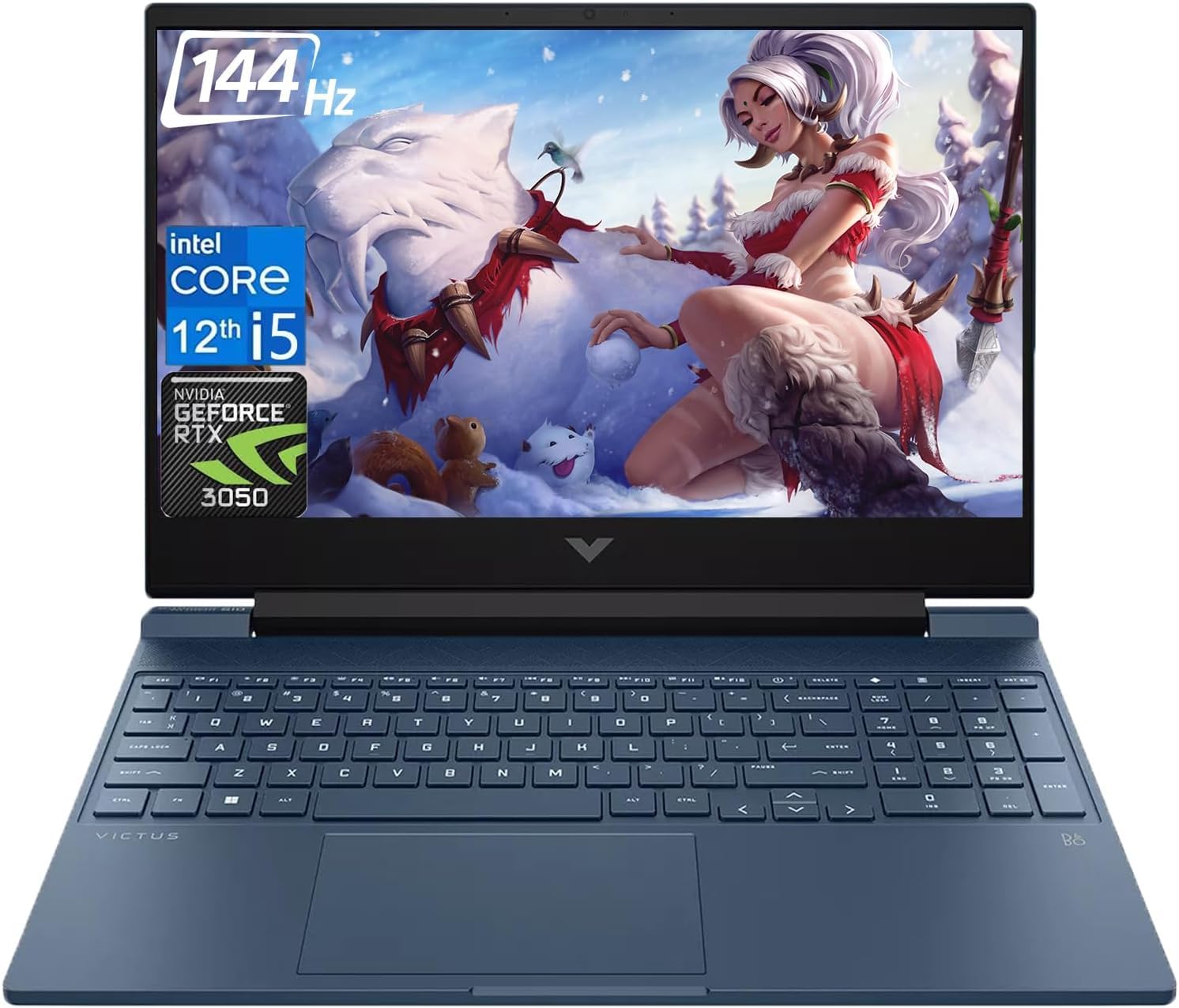
[High Speed Ram And Enormous Space] 32Gb High-Bandwidth Ram To Smoothly Run Multiple Applications And Browser Tabs All At Once; 1Tb Pcie Nvme M.2 Solid State Drive Allows To Fast Bootup And Data Transfer | [Processor] Intel Core I5-12450H Processor (8 Cores, 12 Threads, 12Mb L3 Cache, Base Frequency At 1.5 Ghz, Up To 4.4 Ghz At Max Turbo Frequency), Nvidia Geforce Rtx 3050 (4 Gb Gddr6) | [Display] 15.6 144Hz Fhd (1920 X 1080) Anti-Glare Display, Ips Panel, Micro-Edge | [Tech Specs] 1 X Hdmi 2.1, 2 X Usb Type-A (5Gbps Signaling Rate), 1 X Rj-45, 1 X Usb Type-C (5Gbps Signaling Rate), 1 X Multi-Format Sd Media Card Reader, 1 X Headphone/Microphone Combo, Touchpad, Backlit Keyboard, Webcam, Wi-Fi 6 | [Operating System] Windows 11 Home - Beautiful, More Consistent New Design, Great Window Layout Options, Improved Performance Features, New Videogame Selection And Capabilities, Compatible With Android Apps
⚠️ WARNING (California Proposition 65): This product may contain chemicals known to the State of California to cause cancer, birth defects, or other reproductive harm. For more information, please visit www.P65Warnings.ca.gov.
Frequently Asked Questions
Q: What are the dimensions of the HP Victus gaming laptop?A: The HP Victus gaming laptop measures fourteen point zero nine inches in length, ten point zero four inches in width, and zero point ninety-three inches in height.
Q: How much RAM does the HP Victus laptop have?A: The HP Victus laptop comes with thirty-two gigabytes of high-speed RAM, allowing for smooth multitasking across applications.
Q: What type of display does this laptop feature?A: This laptop features a fifteen point six inch full HD display with a resolution of one thousand nine hundred twenty by one thousand eighty pixels and a refresh rate of one hundred forty-four hertz.
Q: How do I set up the HP Victus gaming laptop?A: To set up the HP Victus laptop, simply unpack it, connect to a power source, and follow the on-screen instructions to configure Windows eleven.
Q: Is this laptop suitable for gaming?A: Yes, the HP Victus is specifically designed for gaming, featuring an NVIDIA GeForce RTX three thousand fifty graphics card for optimal performance.
Q: Can I upgrade the storage on the HP Victus?A: Yes, the HP Victus has a two terabyte SSD, and you can upgrade storage using additional PCIe NVMe M.2 drives if needed.
Q: How do I clean my HP Victus laptop?A: To clean your HP Victus laptop, use a soft microfiber cloth for the exterior and a gentle screen cleaner for the display, avoiding harsh chemicals.
Q: What is the battery life of the HP Victus laptop?A: The HP Victus laptop is engineered to provide several hours of battery life, depending on usage, but specifics may vary.
Q: Does this laptop come with a warranty?A: Yes, the HP Victus typically includes a standard manufacturer's warranty, which covers defects and malfunctions.
Q: Is the HP Victus laptop compatible with Wi-Fi six?A: Yes, the HP Victus laptop supports Wi-Fi six for faster internet connectivity and improved network efficiency.
Q: What ports are available on the HP Victus gaming laptop?A: The HP Victus features one HDMI port, two USB Type-A ports, one USB Type-C port, one RJ-45 port, and a multi-format SD card reader.
Q: Can I connect this laptop to an external monitor?A: Yes, you can connect the HP Victus to an external monitor using the HDMI two point one port for enhanced display options.
Q: What operating system does the HP Victus use?A: The HP Victus comes pre-installed with Windows eleven Home, offering a modern interface and improved performance features.
Q: Is the HP Victus laptop good for video editing?A: Yes, with its powerful Intel Core i5 processor and ample RAM, the HP Victus is suitable for video editing tasks.
Q: How do I troubleshoot if my laptop won't turn on?A: If your HP Victus won't turn on, first check the power connection, then hold down the power button for ten seconds to reset.
Q: Are there any safety precautions I should follow?A: Yes, avoid exposing the HP Victus laptop to extreme temperatures and ensure it is kept away from water to maintain safety.