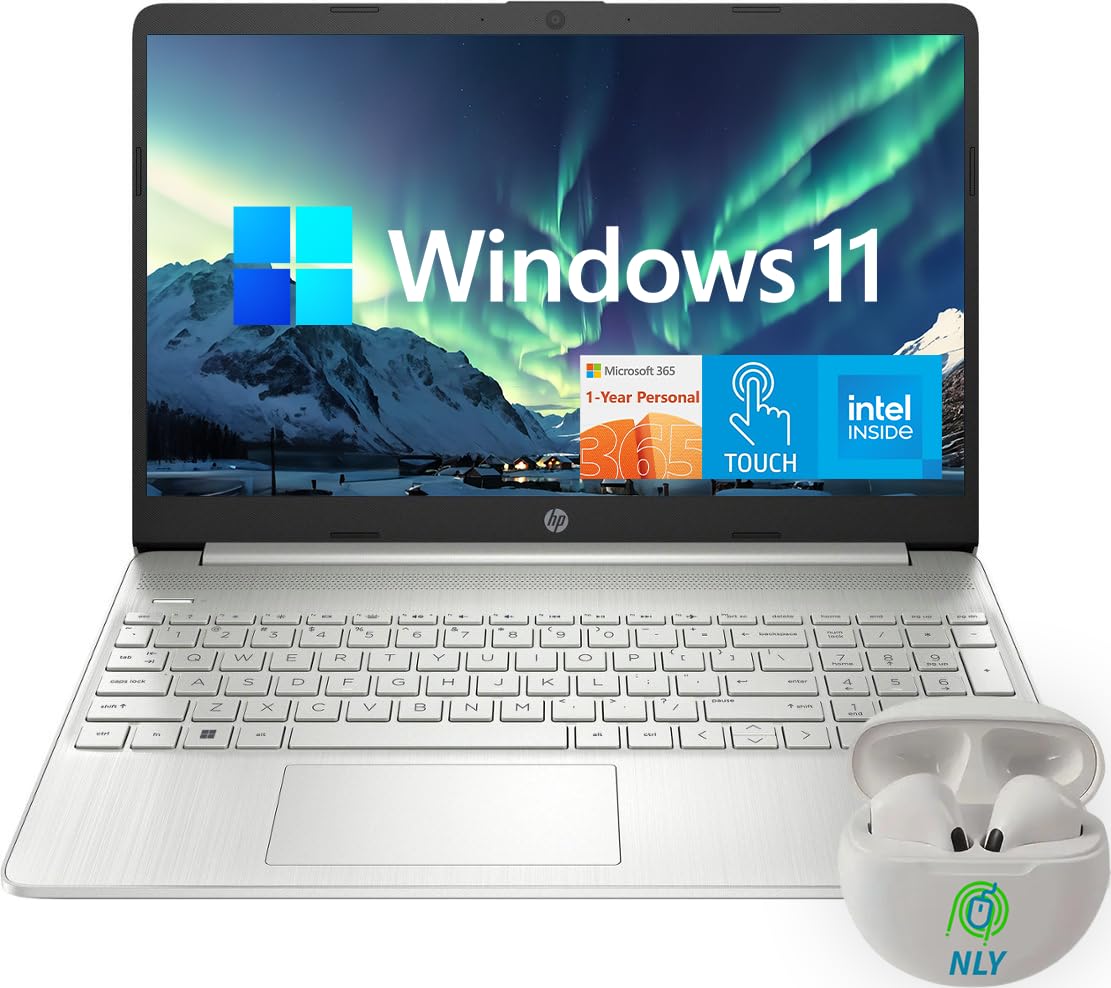
Take It Everywhere. See More. This Pc Boasts A Slim And Lightweight Design, A 6.5 Mm Micro-Edge Bezel Display, And An Impressive 82% Screen-To-Body Ratio - Giving You The Freedom To Carry It Anywhere While Enjoying An Expansive Viewing Experience. Reliable Performance For Daily Tasks: Equipped With An Intel Processor And A Solid-State Drive, This Pc Is Up To The Challenge Of Your Busiest Days, Delivering Swift Boot-Up Times And A Responsive Overall User Experience. Powered Up And Productive, All Day Long: With Extended Battery Life And Quick-Charging Technology, This Laptop Enables You To Work, Watch, And Stay Connected Without Interruption. The Integrated Precision Touchpad With Multi-Touch Support Streamlines Navigation And Enhances Productivity.
⚠️ WARNING (California Proposition 65): This product may contain chemicals known to the State of California to cause cancer, birth defects, or other reproductive harm. For more information, please visit www.P65Warnings.ca.gov.
Frequently Asked Questions
Q: What are the dimensions of the HP Touchscreen Laptop?A: The dimensions are fourteen point eleven inches in length, nine point fifty-three inches in width, and zero point seventy-two inches in height.
Q: What type of processor does this laptop have?A: This laptop is equipped with an Intel Core i5-1135G7 processor, featuring four cores and eight threads.
Q: How much RAM and storage does the laptop offer?A: It offers thirty-two gigabytes of RAM and a one terabyte solid-state drive for storage.
Q: What type of display is on the laptop?A: The laptop features a fifteen point six inches diagonal touchscreen display with HD resolution of one thousand three hundred sixty-six by seven hundred sixty-eight pixels.
Q: How many USB ports are available on the laptop?A: There are three USB ports available: two USB-A three point zero ports and one USB-C three point zero port.
Q: Does the laptop have a webcam?A: Yes, the laptop comes with an integrated webcam for video calls and conferencing.
Q: How do I charge the laptop?A: You can charge the laptop using the included power adapter, which connects to the laptop's charging port.
Q: Is this laptop suitable for gaming?A: Yes, it can handle light gaming due to the integrated Intel Iris Xe Graphics.
Q: How do I connect to Wi-Fi on this laptop?A: You can connect to Wi-Fi by clicking on the network icon in the taskbar and selecting your desired network.
Q: What is the battery life of the laptop?A: The laptop has a battery life of up to eight and a half hours on a full charge.
Q: How do I clean the laptop's screen?A: You should use a soft, lint-free cloth and a screen-safe cleaner to gently wipe the screen.
Q: Can I upgrade the RAM on this laptop?A: No, the RAM is soldered onto the motherboard and cannot be upgraded.
Q: What should I do if the laptop won't turn on?A: First, ensure that it's charged. If it still won't turn on, try a hard reset by holding the power button for ten seconds.
Q: Is there a warranty for the laptop?A: Yes, it typically comes with a one-year limited warranty from the manufacturer.
Q: What if the laptop arrives damaged?A: You should contact the retailer for return instructions and possible replacements if it arrives damaged.