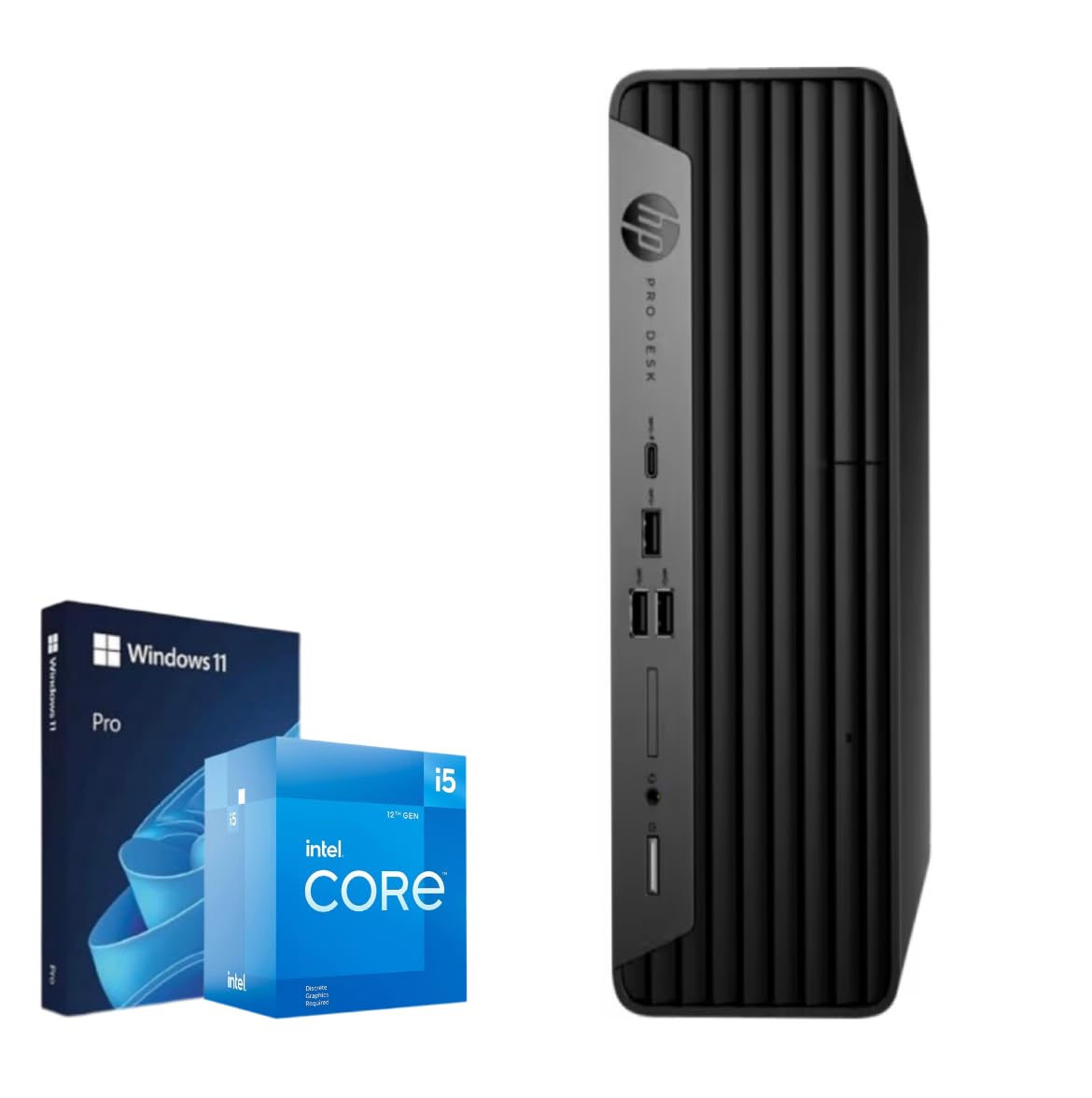
Processor: 12Th Gen Intel Core I5-12500 (6 Cores, 12 Threads, 18Mb Intel Smart Cache, 7.5 Mb L2 Cache, Up To 4.6Ghz At Max Turbo Frequency) Processor: 12Th Gen Intel Core I7-12700 (12 Cores, 20 Threads, 25Mb Intel Smart Cache, 12 Mb L2 Cache, Up To 4.9Ghz At Max Turbo Frequency) Processor: 12Th Gen Intel Core I9-12900 (16 Cores, 24 Threads, 30Mb Intel Smart Cache, 14 Mb L2 Cache, Up To 5.1Ghz At Max Turbo Frequency) Operating System: Windows 11 Pro, 64-Bit, English Graphics: Integrated Intel Uhd Graphics Memory: Up To 64Gb Ddr4 Ram Hard Drive: Up To 2Tb Pcie Nvme M.2 Solid State Drive Connectivity: Wifi 6 Ax201 802.11Ax (2 X 2) And Bluetooth 5.1 Front Ports 1X Usb-C 3.2 Gen 2 3X Usb-A 3.2 Gen 2 1X Microphone/Headphone 3.5Mm Jack Rear Ports 3X Usb-A 3.2 Gen 2 2X Usb-A 2.0 1X Power Connector 1X Hdmi 1X Displayport 1.4 1X Ethernet (Rj45) Keyboard: Wired Keyboard And Mouse Combo Color: Black Dimensions L X W X H (Inches): 7.04'' X 7.20'' X 1.35'' Weight: 13.45 Lbs
⚠️ WARNING (California Proposition 65): This product may contain chemicals known to the State of California to cause cancer, birth defects, or other reproductive harm. For more information, please visit www.P65Warnings.ca.gov.
Frequently Asked Questions
Q: What is the processor in the HP ProDesk SFF?A: The HP ProDesk SFF features a 12th Generation Intel Core i5-12500 processor. This processor has six cores and twelve threads, providing robust performance for various tasks.
Q: How much RAM does the HP ProDesk SFF have?A: The HP ProDesk SFF comes with thirty-two gigabytes of RAM. This allows for smooth multitasking and efficient performance in demanding applications.
Q: What is the storage capacity of the HP ProDesk SFF?A: The HP ProDesk SFF has a one terabyte solid-state drive. This offers ample storage space and faster data access compared to traditional hard drives.
Q: What are the dimensions of the HP ProDesk SFF?A: The dimensions of the HP ProDesk SFF are seven point zero four inches in length, seven point two inches in width, and one point three five inches in height. These compact dimensions make it suitable for various workspaces.
Q: What operating system does the HP ProDesk SFF use?A: The HP ProDesk SFF runs on Windows eleven Pro. This version of Windows provides enhanced features for both business and home use.
Q: What graphics card does the HP ProDesk SFF have?A: The HP ProDesk SFF is equipped with integrated Intel UHD Graphics. This allows for dual monitor support and can handle 4K resolution for improved visuals.
Q: How do I connect to Wi-Fi with the HP ProDesk SFF?A: The HP ProDesk SFF includes Wi-Fi six AX201 for connectivity. This technology provides faster internet speeds and better performance in congested areas.
Q: Is the HP ProDesk SFF suitable for gaming?A: Yes, the HP ProDesk SFF can handle casual gaming. Its integrated graphics support dual monitors and can deliver decent performance for less demanding games.
Q: How do I install additional storage on the HP ProDesk SFF?A: To install additional storage, you will need to open the case and connect the new drive to the motherboard. Ensure you have compatible drives and follow safety precautions.
Q: How should I clean the HP ProDesk SFF?A: To clean the HP ProDesk SFF, use a soft cloth to wipe the exterior and compressed air to remove dust from the vents. Avoid using harsh chemicals that can damage the finish.
Q: Is the HP ProDesk SFF safe for long hours of use?A: Yes, the HP ProDesk SFF is designed for prolonged use. Its efficient cooling system helps prevent overheating during extended periods of activity.
Q: Can I upgrade the RAM in the HP ProDesk SFF?A: Yes, you can upgrade the RAM in the HP ProDesk SFF. The system supports up to sixty-four gigabytes of DDR4 RAM, allowing for significant performance enhancement.
Q: What if the HP ProDesk SFF arrives damaged?A: If the HP ProDesk SFF arrives damaged, you should contact the seller immediately. Most retailers offer return policies for damaged items within a specified timeframe.
Q: How do I troubleshoot if the HP ProDesk SFF won't turn on?A: If the HP ProDesk SFF won't turn on, first check the power connection and ensure the outlet is working. If the issue persists, consult the user manual for further troubleshooting steps.
Q: What warranty comes with the HP ProDesk SFF?A: The HP ProDesk SFF typically comes with a one-year limited warranty. This covers manufacturing defects and hardware issues under normal use conditions.