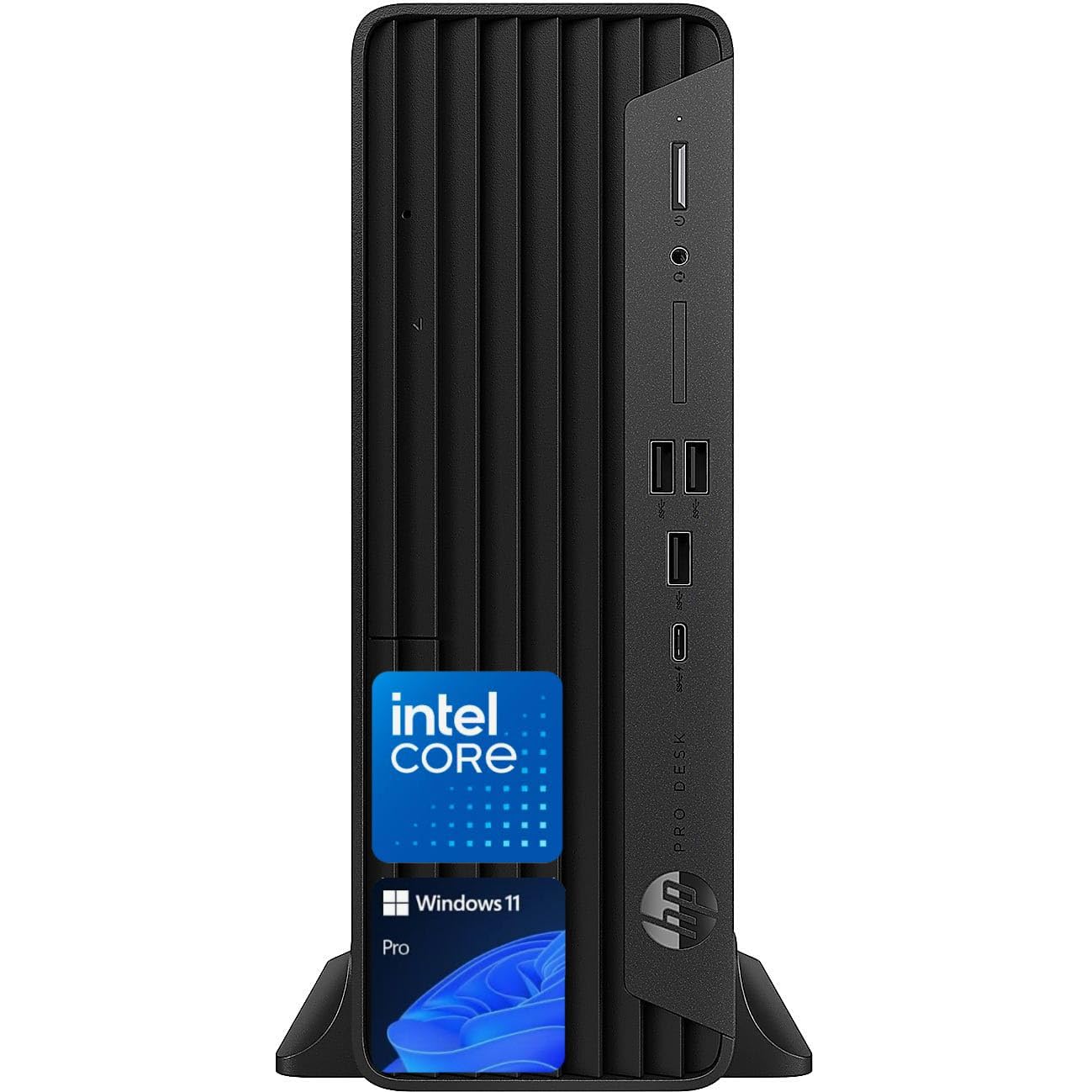
The Hp Prodesk 400 G9 Sff Is A Compact And Reliable Business Desktop Designed For Performance And Efficiency. Powered By The Latest Intel Processors And Featuring Advanced Security Features, It Is Perfect For Handling Everyday Business Tasks. With Its Small Form Factor, It Saves Space Without Compromising On Expandability, Offering Multiple Connectivity Options And Support For Dual Displays. Ideal For Modern Workplaces Seeking Power, Security, And Flexibility.
⚠️ WARNING (California Proposition 65): This product may contain chemicals known to the State of California to cause cancer, birth defects, or other reproductive harm. For more information, please visit www.P65Warnings.ca.gov.
Frequently Asked Questions
Q: What are the dimensions of the HP ProDesk 400 G9?A: The dimensions are fifty centimeters in length, twenty-five centimeters in width, and twenty-five centimeters in height. This compact design makes it ideal for small workspaces.
Q: What type of processor does the HP ProDesk 400 G9 have?A: It features a twelfth generation Intel i9-12900K processor. This powerful processor ensures high efficiency and smooth multitasking.
Q: How much RAM does the HP ProDesk 400 G9 come with?A: It comes with thirty-two gigabytes of RAM. This high-capacity RAM enhances program responsiveness and multitasking capability.
Q: What is the storage capacity of the HP ProDesk 400 G9?A: It has a storage capacity of one terabyte SSD. This ample storage is perfect for files, documents, and multimedia.
Q: Does the HP ProDesk 400 G9 support dual displays?A: Yes, it supports dual displays. This feature allows for enhanced productivity in a multi-monitor workstation setup.
Q: Is the HP ProDesk 400 G9 suitable for gaming?A: Yes, it is suitable for casual gaming. Its powerful specifications and multiple connectivity options support gaming peripherals.
Q: How do I connect devices to the HP ProDesk 400 G9?A: You can connect devices using multiple ports including USB, HDMI, and DisplayPort. This versatility allows seamless integration with various peripherals.
Q: Is the HP ProDesk 400 G9 easy to set up?A: Yes, it is easy to set up. Simply connect it to a power source, attach your display, and plug in any peripherals.
Q: How do I keep the HP ProDesk 400 G9 clean?A: To keep it clean, use a soft, dry cloth to wipe the exterior. Avoid using harsh chemicals that may damage the surface.
Q: What is the warranty for the HP ProDesk 400 G9?A: The warranty typically covers one year. It protects against manufacturing defects and hardware failures.
Q: Can I upgrade the RAM on the HP ProDesk 400 G9?A: Yes, you can upgrade the RAM. The system is designed to allow for memory expansion as needed.
Q: What operating system does the HP ProDesk 400 G9 use?A: It comes with Windows eleven Pro pre-installed. This operating system offers enhanced security and productivity features.
Q: Is the HP ProDesk 400 G9 energy efficient?A: Yes, it is designed for energy efficiency. Its components help reduce power consumption while delivering high performance.
Q: What type of connectivity does the HP ProDesk 400 G9 offer?A: It offers versatile connectivity options including Wi-Fi six and multiple USB ports. This ensures fast and reliable connections.
Q: What security features does the HP ProDesk 400 G9 include?A: It includes advanced security features designed to protect your data. These features help safeguard against unauthorized access.