

Cart
0


Hp Prodesk 400 G9 Business Desktop Computer, Sff Small Form Factor, 12Th Gen Intel 12 Core I7 12700 Processor, 64Gb Ddr4 Ram, 1T
Vendor: HP
Type: Mini PCs
Sku: WBCOMB0DYSK7VCS
Availability: In Stock
Couldn't load pickup availability
Guarantee safe checkout

Sold by Electroeshop, an authorized reseller.
Returns accepted within 30 days | support@electroeshop.com
Shipping Information
- Free Standard Shipping — United States only
- Processing Time: 1–3 business days
- Estimated Delivery: 3–5 business days after dispatch
- Double-boxed, fully insured & discreetly packaged
- Tracking number sent via email once dispatched
- Orders over $250 require signature upon delivery. Taxes calculated at checkout.
Returns & Refund
Returns accepted within 30 days of delivery.
Damaged or Defective Item
Free return shipping + replacement or full refund
Wrong Item Received
Free return shipping + replacement or full refund
Change of Mind
Return shipping at customer's expense · 25% restocking fee applies
All returns require a Return Authorization (RA) number before sending.
View Full Return & Refund Policy
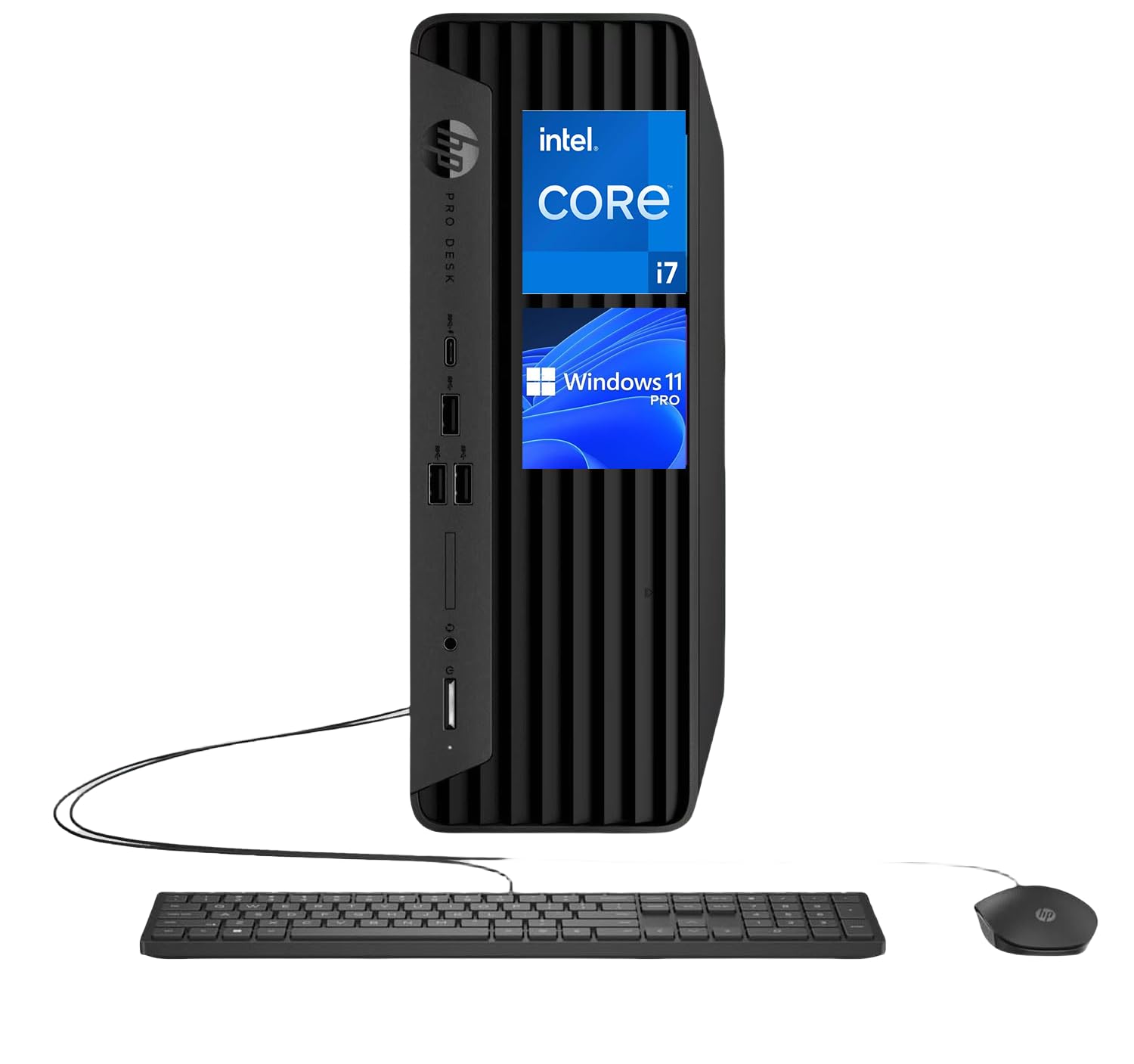
Hp Prodesk 400 G9 Business Desktop Computer, Sff Small Form Factor, 12Th Gen Intel 12 Core I7 12700 Processor, 64Gb Ddr4 Ram, 1T
$1,359.25

Frequently Asked Questions
- Q: What are the exact dimensions of the HP ProDesk 400 G9? A: The dimensions are ten point six three inches in length, twelve point one three inches in width, and two point seven six inches in height. This compact size makes it suitable for small workspaces.
- Q: What kind of processor does the HP ProDesk 400 G9 have? A: It features a twelfth generation Intel Core i7-12700 twelve-core processor. This high-performance processor allows for efficient multitasking and superior computing power.
- Q: How much RAM and storage does the HP ProDesk 400 G9 offer? A: The computer is equipped with sixty-four gigabytes of DDR4 RAM and a one terabyte PCIe NVMe M.2 solid-state drive. This configuration ensures fast boot times and seamless operation.
- Q: How do I set up the HP ProDesk 400 G9 for use? A: To set it up, connect the provided keyboard and mouse, plug it into a power outlet, and turn it on. Follow the on-screen instructions to complete the Windows setup.
- Q: Is the HP ProDesk 400 G9 suitable for gaming? A: Yes, it can handle light gaming due to its Intel UHD Graphics 770. However, it is primarily designed for business applications and multitasking.
- Q: Can I upgrade the RAM or storage on the HP ProDesk 400 G9? A: Yes, the RAM and storage can be upgraded. Ensure you follow the manufacturer's guidelines for compatible components during the upgrade process.
- Q: What is the best way to maintain the HP ProDesk 400 G9? A: Keep the computer in a clean, dry environment and regularly dust off the vents to prevent overheating. Regular software updates are also recommended.
- Q: Does the HP ProDesk 400 G9 come with a warranty? A: Yes, it typically comes with a standard warranty. Check with the retailer for specific warranty details and duration.
- Q: What operating system does the HP ProDesk 400 G9 run on? A: It runs on Windows eleven professional, which provides a modern interface and enhanced security features. This makes it suitable for business environments.
- Q: How many USB ports does the HP ProDesk 400 G9 have? A: It has a total of six USB ports: one USB three point one Type-C, four USB three point one Type-A, and one USB two point zero Type-A. This allows for multiple peripheral connections.
- Q: What if my HP ProDesk 400 G9 arrives damaged? A: If it arrives damaged, contact the retailer immediately for a return or exchange. Ensure to document the damage with photos for reference.
- Q: Is there Bluetooth capability on the HP ProDesk 400 G9? A: Yes, it features Bluetooth five point three for wireless connectivity. This allows you to connect to various Bluetooth-enabled devices easily.
- Q: What type of audio connections does the HP ProDesk 400 G9 support? A: It supports two audio jacks for headphones and microphones. This is ideal for audio input and output during calls or multimedia use.
- Q: How do I clean the HP ProDesk 400 G9? A: To clean it, turn it off and unplug it. Use a soft, dry cloth to wipe the exterior and a can of compressed air for the vents. Avoid using liquid cleaners.
- Q: Can the HP ProDesk 400 G9 handle multiple applications at once? A: Yes, with sixty-four gigabytes of RAM, it can efficiently run multiple applications simultaneously without lag. This is ideal for multitasking professionals.
- Q: Is the HP ProDesk 400 G9 energy-efficient? A: Yes, it is designed to be energy-efficient, helping to reduce power consumption. This is beneficial for both the environment and operating costs.