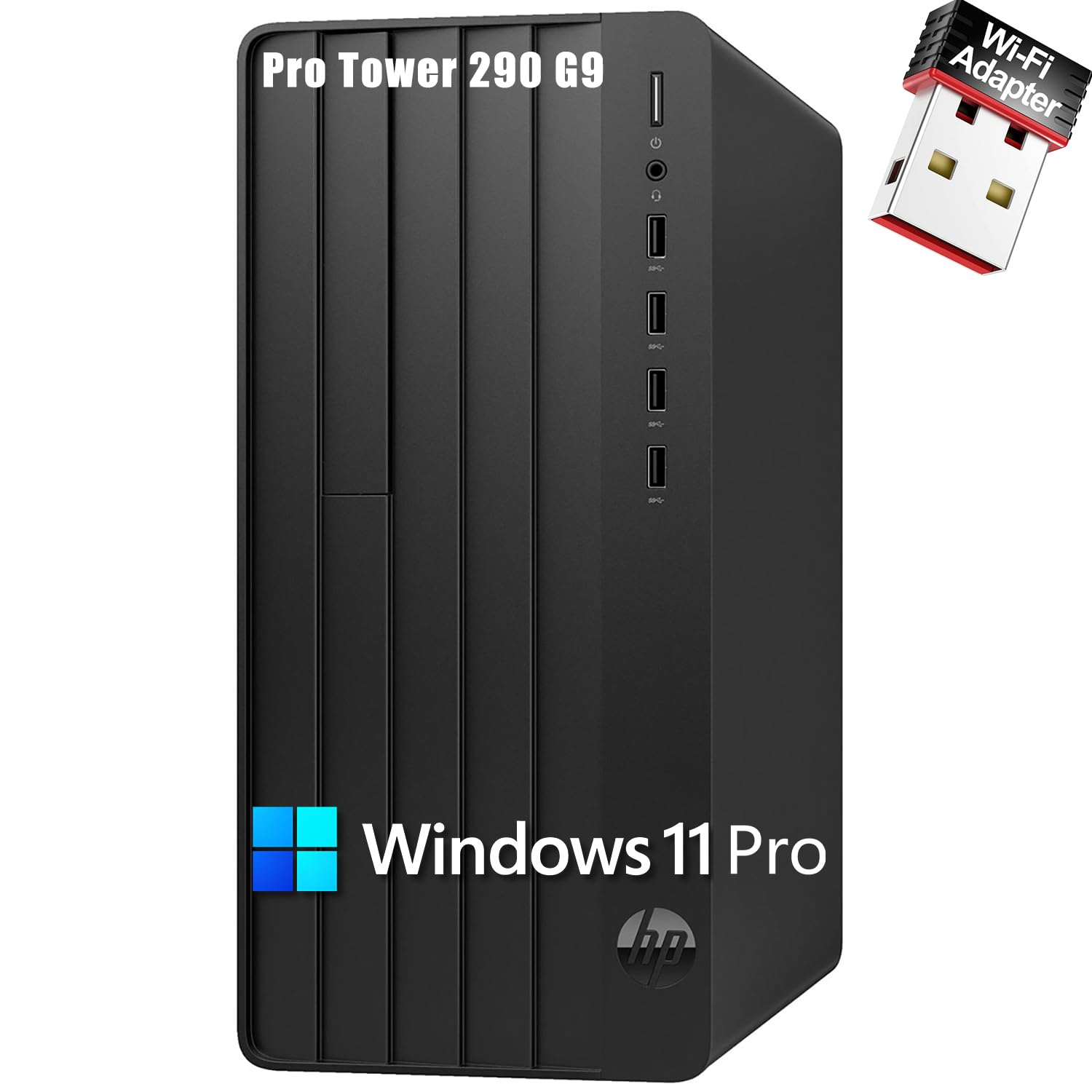
Processor&Nbsp;12Th Gen Intel Core I3-12100 (12 Mb Cache, 4 Cores, 8 Threads, 3.30 Ghz To 4.30 Ghz Turbo)Chipset&Nbsp;Intel H670Operating System&Nbsp;Windows 11 Pro, Englishvideo Card&Nbsp;Intel Uhd Graphics 730Memory &Nbsp;64Gb Ddr4 Ramstorage&Nbsp;2Tb Pcie Ssdoptical Drive&Nbsp;Nokeyboard&Nbsp;Hp 125 Wired Keyboardmouse&Nbsp;Hp 125 Wired Mouseaudio&Nbsp;Realtek Alc3867 Codec, Universal Audio Jack With Ctia Headset Support, Audio Line-Out Rear Ports (3.5 Mm), Multi-Streaming Capableportsfront:&Nbsp;4 Usb Type-A 5Gbps Signaling Rate&Nbsp;1 Headphone/Microphone Comboback:&Nbsp;4 Usb 2.0 Type-A&Nbsp;1 Hdmi&Nbsp;1 Rj-45&Nbsp;1 Vga&Nbsp;1 Power Connector&Nbsp;1 Line In&Nbsp;1 Line Outdimensions L X W X H (Inches)&Nbsp;11.92 X 6.10 X 13.27Weight&Nbsp;Start At 10.5 Lbssecurity Management&Nbsp;Padlock Loop; Trusted Platform Module (Tpm) 2.0; Integrated Accessories Cable Lock; Slim Cable Locksustainable Impact Specifications&Nbsp;15% Post-Consumer Recycled Plastic; 80 Plus Gold Power Supplies Availablepower&Nbsp;180 W External Power Adapter, Up To 90% Efficiency, Active Pfc
⚠️ WARNING (California Proposition 65): This product may contain chemicals known to the State of California to cause cancer, birth defects, or other reproductive harm. For more information, please visit www.P65Warnings.ca.gov.
Frequently Asked Questions
Q: What are the dimensions of the HP 290 G9 Desktop Computer Tower?A: The dimensions are eleven point ninety-two inches long, six point ten inches wide, and thirteen point twenty-seven inches high. This compact size makes it suitable for various workspace environments.
Q: How much does the HP 290 G9 weigh?A: The HP 290 G9 weighs approximately ten point five pounds. This weight allows for relatively easy movement and setup in different locations.
Q: What type of processor does the HP 290 G9 use?A: The HP 290 G9 is powered by a thirteenth generation Intel Core i3-13100 processor. It features four cores and eight threads, with a base frequency of three point four gigahertz.
Q: What is the RAM capacity of the HP 290 G9?A: The HP 290 G9 comes with sixty-four gigabytes of DDR4 RAM. This large capacity facilitates efficient multitasking and heavy workloads.
Q: What storage options are available in the HP 290 G9?A: The HP 290 G9 is equipped with a two terabyte PCIe SSD for storage. This allows for fast data access and ample space for files and applications.
Q: Does the HP 290 G9 include a wireless adapter?A: Yes, the HP 290 G9 includes a wireless USB Wi-Fi adapter. This allows for convenient internet connectivity without needing additional hardware.
Q: How do I set up the HP 290 G9 for first use?A: To set up the HP 290 G9, connect the wired keyboard and mouse, plug in the power adapter, and turn on the computer. Follow on-screen instructions to complete the installation of Windows 11.
Q: Is the HP 290 G9 suitable for gaming?A: While the HP 290 G9 has Intel UHD Graphics 730, it is not primarily designed for gaming. It is better suited for productivity and general use rather than graphics-intensive gaming.
Q: Can I upgrade the RAM in the HP 290 G9?A: Yes, the RAM in the HP 290 G9 can be upgraded. It allows for additional memory installation if needed for enhanced performance.
Q: How should I clean the HP 290 G9 Desktop Computer?A: To clean the HP 290 G9, use a soft, dry cloth to wipe the exterior. Avoid using liquids directly on the device to prevent damage.
Q: What is the warranty period for the HP 290 G9?A: The HP 290 G9 typically comes with a one-year limited warranty. Be sure to check with the retailer for specifics regarding coverage.
Q: What should I do if the HP 290 G9 does not turn on?A: If the HP 290 G9 does not turn on, ensure it is properly connected to a power source. If it still fails to power up, consider contacting customer support for further assistance.
Q: Is the HP 290 G9 compatible with external monitors?A: Yes, the HP 290 G9 is compatible with external monitors. It features HDMI and VGA ports for connecting additional displays.
Q: What types of ports does the HP 290 G9 have?A: The HP 290 G9 has multiple ports, including four USB Type-A ports on the front, four USB Type-A ports on the back, one HDMI port, one RJ-45 port, and one VGA port.
Q: Does the HP 290 G9 support a security lock?A: Yes, the HP 290 G9 includes a padlock loop for security management. It also supports Trusted Platform Module (TPM) 2.0 for enhanced security features.