

Cart
0


Hp Pro Tower 290 G9 Business Desktop, 13Th Gen Intel 4 Core Processor (Beats Core I7 9700), 64Gb Ram, 2Tb Pcie Ssd, 2 Monitor Su
Free Standard Shipping Across USA
Vendor: HP
Type: Desktop Towers
Sku: WBCOMB0DYFRF23W
Availability: Sold Out
Couldn't load pickup availability
Guarantee safe checkout

Sold by Electroeshop, an authorized reseller.
Returns accepted within 30 days | support@electroeshop.com
Shipping Information
- Free Standard Shipping — United States only
- Processing Time: 3–5 business days
- Estimated Delivery: 6–10 business days after dispatch
- Double-boxed, fully insured & discreetly packaged
- Tracking number sent via email once dispatched
Returns & Refund
Returns accepted within 30 days of delivery.
Damaged or Defective Item
Free return shipping + replacement or full refund
Wrong Item Received
Free return shipping + replacement or full refund
Change of Mind
Return shipping at customer's expense · 25% restocking fee applies
All returns require a Return Authorization (RA) number before sending.
View Full Return & Refund Policy
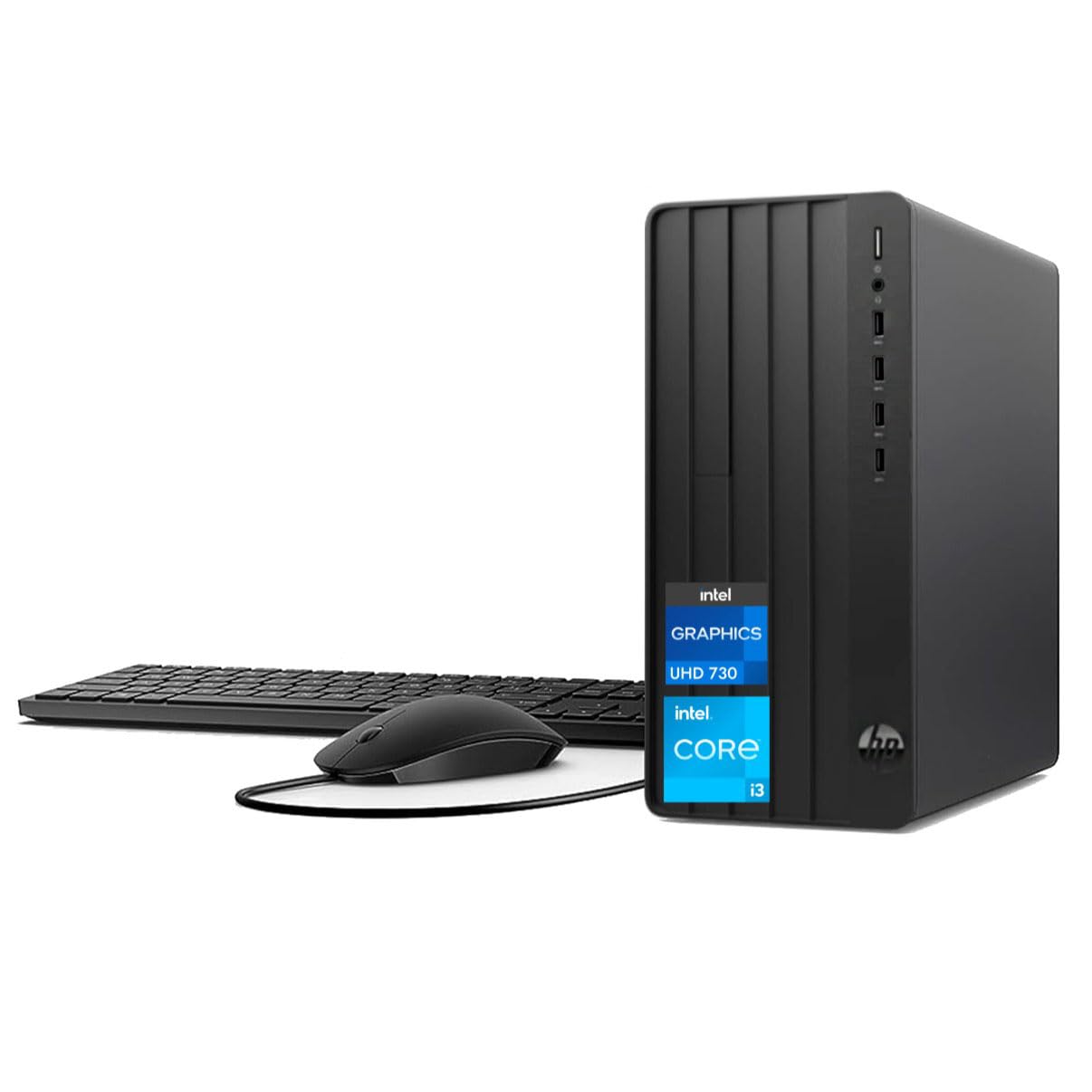
Hp Pro Tower 290 G9 Business Desktop, 13Th Gen Intel 4 Core Processor (Beats Core I7 9700), 64Gb Ram, 2Tb Pcie Ssd, 2 Monitor Su
$1,711.83

Frequently Asked Questions
- Q: What are the dimensions of the HP Pro Tower 290 G9? A: The dimensions are six point twelve inches in height, eleven point ninety-three inches in width, and thirteen point twenty-eight inches in depth.
- Q: How much RAM does the HP Pro Tower 290 G9 have? A: This desktop can support up to sixty-four gigabytes of DDR4 RAM, enhancing multitasking capabilities.
- Q: What type of processor is in the HP Pro Tower 290 G9? A: It features a thirteenth generation Intel Core i3-13100 processor, which has a base frequency of three point forty gigahertz.
- Q: What storage options are available for the HP Pro Tower 290 G9? A: It comes with a two terabyte PCIe M.2 SSD and supports an additional three point five inch HDD for extra storage.
- Q: Does the HP Pro Tower 290 G9 support dual monitors? A: Yes, it supports dual monitors with HDMI and VGA outputs for extended display capabilities.
- Q: How do I connect to Wi-Fi with the HP Pro Tower 290 G9? A: You can connect to Wi-Fi using the built-in Wi-Fi and Bluetooth combo, which allows for seamless wireless connectivity.
- Q: Is the HP Pro Tower 290 G9 suitable for gaming? A: While it includes integrated Intel UHD 730 graphics, it's primarily designed for business use and may not support high-end gaming.
- Q: How can I install additional RAM in the HP Pro Tower 290 G9? A: To install additional RAM, open the desktop case and insert compatible DDR4 RAM modules into the available DIMM slots.
- Q: What accessories come with the HP Pro Tower 290 G9? A: Included accessories are a traditional wired keyboard, a wired mouse, and an external DVD drive.
- Q: What is the weight of the HP Pro Tower 290 G9? A: The approximate weight of the desktop is ten point four pounds, making it relatively easy to move.
- Q: How do I clean the HP Pro Tower 290 G9? A: Use a soft, dry cloth to clean the exterior and avoid using any liquids directly on the device.
- Q: Is there a warranty for the HP Pro Tower 290 G9? A: Yes, it includes a one-year mail-in repair service for specific issues like display or power failures.
- Q: What should I do if the HP Pro Tower 290 G9 arrives damaged? A: If it arrives damaged, contact customer support to initiate a return or replacement within the warranty period.
- Q: Can I upgrade the graphics card in the HP Pro Tower 290 G9? A: No, it features integrated graphics and does not support dedicated graphics card upgrades.
- Q: What operating system does the HP Pro Tower 290 G9 run? A: It runs Windows eleven Pro, providing a modern and user-friendly interface.