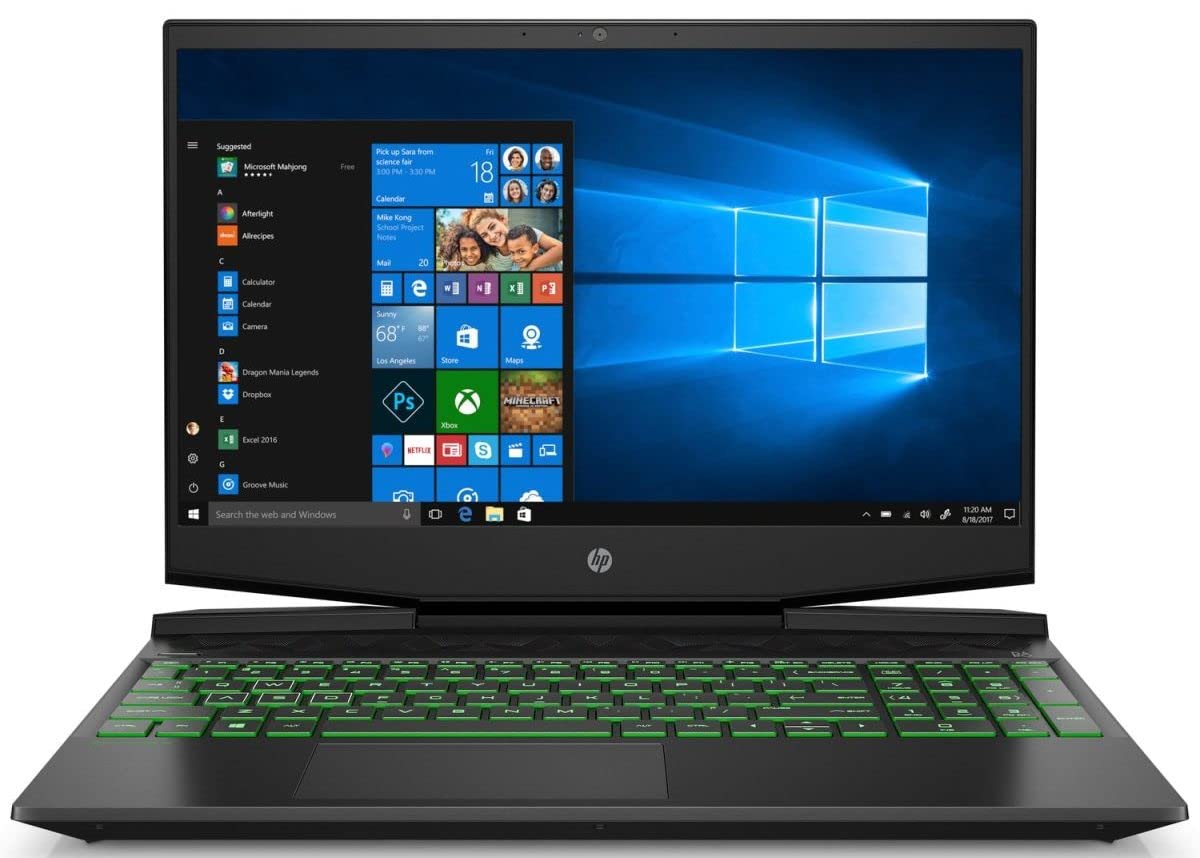
Take On Anything And Everything With The Thin And Powerful Hp Pavilion Gaming Laptop. Experience High-Grade Graphics And Processing Power For Gaming And Multitasking, Plus Improved Thermal Cooling For Overall Performance And Stability. The Powerful Processor Delivers Incredible In-Game Experiences And Enables Crisp, Simultaneous Live-Streaming. Keep Going Even In Darker Environments With The Backlit Keyboard, And Get Lost In The Game With A Sleek Micro-Edge Bezel Display And Front-Firing Speakers With Audio By B&O.Sacrifice Nothing With The Thin And Powerful Hp Pavilion Gaming Laptop. Experience High-Grade Graphics And Processing Power For Gaming And Multitasking, Plus Improved Thermal Cooling For Overall Performance And Stability. Immerse Yourself In The Game With A Narrow Bezel Display And Custom-Tuned Audio. The Perfect Balance Between Work And Play, So You Can Do It All.- Get Lost In The Game. A Sleek Micro-Edge Bezel Display Provides A Maximum Viewing Experience While The Front-Firing Speakers With Audio By Bang & Olufsen Deliver Powerful, Custom-Tuned Sound.- The Hp Pavilion Gaming Laptop Is Equipped With A Dual Fan System For Enhanced Thermal Cooling. Wide Rear Corner Vents And Additional Air Inlets Maximize Airflow To Optimize Your Overall Performance And Stability, Keeping The Machine Cool During Extended Usage.- Take On Anything And Everything With A 9Th Generation Intel Core Processor And Nvidia Geforce Graphics. A High Resolution Display With Fast Refresh Rate Delivers Smooth Game Play Visuals, While Also Bringing Entertainment And Content To Life.- Easily Take This Thin And Light Pc From Room To Room Or On The Road. When Your Pc Goes Wherever You Go, Staying Productive And Entertained Has Never Been Easier.
⚠️ WARNING (California Proposition 65): This product may contain chemicals known to the State of California to cause cancer, birth defects, or other reproductive harm. For more information, please visit www.P65Warnings.ca.gov.
Frequently Asked Questions
Q: What are the dimensions of the HP Pavilion Gaming Laptop?A: The HP Pavilion Gaming Laptop measures fourteen point seventeen inches wide, ten point eight inches deep, and zero point ninety-two inches high.
Q: What type of processor does this laptop have?A: This laptop features a ninth generation Intel Core i5-9300H processor, which offers quad-core performance at a clock speed of two point four gigahertz.
Q: What graphics card is included with this laptop?A: The laptop is equipped with an NVIDIA GeForce GTX one thousand fifty graphics card, which has three gigabytes of dedicated GDDR5 memory.
Q: How much RAM does the HP Pavilion Gaming Laptop come with?A: It comes with eight gigabytes of DDR4 SDRAM, which is upgradable via two accessible memory slots.
Q: What is the storage capacity of this laptop?A: The laptop has a storage capacity of two hundred fifty-six gigabytes using a PCIe NVMe M.2 Solid State Drive.
Q: Does this laptop have a backlit keyboard?A: Yes, it features a backlit keyboard that allows for comfortable typing in darker environments.
Q: How do I connect to Wi-Fi on this laptop?A: You can connect to Wi-Fi by selecting your network from the Wi-Fi settings in Windows ten and entering your password.
Q: Can I upgrade the memory in the HP Pavilion Gaming Laptop?A: Yes, the memory is upgradable with two accessible memory slots available for expansion.
Q: How do I charge the laptop?A: Simply connect the included power adapter to the charging port and plug it into a wall outlet.
Q: Is this laptop suitable for gaming?A: Yes, the HP Pavilion Gaming Laptop is designed specifically for gaming with high-grade graphics and processing power.
Q: What is the battery life of this laptop?A: The battery life can last up to ten hours with mixed usage, or up to nine hours for video playback.
Q: How do I clean the laptop's surface?A: You can clean the laptop's surface using a soft, lint-free cloth slightly dampened with water or a gentle screen cleaner.
Q: Is it safe to use this laptop while charging?A: Yes, it is safe to use the laptop while charging, as it is designed with an optimized thermal management system.
Q: What should I do if the laptop doesn't turn on?A: If the laptop doesn't turn on, check the power connection and ensure the battery is charged; if issues persist, consult customer support.
Q: What warranty does this laptop come with?A: The laptop includes a one-year limited hardware warranty with twenty-four hour, seven days a week web support.