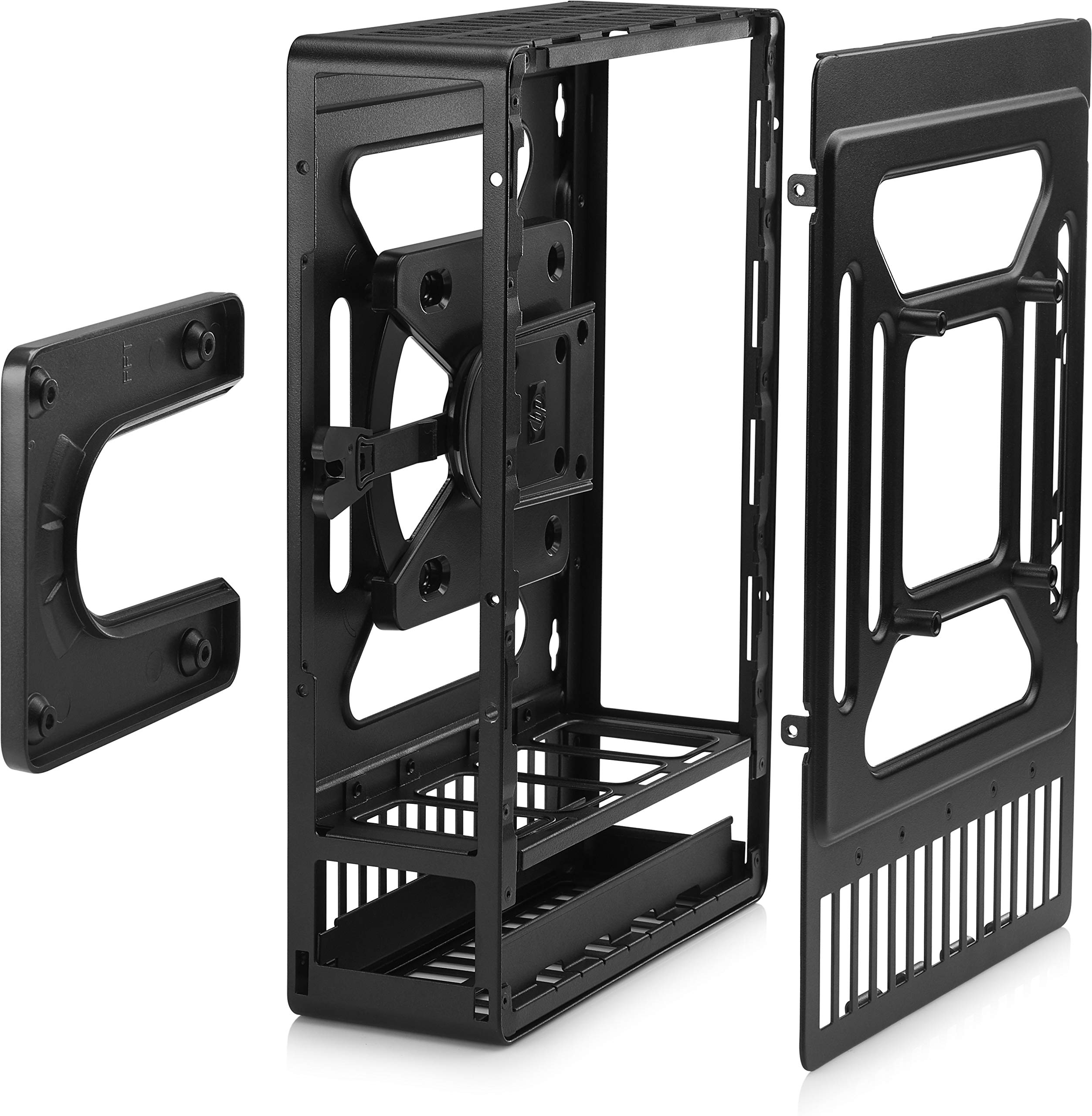
Comprehensive mounting solutionAll required parts are included in this kit, including an integrated HP Quick Release Adapter, a Rear Port Security Cover, and all necessary screws required to attach the display and thin clientSupports a multitude of mounting scenariosStable and secure mounting of HP Thin Clients utilizing an industry recognized VESA 100 Mounting Interface Standard. Sup-ports mounting to any surface, in any orientation, including industrial scenarios involving displays and custom mounting arms, stands or pillars.Kitchen Video System: High-quality design withstands the environmental rigors of the quick-service food industry; enables thin client video engine and display to mount securely above food prep and order stations. The bracketincludes a place to securely and safely position the system's power adaptor.Remote Wall or Pillar Mounting: Rugged metal cage enables the thin client to be properly positioned between the display and any remote mounting apparatus such as an extension arm or wall mount bracket. Ideal for industrial environments or digital signage deployments.
⚠️ WARNING (California Proposition 65): This product may contain chemicals known to the State of California to cause cancer, birth defects, or other reproductive harm. For more information, please visit www.P65Warnings.ca.gov.
Frequently Asked Questions
Q: What is the material of the HP Mounting Bracket for Thin Client?A: The HP Mounting Bracket is made of metal, ensuring durability and stability for mounting thin clients.
Q: What are the dimensions of the mounting bracket?A: The bracket measures five inches in length, six inches in width, and ten inches in height, making it compact for various installations.
Q: What is the maximum load capacity of this bracket?A: The maximum load capacity is fifty-six point two pounds, allowing it to support a variety of thin clients securely.
Q: How do I install the HP Mounting Bracket?A: Installation involves using the included screws to attach the display and thin client securely to the bracket, following the VESA 100 Mounting Interface Standard.
Q: Can I mount this bracket in different orientations?A: Yes, the bracket supports mounting in any orientation, providing flexibility for various applications and environments.
Q: Is this bracket suitable for industrial use?A: Yes, it is designed for industrial scenarios, making it ideal for mounting in environments like quick-service food areas.
Q: How do I clean the mounting bracket?A: To clean the bracket, use a damp cloth to wipe down the metal surface, avoiding any harsh chemicals that could damage the finish.
Q: Is the mounting bracket safe for outdoor use?A: No, it is primarily designed for indoor use; outdoor conditions may affect the integrity and safety of the metal materials.
Q: What is the warranty period for this product?A: The warranty period for the HP Mounting Bracket typically lasts for one year from the date of purchase, covering defects in materials and workmanship.
Q: Can I return the mounting bracket if it doesn't meet my needs?A: Yes, you can return the bracket within the specified return period, provided it is in its original condition and packaging.
Q: What if the bracket arrives damaged?A: If the bracket arrives damaged, you should contact customer support immediately to initiate a return or exchange process.
Q: Is the HP Mounting Bracket compatible with all thin clients?A: The bracket is compatible with a wide range of thin clients that adhere to the VESA 100 Mounting Interface Standard.
Q: Does the bracket come with all necessary installation parts?A: Yes, all required parts, including screws and an integrated HP Quick Release Adapter, are included in the kit.
Q: Can I use this bracket for digital signage applications?A: Yes, it is ideal for digital signage deployments, providing a secure and stable mount for displays and thin clients.
Q: What environments is this bracket designed for?A: The bracket is designed for both industrial environments and commercial applications, including quick-service restaurants and digital signage.