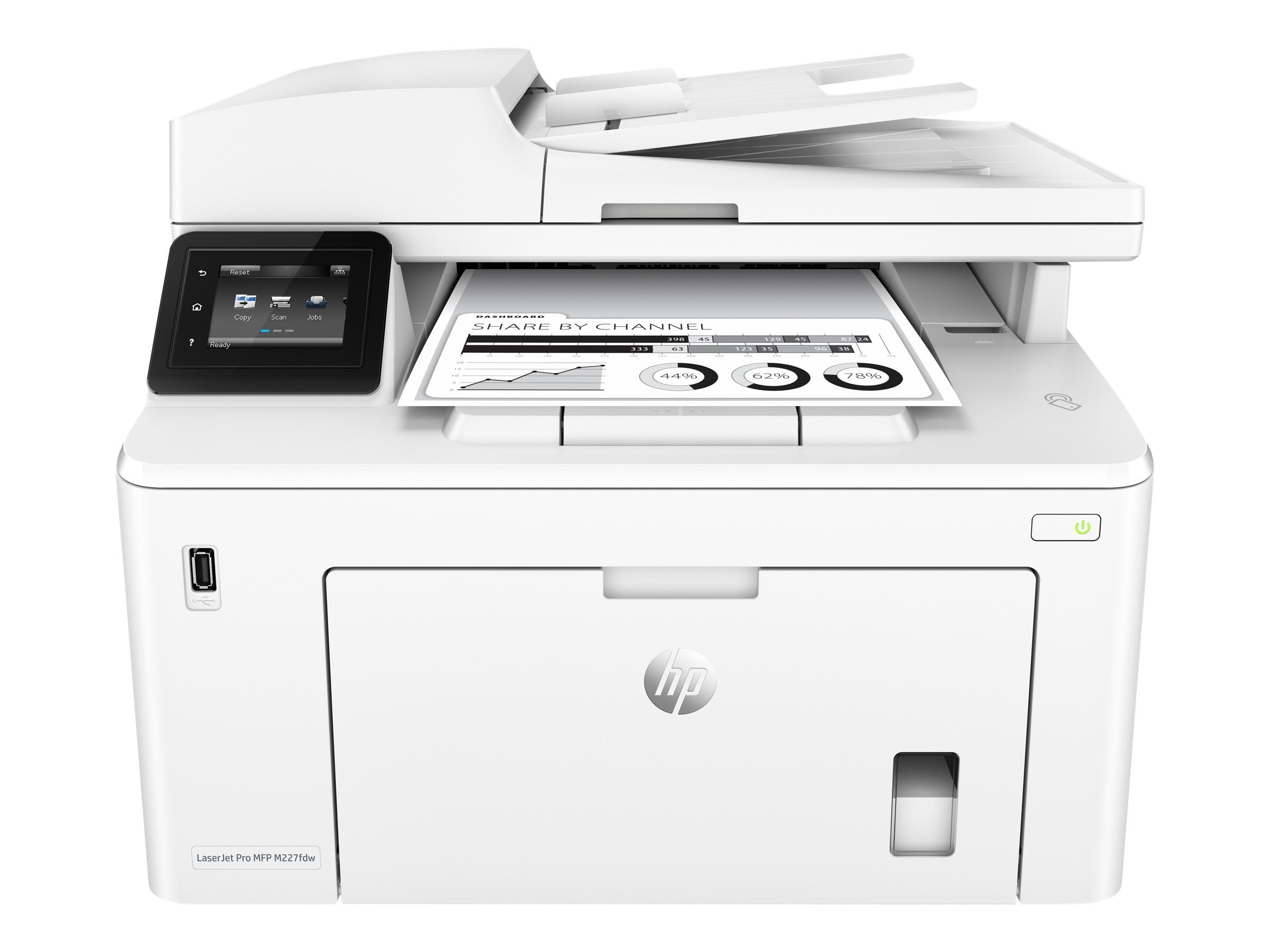
Get More Pages, Performance, And Protection From An Hp Laserjet Pro Mfp Powered By Jetintelligence Toner Cartridges. Print Two-Sided Documents, Plus Scan, Copy, Fax, And Manage To Help Maximize Efficiency. Print At The Pace Of Business With Fast Two-Sided Printing-First Pages Are Ready In As Fast As 7 Seconds. Help Save Energy With Hp Auto-On/Auto-Off Technology. Tackle Tasks And Scan To Email, Usb, And Network Folders From The 2.7-Inch (6.9 Cm) Color Touchscreen. Print From Iphone And Ipad With Airprint, Which Automatically Scales Jobs To The Correct Paper Size. Print From Your Mobile Device With Wi-Fi Direct And Nfc Touch-To-Print Technology-No Network Needed. Print Right From A Smartphone Using Hp Smart App. Produce Sharp Text, Bold Blacks, And Crisp Graphics With Precision Black Toner.
⚠️ WARNING (California Proposition 65): This product may contain chemicals known to the State of California to cause cancer, birth defects, or other reproductive harm. For more information, please visit www.P65Warnings.ca.gov.
Frequently Asked Questions
Q: What are the dimensions of the HP LaserJet Pro MFP M227fdw printer?A: The dimensions are fifteen point nine inches in length, sixteen inches in width, and twelve point three inches in height.
Q: What is the weight of the HP LaserJet Pro MFP M227fdw?A: The printer weighs approximately twenty-one point five pounds, making it relatively easy to move and set up.
Q: What type of material is the HP LaserJet Pro MFP M227fdw made of?A: The printer is primarily made of plastic, which contributes to its lightweight design.
Q: How does the HP LaserJet Pro MFP M227fdw connect to devices?A: It connects via Wi-Fi, Ethernet, AirPrint, and NFC touch-to-print technology for versatile printing options.
Q: What are the main functions of the HP LaserJet Pro MFP M227fdw?A: The main functions include monochrome printing, scanning, copying, and faxing, along with wireless printing capabilities.
Q: How fast can the HP LaserJet Pro MFP M227fdw print documents?A: It can print up to thirty pages per minute, ensuring efficient printing for your business needs.
Q: Is the HP LaserJet Pro MFP M227fdw suitable for small businesses?A: Yes, it is ideal for small to medium businesses with workgroups of one to five users.
Q: How do I print double-sided documents with the HP LaserJet Pro MFP M227fdw?A: You can print double-sided documents automatically by selecting the double-sided printing option in the print settings.
Q: Can I use the HP LaserJet Pro MFP M227fdw with mobile devices?A: Yes, you can print from mobile devices using the HP Smart app, AirPrint, and Google Cloud Print.
Q: What is the recommended monthly page volume for the HP LaserJet Pro MFP M227fdw?A: The recommended monthly page volume is up to two thousand pages.
Q: How do I clean the HP LaserJet Pro MFP M227fdw printer?A: You can clean the printer by using a soft, lint-free cloth to wipe down the exterior and a vacuum to remove dust from the interior.
Q: What warranty does the HP LaserJet Pro MFP M227fdw come with?A: It comes with a one-year limited hardware warranty and twenty-four-hour support, seven days a week.
Q: What should I do if my HP LaserJet Pro MFP M227fdw arrives damaged?A: Contact customer support immediately for assistance with returns or exchanges if the printer arrives damaged.
Q: How can I troubleshoot printing issues with the HP LaserJet Pro MFP M227fdw?A: You can troubleshoot by checking the printer's connections, ensuring there’s paper in the tray, and verifying that toner levels are adequate.
Q: Is there a way to save energy with the HP LaserJet Pro MFP M227fdw?A: Yes, it features HP Auto-On/Auto-Off Technology to help save energy when not in use.
Q: Can I print from my iPhone using the HP LaserJet Pro MFP M227fdw?A: Yes, you can print directly from your iPhone using AirPrint or the HP Smart app.