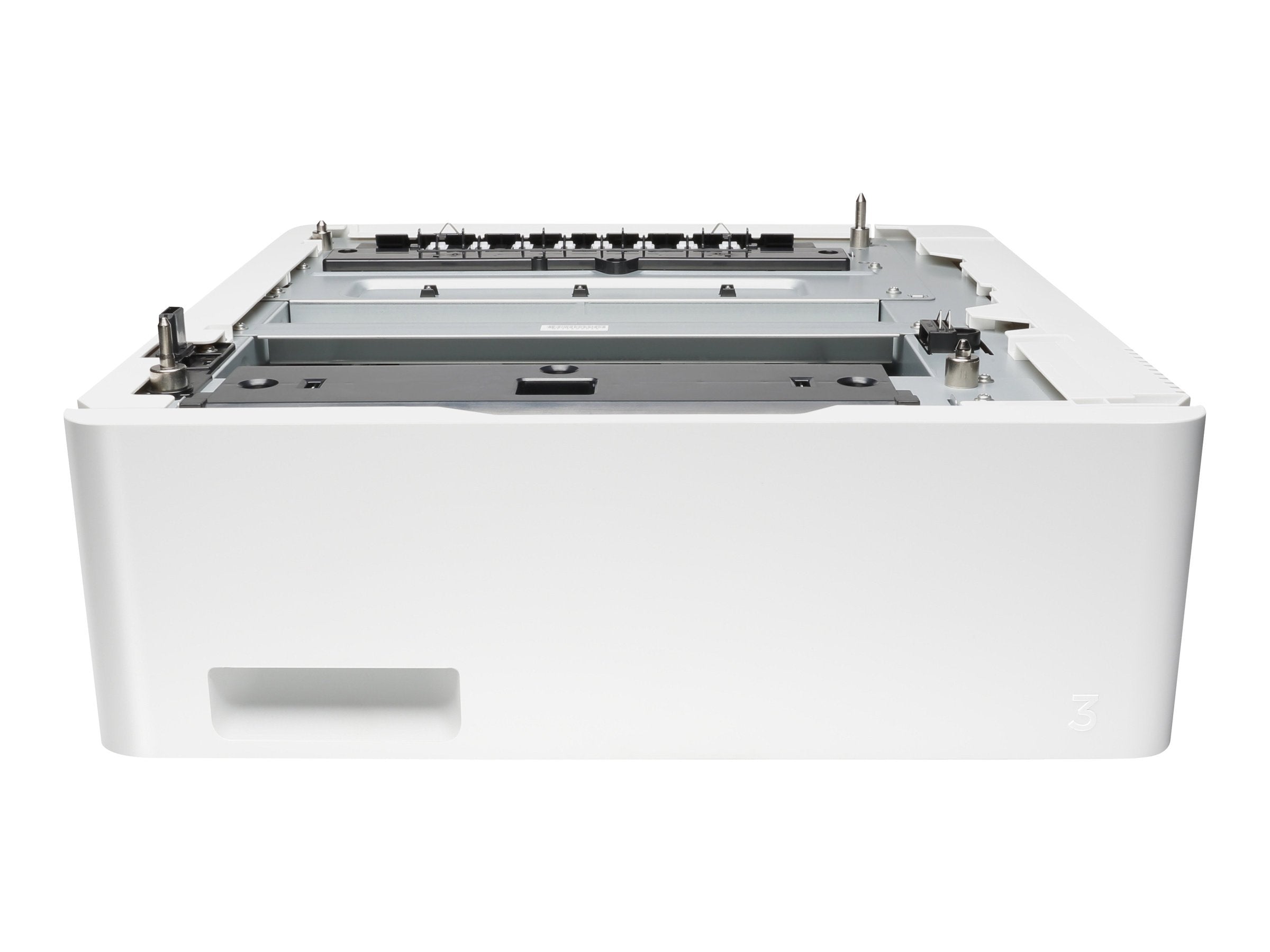
With An Added Input Capacity Of 550-Sheets And Media Flexibility, This Accessory Supports Greater Productivity And Less Printer Management. Have Different Print Media Ready In The Printer When You Need It And Print Up To 850 Pages Without Reloading. What Is In The Box: Hp Laserjet 550-Sheet Feeder Tray; Install Guide. Compatible Hp Laserjet Printers And Mfps: Hp Color Laserjet Pro M452Dn, Hp Color Laserjet Pro M452Dw, Hp Color Laserjet Pro M452Nw, Hp Color Laserjet Pro M454Dn, Hp Color Laserjet Pro M454Dw, Hp Color Laserjet Pro Mfp M477Fdn, Hp Color Laserjet Pro Mfp M477Fdw, Hp Color Laserjet Pro Mfp M477Fnw, Hp Color Laserjet Pro Mfp M479Fdn And Hp Color Laserjet Pro Mfp M479Fdw.
⚠️ WARNING (California Proposition 65): This product may contain chemicals known to the State of California to cause cancer, birth defects, or other reproductive harm. For more information, please visit www.P65Warnings.ca.gov.
Frequently Asked Questions
Q: What is the input capacity of the HP LaserJet 550-sheet Feeder Tray?A: The input capacity is five hundred fifty sheets. This allows for extended printing without the need to reload frequently.
Q: What are the dimensions of the HP LaserJet 550-sheet Feeder Tray?A: The dimensions are sixteen point zero two inches in length, seventeen point five nine inches in width, and six point zero eight inches in height.
Q: What is the model number of this feeder tray?A: The model number is CF404A. It is specifically designed for compatibility with several HP LaserJet printers.
Q: How do I install the HP LaserJet 550-sheet Feeder Tray?A: Installation is straightforward with the included install guide. Simply follow the steps to attach the tray to your compatible printer.
Q: Is this feeder tray compatible with other HP printers?A: Yes, it is compatible with various HP Color LaserJet Pro and MFP models. This includes models like M452dn and M477fdw.
Q: Can this tray handle different types of media?A: Yes, it supports media flexibility. You can use different print media types, enhancing productivity.
Q: How do I care for the HP LaserJet 550-sheet Feeder Tray?A: Keep the tray clean and free from debris. Regularly check for paper jams and ensure it is stored in a dry environment.
Q: Is the HP LaserJet 550-sheet Feeder Tray safe to use?A: Yes, it is safe for use with compatible printers. Follow the manufacturer's instructions to ensure proper usage.
Q: What is the warranty on the HP LaserJet 550-sheet Feeder Tray?A: It comes with a one-year limited hardware warranty. You can also access twenty-four-seven free HP web support.
Q: What if my HP LaserJet 550-sheet Feeder Tray arrives damaged?A: If it arrives damaged, contact customer support for assistance with returns or replacements.
Q: How many sheets can I print before needing to reload paper?A: You can print up to eight hundred fifty pages without reloading. This increases efficiency during large print jobs.
Q: Does this tray require any special maintenance?A: No special maintenance is required. Just ensure it is clean and free from dust and debris for optimal performance.
Q: What features enhance productivity with this feeder tray?A: The genuine HP tray increases input capacity and reduces the need for frequent paper refills, streamlining workflow.
Q: Can I use this feeder tray for both printing and copying?A: Yes, it is suitable for both printing and copying tasks, making it versatile for office use.
Q: Does this tray come with an installation guide?A: Yes, an installation guide is included in the box. It provides step-by-step instructions for setup.