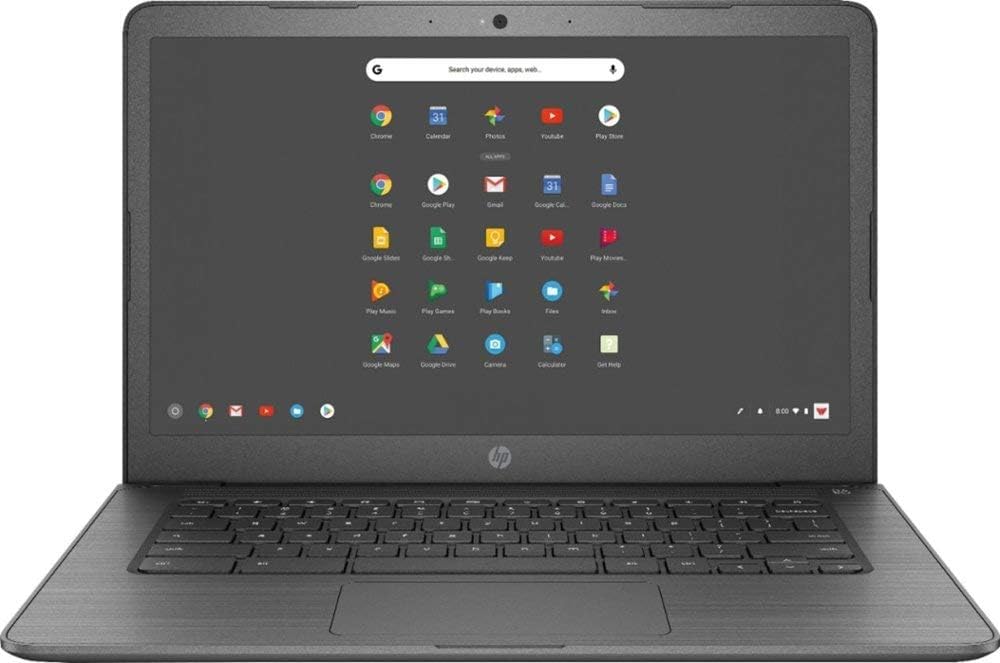
Operating System: Google Chrome Os Display:14-Inch Diagonal Hd Sva Wled-Backlit Multitouch-Enabled Edge-To-Edge Glass (1366 X 768) Processor: Intel Celeron N3350 (1.1 Ghz Base Frequency, Up To 2.4 Ghz Burst Frequency, 2 Mb Cache, 2 Cores) Memory: 4Gb Lpddr4 2133 Sdram Hard Drive Size: 32Gb Emmc Cloud Support: Built In, Easily Save Your Files To Your Google Drive Account For Secure Access Wherever You Go Security: Built-In Virus Protection Media Reader: Multi-Format Video: Intel Hd Graphics 500 Audio: B&O Play, Dual Speakers Ports: 2 X Usb 3.1 Gen 1 (Data Transfer Only), 2 X Usb 3.1 Type-C Gen 1, 1 Headphone/Microphone Combo Battery: Up To 10.75 Hours Battery Life Camera: Hp Truevision Hd Camera With Integrated Dual Array Digital Microphone Wireless: Intel 802.11B/G/N/Ac (2X2) Bluetooth: V4.2 Dimensions: 13.27 X 8.94X 0.72 In Weight: 3.39Lb
⚠️ WARNING (California Proposition 65): This product may contain chemicals known to the State of California to cause cancer, birth defects, or other reproductive harm. For more information, please visit www.P65Warnings.ca.gov.
Frequently Asked Questions
Q: What are the dimensions of the HP 14 Touch Chromebook?A: The dimensions of the HP 14 Touch Chromebook are thirteen point twenty-seven inches wide, eight point ninety-four inches deep, and zero point seventy-two inches thick.
Q: What is the weight of the HP 14 Touch Chromebook?A: The weight of the HP 14 Touch Chromebook is three point thirty-nine pounds.
Q: What type of processor does the HP 14 Touch Chromebook have?A: The HP 14 Touch Chromebook is equipped with an Intel Celeron N3350 processor, which has a base frequency of one point one gigahertz and can burst up to two point four gigahertz.
Q: How much memory does the HP 14 Touch Chromebook have?A: The HP 14 Touch Chromebook has four gigabytes of LPDDR4 memory.
Q: What is the storage capacity of the HP 14 Touch Chromebook?A: The storage capacity of the HP 14 Touch Chromebook is thirty-two gigabytes of eMMC.
Q: What operating system does the HP 14 Touch Chromebook run?A: The HP 14 Touch Chromebook runs on Google Chrome OS.
Q: How do I charge the HP 14 Touch Chromebook?A: To charge the HP 14 Touch Chromebook, simply connect the included USB Type-C charger to the charging port and plug it into an outlet.
Q: Can I use the HP 14 Touch Chromebook for gaming?A: Yes, you can use the HP 14 Touch Chromebook for casual gaming, but it's not suitable for high-performance gaming due to its integrated Intel HD Graphics.
Q: Is the HP 14 Touch Chromebook suitable for students?A: Yes, the HP 14 Touch Chromebook is suitable for students, especially for web-based applications and research.
Q: How do I connect to Wi-Fi on the HP 14 Touch Chromebook?A: To connect to Wi-Fi on the HP 14 Touch Chromebook, click on the network icon in the bottom-right corner, select your network, and enter the password.
Q: What is the battery life of the HP 14 Touch Chromebook?A: The HP 14 Touch Chromebook offers up to ten point seventy-five hours of battery life.
Q: How do I reset the HP 14 Touch Chromebook?A: To reset the HP 14 Touch Chromebook, press and hold the Refresh button and then press the Power button.
Q: Is the HP 14 Touch Chromebook good for video conferencing?A: Yes, the HP 14 Touch Chromebook is equipped with an HP TrueVision HD Camera, making it suitable for video conferencing.
Q: What ports are available on the HP 14 Touch Chromebook?A: The HP 14 Touch Chromebook has two USB three point one Gen one ports, two USB three point one Type-C Gen one ports, and one headphone/microphone combo port.
Q: Does the HP 14 Touch Chromebook have built-in virus protection?A: Yes, the HP 14 Touch Chromebook comes with built-in virus protection as part of the Google Chrome OS.