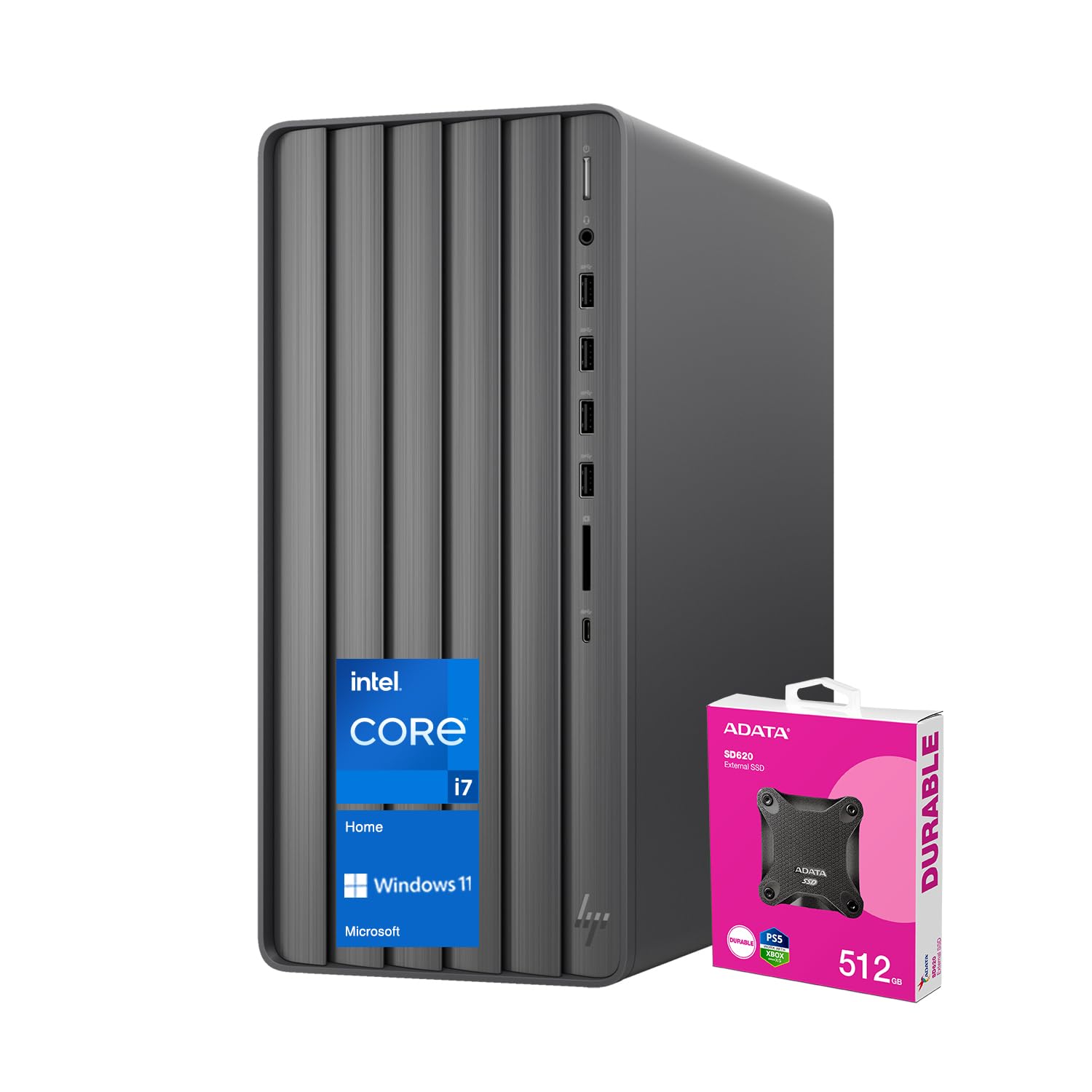
Key Features And Benefits: Cpu: Intel Core I7-14700 (20 Cores, 28 Threads, 33Mb L3 Cache, 1.5Ghz Base Frequency, Up To 5.4Ghz Max Turbo Frequency) Memory: Up To 64Gb Ddr4 Udimm Hard Drive: Up To 4Tb Pcie M.2 Ssd Operating System: Windows 11 Home Graphics: Intel Uhd Graphics Ports: 1 X Usb Type-C 5Gbps Signaling Rate 2 X Usb Type-A 10Gbps Signaling Rate 2 X Usb Type-A 5Gbps Signaling Rate 1 X Headphone/Microphone Combo 4 X Usb 2.0 Type-A 1 X Audio-In 1 X Audio-Out 1 X Microphone 1 X Rj-45 1 X Hdmi 1 X Vga Port Optical Drive: None Media Drive: Sd Card Reader Keyboard And Mouse: None Wireless Connection: Wi-Fi 6 And Bluetooth Dimensions: 6.12&Quot; X 11.97&Quot; X 13.28&Quot; Weight: 13.14 Lbs Color: Black
⚠️ WARNING (California Proposition 65): This product may contain chemicals known to the State of California to cause cancer, birth defects, or other reproductive harm. For more information, please visit www.P65Warnings.ca.gov.
Frequently Asked Questions
Q: What is the processor in the HP Envy Tower Desktop?A: The processor is an Intel Core i7-14700, featuring twenty cores and twenty-eight threads. It operates at a base frequency of one point five gigahertz and can boost up to five point four gigahertz.
Q: How much RAM does this desktop have?A: This desktop has sixty-four gigabytes of DDR4 RAM. This high-speed memory allows for smooth multitasking and running multiple applications simultaneously.
Q: What is the storage capacity of the HP Envy Tower?A: The storage capacity is two terabytes SSD, with an option to expand up to four terabytes. This provides ample space for applications, files, and media.
Q: What operating system comes with this desktop?A: The HP Envy Tower Desktop comes with Windows eleven Home pre-installed. This operating system offers a modern interface and improved functionality.
Q: What are the dimensions of the HP Envy Tower Desktop?A: The dimensions are six point twelve inches in length, eleven point ninety-seven inches in width, and thirteen point twenty-eight inches in height. This compact size makes it suitable for various setups.
Q: How does the HP Envy Tower connect to the internet?A: It supports Wi-Fi six and Bluetooth for wireless connectivity. This allows for fast internet access and seamless connection to other devices.
Q: Does the HP Envy Tower come with a keyboard and mouse?A: No, the HP Envy Tower Desktop does not include a keyboard and mouse. Users will need to purchase these accessories separately.
Q: Can I upgrade the RAM in this desktop?A: Yes, the RAM can be upgraded up to sixty-four gigabytes. This allows for enhanced performance and multitasking capabilities.
Q: What type of graphics does the HP Envy Tower use?A: It features Intel UHD Graphics. This integrated graphics solution is suitable for everyday tasks and light gaming.
Q: What ports are available on the HP Envy Tower?A: The desktop includes multiple ports: one USB Type-C, two USB Type-A at ten gigabits per second, two USB Type-A at five gigabits per second, and others including HDMI and VGA. This variety supports various devices.
Q: How do I clean the HP Envy Tower Desktop?A: To clean the desktop, use a soft, lint-free cloth to wipe the exterior. Avoid using chemical cleaners that could damage the surface.
Q: What is the warranty on the HP Envy Tower Desktop?A: The warranty typically covers one year for parts and labor, but it is advisable to check the specific warranty details from the manufacturer.
Q: Can I return the HP Envy Tower if I'm not satisfied?A: Yes, you can return the product if you are not satisfied, typically within a specified return period. Check the retailer's return policy for exact details.
Q: Is there a way to troubleshoot connectivity issues?A: Yes, if you experience connectivity issues, ensure that your Wi-Fi network is active and that the desktop's wireless settings are properly configured.
Q: What do I do if my HP Envy Tower arrives damaged?A: If your desktop arrives damaged, contact customer support immediately to initiate a return or exchange process. Document the damage with photos for reference.