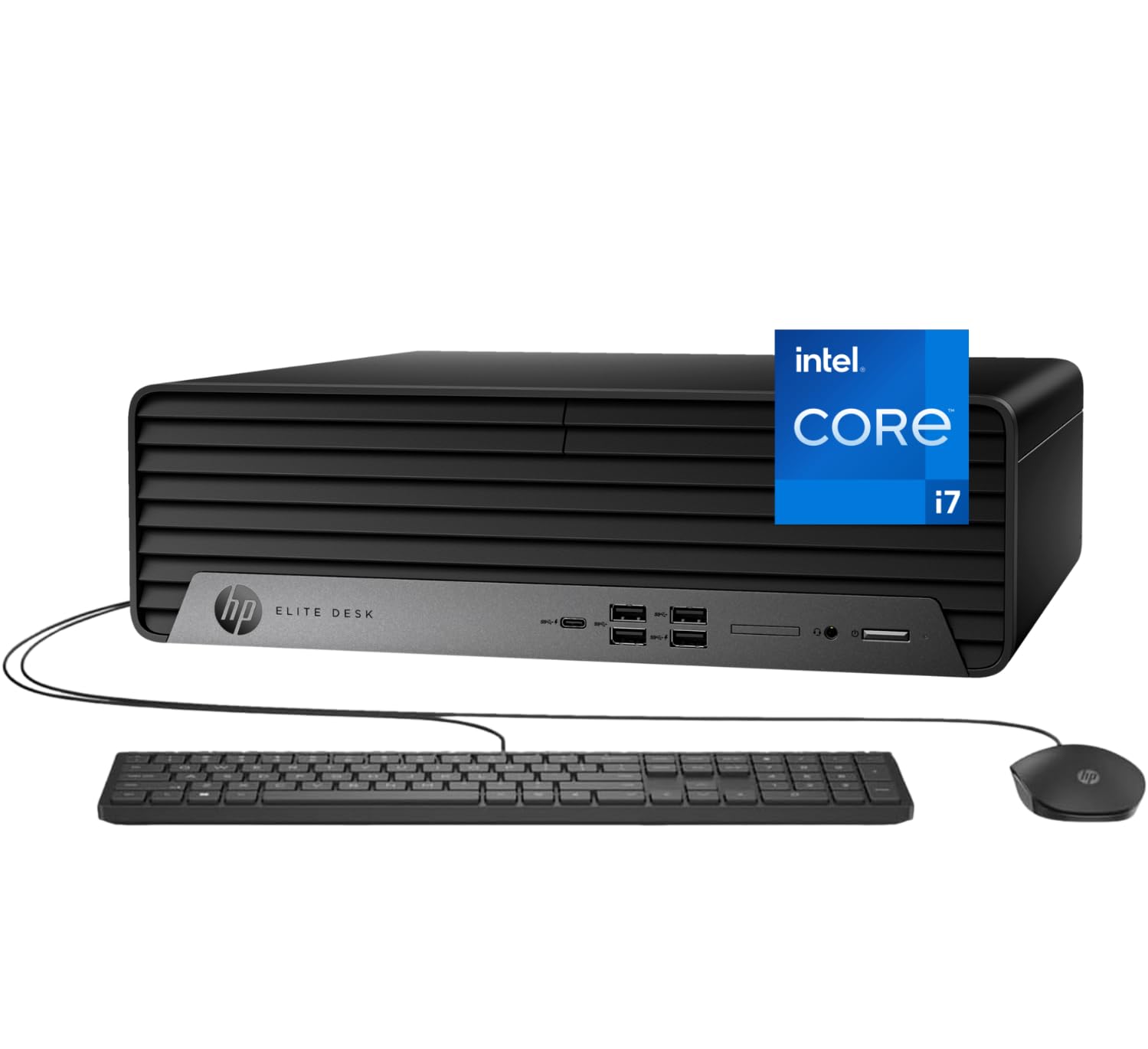
Processor: I9-12700K 3.6Ghz Processor (Upto 5.0 Ghz, 25Mb Cache, 12-Cores, 20-Threads) Storage: Up To 2Tb Pcie Ssd (Solid State Drive) Memory: Up To 64Gb Ddr5 Ram Dimm Graphics: Integrated Graphics Integrated Graphics Operating System: Windows 11 Pro-64 Connectivity:, Ethernet Lan (Rj-45) Camera: No Webcam Input/Output:, Black, Usb Keyboard, Usb Mouse Display: No Display Ports Front : 1 Headphone/Microphone Combo; 4 Superspeed Usb Type-A 10Gbps Signaling Rate; 1 Superspeed Usb Type-C 20Gbps Signaling Rate Rear : 3 Usb Type-A 5Gbps Signaling Rate; 1 Hdmi 1.4B; 1 Rj-45; 1 Audio Line-In/Line-Out; 2 Displayport 1.4A; 3 Usb 2.0 Type-A Battery: 260W Power Supply Color: Black Form/Style: Desktop Product Dimensions (Wxlxh): 6.1 In X 11.7 In X 12.8 In Weight: 11Lb
⚠️ WARNING (California Proposition 65): This product may contain chemicals known to the State of California to cause cancer, birth defects, or other reproductive harm. For more information, please visit www.P65Warnings.ca.gov.
Frequently Asked Questions
Q: What are the dimensions of the HP Elite SFF 600 G9 Desktop?A: The dimensions are six point one inches wide, eleven point seven inches long, and twelve point eight inches high. This compact design is ideal for office or home setups.
Q: What type of processor does the HP Elite SFF 600 G9 use?A: It is powered by the Intel Core i7-12700K processor. This processor features twelve cores and can boost up to five point zero gigahertz.
Q: How much RAM and storage can the HP Elite SFF 600 G9 support?A: It can support up to sixty-four gigabytes of DDR5 RAM and offers storage options of up to two terabytes PCIe SSD. This ensures ample space and high performance.
Q: How do I set up the HP Elite SFF 600 G9 Desktop?A: Simply connect the included black USB keyboard and USB mouse, then plug in the power supply. After powering on, follow the Windows 11 Pro setup prompts.
Q: Can I upgrade the RAM and storage in this desktop?A: Yes, you can upgrade both the RAM and storage. It supports up to sixty-four gigabytes of RAM and has options for two terabytes of PCIe SSD or HDD.
Q: Is the HP Elite SFF 600 G9 Desktop suitable for gaming?A: Yes, it can handle gaming due to its powerful Intel Core i7 processor and integrated graphics. However, for intense gaming, a dedicated graphics card is recommended.
Q: How should I clean the HP Elite SFF 600 G9 Desktop?A: To clean it, use a soft, dry cloth to wipe the exterior. Avoid using liquids or abrasive materials that could damage the surface.
Q: What is the warranty period for the HP Elite SFF 600 G9?A: The standard warranty period is typically one year. Be sure to check with the retailer for specific warranty details and options.
Q: Does the HP Elite SFF 600 G9 come with a webcam?A: No, the HP Elite SFF 600 G9 does not include a built-in webcam. You will need to purchase an external webcam for video calls.
Q: What ports are available on the HP Elite SFF 600 G9 Desktop?A: It features multiple ports, including four USB Type-A, one USB Type-C, one HDMI, and two DisplayPorts. This allows for extensive connectivity options.
Q: Is the HP Elite SFF 600 G9 Desktop energy efficient?A: Yes, it has a two hundred sixty watt power supply, which is designed to be efficient for high-performance tasks while minimizing energy consumption.
Q: Can I connect Bluetooth devices to the HP Elite SFF 600 G9?A: Yes, it supports Bluetooth connectivity. You can easily pair Bluetooth peripherals like keyboards, mice, and speakers.
Q: What color options are available for the HP Elite SFF 600 G9 Desktop?A: The desktop is available in a sleek black color. This neutral tone fits well in various environments.
Q: Does the HP Elite SFF 600 G9 support dual monitors?A: Yes, it can support dual monitors through its HDMI and DisplayPort connections. This is ideal for multitasking and enhanced productivity.
Q: What is included in the box with the HP Elite SFF 600 G9?A: The box typically includes the desktop unit, a black USB keyboard, a USB mouse, and documentation for setup and warranty information.