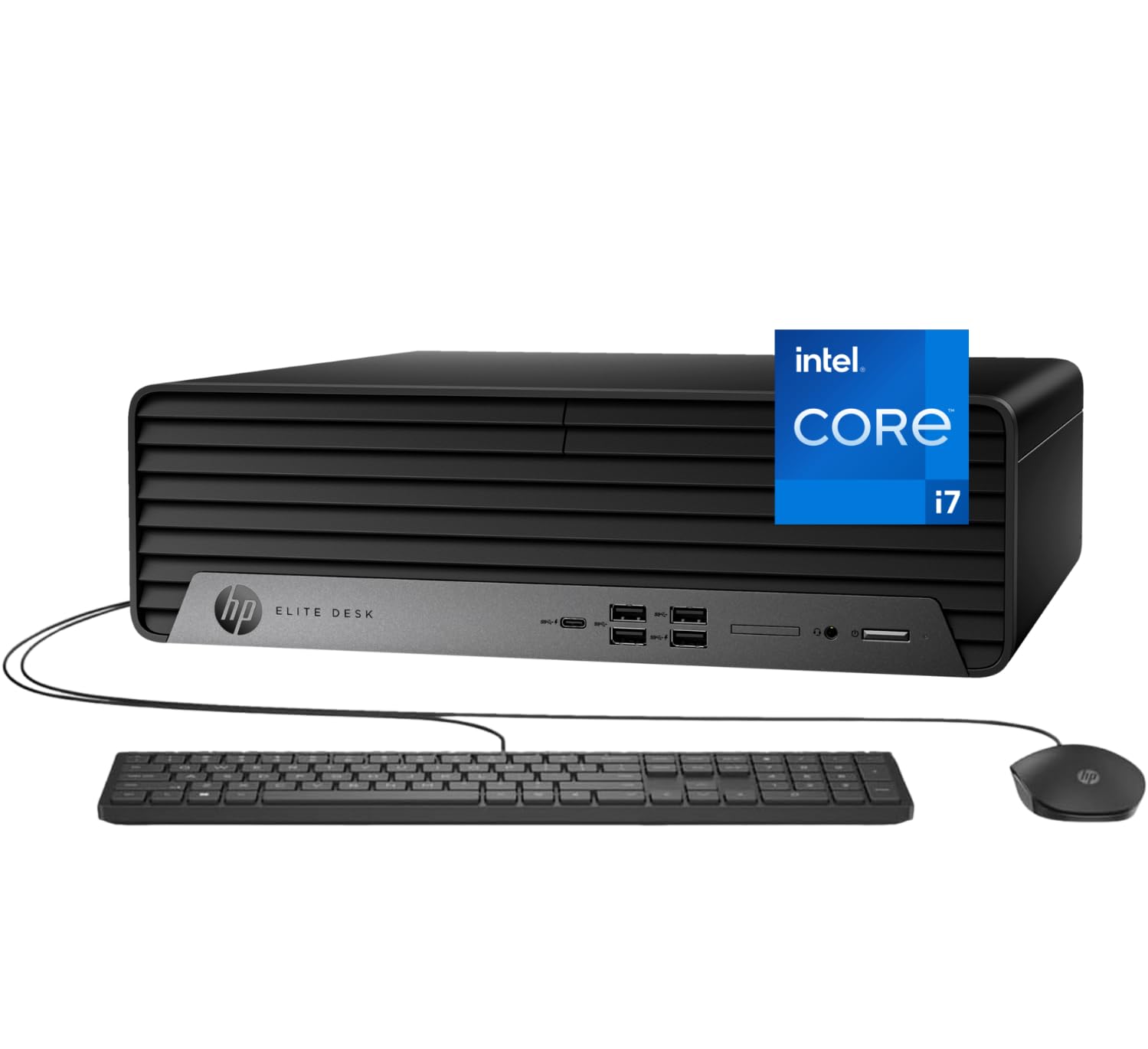
Processor: I9-12700K 3.6Ghz Processor (Upto 5.0 Ghz, 25Mb Cache, 12-Cores, 20-Threads) Storage: Up To 2Tb Pcie Ssd (Solid State Drive) Memory: Up To 64Gb Ddr5 Ram Dimm Graphics: Integrated Graphics Integrated Graphics Operating System: Windows 11 Pro-64 Connectivity:, Ethernet Lan (Rj-45) Camera: No Webcam Input/Output:, Black, Usb Keyboard, Usb Mouse Display: No Display Ports Front : 1 Headphone/Microphone Combo; 4 Superspeed Usb Type-A 10Gbps Signaling Rate; 1 Superspeed Usb Type-C 20Gbps Signaling Rate Rear : 3 Usb Type-A 5Gbps Signaling Rate; 1 Hdmi 1.4B; 1 Rj-45; 1 Audio Line-In/Line-Out; 2 Displayport 1.4A; 3 Usb 2.0 Type-A Battery: 260W Power Supply Color: Black Form/Style: Desktop Product Dimensions (Wxlxh): 6.1 In X 11.7 In X 12.8 In Weight: 11Lb
⚠️ WARNING (California Proposition 65): This product may contain chemicals known to the State of California to cause cancer, birth defects, or other reproductive harm. For more information, please visit www.P65Warnings.ca.gov.
Frequently Asked Questions
Q: What are the dimensions of the HP Elite SFF 600 G9 Desktop?A: The dimensions are six point one inches wide, eleven point seven inches long, and twelve point eight inches high. This compact design makes it suitable for both office and home setups.
Q: How much RAM can the HP Elite SFF 600 G9 support?A: It can support up to sixty-four gigabytes of DDR5 RAM. This allows for seamless performance across multiple applications and demanding tasks.
Q: What type of storage does the HP Elite SFF 600 G9 have?A: It features up to two terabytes of PCIe solid state drive storage. This ensures ultra-fast access speeds for files and applications.
Q: How do I set up the HP Elite SFF 600 G9 Desktop?A: Simply connect the included USB keyboard and mouse, plug in the power supply, and turn it on. The desktop will guide you through the initial setup process.
Q: Is the HP Elite SFF 600 G9 suitable for gaming?A: Yes, it is suitable for casual gaming due to its powerful Intel Core i7 processor and ample RAM. However, for high-end gaming, a dedicated graphics card may be required.
Q: Can I upgrade the RAM in the HP Elite SFF 600 G9?A: Yes, you can upgrade the RAM up to sixty-four gigabytes. This allows users to customize their setup based on specific performance needs.
Q: How do I clean the HP Elite SFF 600 G9 Desktop?A: Use a soft, dry cloth to wipe the exterior. Avoid using liquid cleaners directly on the device to prevent damage to the components.
Q: Is there a warranty for the HP Elite SFF 600 G9?A: Yes, it typically comes with a limited warranty from the manufacturer. Check the product documentation for specific details regarding the warranty period.
Q: What should I do if the HP Elite SFF 600 G9 arrives damaged?A: Contact the retailer immediately to report the damage. Most retailers have a return or exchange policy for damaged products.
Q: Does the HP Elite SFF 600 G9 have integrated graphics?A: Yes, it features integrated graphics. This is suitable for everyday tasks and basic graphics needs.
Q: What operating system comes pre-installed on the HP Elite SFF 600 G9?A: It comes with Windows eleven Pro pre-installed. This operating system provides a modern interface and enhanced security features.
Q: How many USB ports does the HP Elite SFF 600 G9 have?A: It has a total of eight USB ports. This includes various types for maximum connectivity with devices and peripherals.
Q: Is the HP Elite SFF 600 G9 a quiet desktop?A: Yes, it is designed to be compact and quiet. This makes it ideal for office environments where noise levels need to be minimized.
Q: What connectivity options are available on the HP Elite SFF 600 G9?A: It includes Wi-Fi, Bluetooth, Ethernet LAN, HDMI, and DisplayPorts. This provides comprehensive connectivity to a wide range of devices.
Q: What is the weight of the HP Elite SFF 600 G9?A: The desktop weighs eleven pounds. This makes it relatively lightweight for a desktop computer, enhancing its portability.