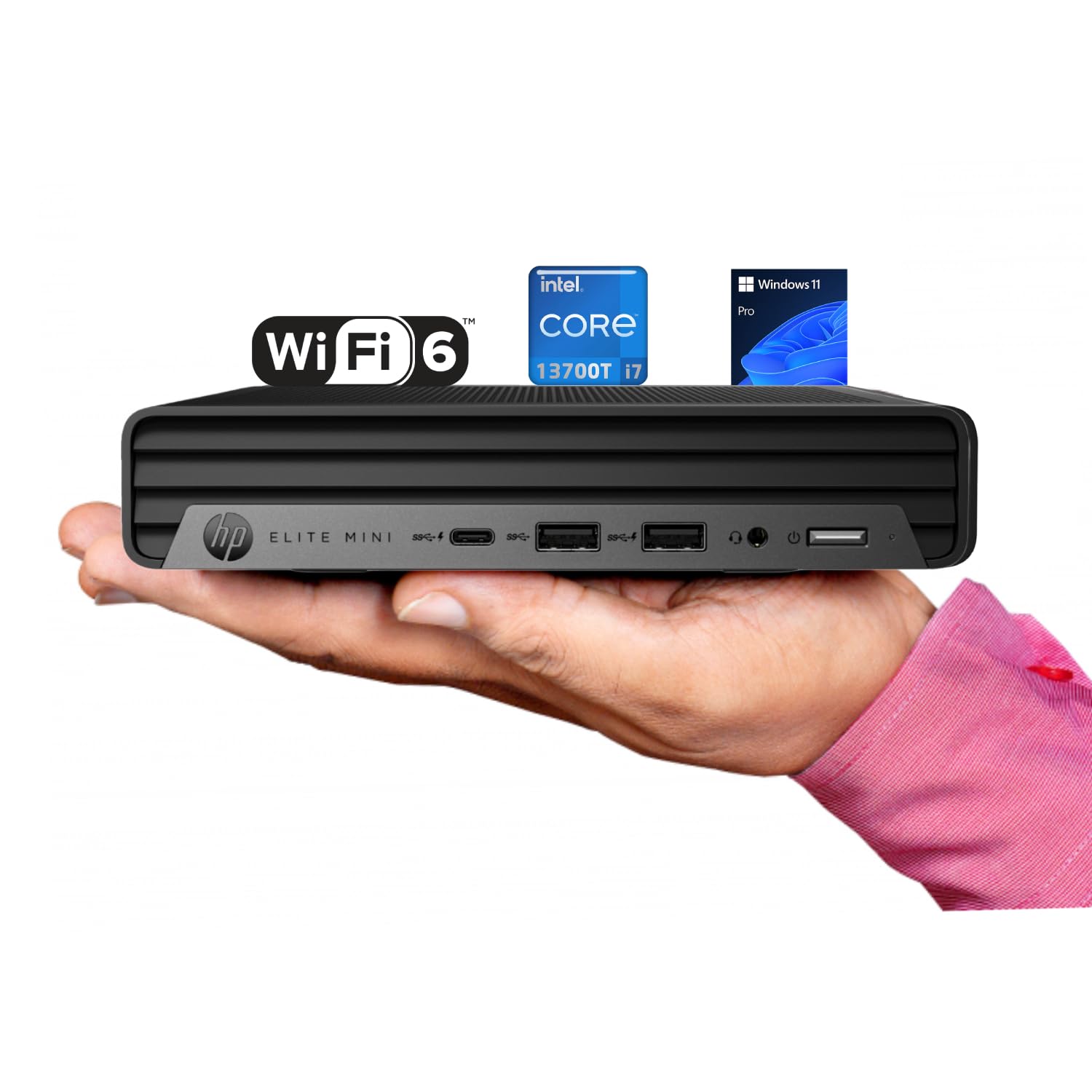
Processor: Intel Core I7-13700T (13Th Gen) 1.4 Ghz Up To 4.9 Ghz, Ram: Up To 64 Gb Ddr5-5200 Mhz Storage: Up To 4 Tb Pcie Ssd Wireless: Wi-Fi 6,Bluetooth Optical Drive: None Form Factor: Mini Desktop Keyboard: Traditional Keyboard, Black Mouse: Traditional Mouse, Black Front Ports: 1X Usb-C 10Gbps, 2X Usb-A 10Gbps, 1X Headset Combo Rear Ports: 1X Hdmi 2.0, 1X Displayport 1.4, 4X Usb-A 5Gbps, 2X Usb-A 2.0, 1X Rj-45, 1X Audio-Out Weight:3 Lb
⚠️ WARNING (California Proposition 65): This product may contain chemicals known to the State of California to cause cancer, birth defects, or other reproductive harm. For more information, please visit www.P65Warnings.ca.gov.
Frequently Asked Questions
Q: What are the dimensions of the HP Elite Mini G9?A: The dimensions are six point nine seven inches by six point eight nine inches by one point three four inches. This compact size makes it ideal for small workspaces.
Q: What type of processor does the HP Elite Mini G9 have?A: It features a thirteenth generation Intel Core i7-13700T processor. This sixteen-core processor provides efficient multitasking and high performance.
Q: How much RAM can the HP Elite Mini G9 support?A: It supports up to sixty-four gigabytes of DDR5 RAM. This allows for smooth operation even with multiple applications running.
Q: What storage options are available for the HP Elite Mini G9?A: The HP Elite Mini G9 can be equipped with up to four terabytes of PCIe SSD storage. This ensures quick data access and ample space for files.
Q: What operating system does the HP Elite Mini G9 come with?A: It comes with Windows eleven Pro. This operating system enhances productivity with features designed for business environments.
Q: Does the HP Elite Mini G9 have an optical drive?A: No, the HP Elite Mini G9 does not include an optical drive. It is designed for digital media use, which is typical for modern desktops.
Q: How do I set up the HP Elite Mini G9?A: Simply connect the keyboard and mouse, plug it into a power source, and connect to your display using the HDMI or DisplayPort. The computer is ready for use right out of the box.
Q: Is the HP Elite Mini G9 suitable for gaming?A: Yes, it can handle casual gaming due to its powerful processor and integrated Intel UHD Graphics. However, it may not meet the demands of high-end gaming.
Q: How can I connect wireless devices to the HP Elite Mini G9?A: You can connect wireless devices via Bluetooth and Wi-Fi six. This ensures fast and reliable connectivity for peripherals and internet access.
Q: How do I keep the HP Elite Mini G9 in good condition?A: Keep it in a cool, dry place and regularly clean the exterior with a soft cloth. Ensure proper ventilation to avoid overheating.
Q: What is the warranty period for the HP Elite Mini G9?A: The warranty period typically lasts for one year from the date of purchase. Check with the retailer for specific warranty details.
Q: Can I upgrade the RAM in the HP Elite Mini G9?A: Yes, you can upgrade the RAM as long as it does not exceed sixty-four gigabytes. This allows for future performance enhancements.
Q: What should I do if the HP Elite Mini G9 arrives damaged?A: Contact the retailer immediately to report the damage and initiate a return or replacement process. Keep all packaging materials for the return.
Q: Does the HP Elite Mini G9 include a keyboard and mouse?A: Yes, it comes with a traditional black keyboard and mouse. These accessories are included for immediate setup and use.
Q: What are the front ports available on the HP Elite Mini G9?A: The front ports include one USB-C ten gigabits per second port, two USB-A ten gigabits per second ports, and a headset combo jack. This provides versatile connectivity options.