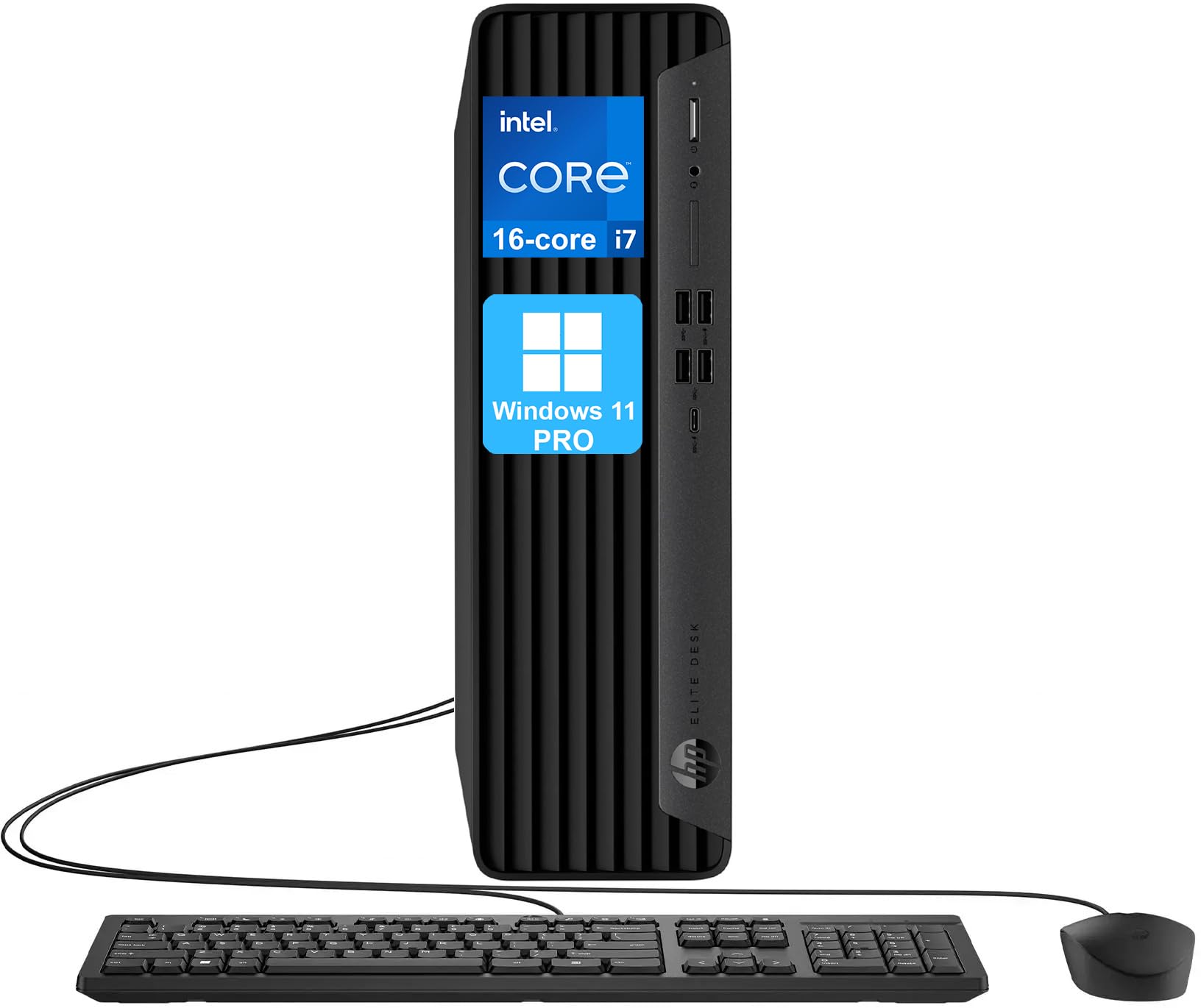
Processor: 13Th Gen Intel Core I7-13700 (16 Cores, 24 Threads, 30Mb Intel Smart Cache, Up To 5.2Ghz Max Turbo Frequency) Operating System: Windows 11 Pro, 64-Bit, English Graphics: Integrated Intel Uhd Graphics 770 Memory: Up To 128Gb Ddr5 Ram Hard Drive: Up To 8Tb Pcie Nvme M.2 Solid State Drive Connectivity: Wifi And Bluetooth Front Ports: 4X Superspeed Usb Type-A 10Gbps Signaling Rate, 1X Superspeed Usb Type-C 20Gbps Signaling Rate, 1X Microphone/Headphone 3.5Mm Jack. Rear Ports: 3X Superspeed Usb Type-A 5Gbps Signaling Rate, 3X Usb Type-A 480 Mbps Signaling Rate, 2X Displayport 1.4, 1X Hdmi 1.4, 1X Ethernet (Rj45), 1X Audio-In/Out, 1X Power Connector. Keyboard: Wired Keyboard And Mouse Combo Color: Black Dimensions L X W X H (Inches): 13.3 X 12.12 X 3.94 Weight: 11.11 Lbs
⚠️ WARNING (California Proposition 65): This product may contain chemicals known to the State of California to cause cancer, birth defects, or other reproductive harm. For more information, please visit www.P65Warnings.ca.gov.
Frequently Asked Questions
Q: What are the dimensions of the HP Elite Desk 600 G9?A: The dimensions are thirteen point three inches in length, twelve point twelve inches in width, and three point ninety-four inches in height.
Q: What is the weight of the HP Elite Desk 600 G9?A: The weight is eleven point eleven pounds.
Q: What type of processor is in the HP Elite Desk 600 G9?A: It features a thirteenth generation Intel Core i7-13700 processor with sixteen cores and twenty-four threads.
Q: How much RAM can the HP Elite Desk 600 G9 support?A: It can support up to one hundred twenty-eight gigabytes of DDR5 RAM.
Q: What is the maximum storage capacity of the HP Elite Desk 600 G9?A: The maximum storage capacity is eight terabytes using PCIe NVMe M.2 solid state drives.
Q: What operating system does the HP Elite Desk 600 G9 run on?A: It runs on Windows eleven Pro, which is a sixty-four bit operating system.
Q: How do I connect to WiFi with the HP Elite Desk 600 G9?A: You can connect to WiFi using the integrated WiFi and Bluetooth technology built into the desktop.
Q: Is the keyboard and mouse included with the HP Elite Desk 600 G9?A: Yes, a wired USB keyboard and mouse combo are included with the desktop.
Q: How do I set up the HP Elite Desk 600 G9?A: To set it up, connect the included keyboard and mouse, plug in the power connector, and follow the on-screen instructions.
Q: What ports are available on the HP Elite Desk 600 G9?A: It has multiple ports including three USB-A three point two ports, three USB-A two point zero ports, two DisplayPorts, and one HDMI port.
Q: How do I maintain the HP Elite Desk 600 G9?A: To maintain it, ensure proper ventilation, keep it clean from dust, and regularly update the operating system.
Q: Is the HP Elite Desk 600 G9 safe for home office use?A: Yes, it is designed for business use and is suitable for a home office environment.
Q: What is the warranty on the HP Elite Desk 600 G9?A: The warranty period typically lasts for one year, covering parts and labor.
Q: What should I do if my HP Elite Desk 600 G9 won't turn on?A: Check that it is properly plugged in, and ensure that the power outlet is functioning. If the issue persists, contact customer support.
Q: Can I upgrade the RAM in the HP Elite Desk 600 G9?A: Yes, the RAM can be upgraded to a maximum of one hundred twenty-eight gigabytes.