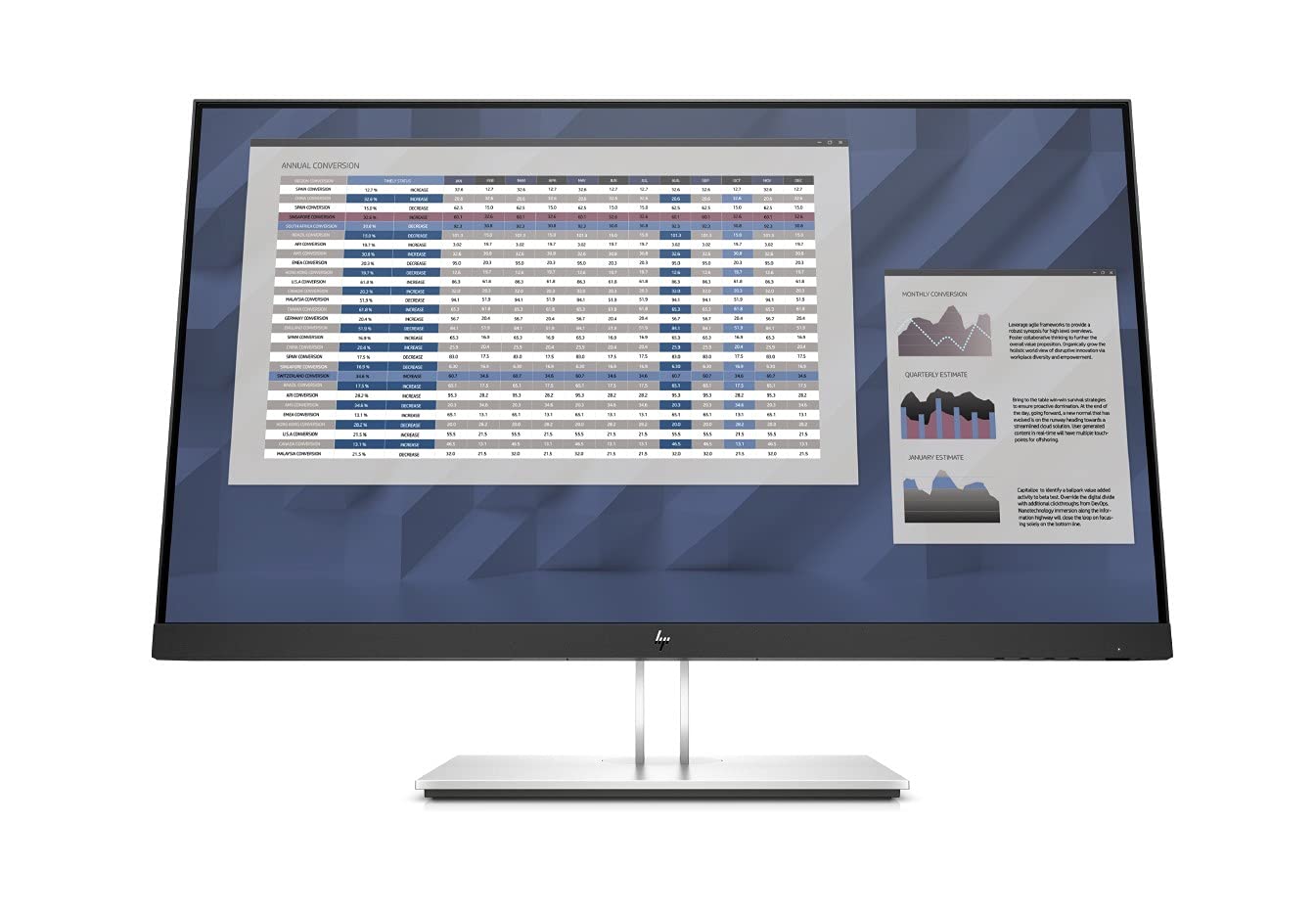
Work Comfortably And Stay Focused With The Optimized Ergonomics And Full Hd Resolution Of The Hp E27 G4 Fhd Monitor With Hp Eye Ease That Is Designed Around You. Make Life Easy For It With Remote Manageability.
⚠️ WARNING (California Proposition 65): This product may contain chemicals known to the State of California to cause cancer, birth defects, or other reproductive harm. For more information, please visit www.P65Warnings.ca.gov.
Frequently Asked Questions
Q: What is the resolution of the HP E27 G4 monitor?A: The resolution is one thousand nine hundred twenty by one thousand eighty pixels. This full HD resolution provides clear and vibrant visuals for various applications.
Q: What are the dimensions of the HP E27 G4 monitor?A: The monitor measures twenty-four point zero two inches in length, one point eight one inches in width, and fourteen point one seven inches in height. These dimensions make it suitable for various workspace setups.
Q: What color is the HP E27 G4 monitor?A: The monitor is available in black. This color provides a sleek and professional look that fits well with most office environments.
Q: How do I adjust the HP E27 G4 monitor?A: You can adjust the monitor using its four-way adjustability feature. This allows you to change the height, tilt, swivel, and pivot for optimal viewing comfort.
Q: Is the HP E27 G4 monitor suitable for multi-tasking?A: Yes, it is suitable for multi-tasking. The twenty-three point eight inch diagonal screen allows you to work comfortably with multiple applications open side by side.
Q: How do I connect devices to the HP E27 G4 monitor?A: You can connect devices using four USB three point two Gen one ports, one VGA port, one DisplayPort one point two, and one HDMI one point four port. This variety of connections ensures compatibility with many devices.
Q: What is the warranty for the HP E27 G4 monitor?A: The monitor comes with a one-year manufacturer warranty. This warranty provides peace of mind for any defects or issues that may arise during normal use.
Q: How do I clean the HP E27 G4 monitor?A: To clean the monitor, use a soft, lint-free cloth and a mild cleaning solution. Avoid using harsh chemicals or abrasive materials to prevent damage to the screen.
Q: Does the HP E27 G4 monitor have eye care features?A: Yes, it features HP Eye Ease, a built-in blue light filter. This helps reduce eye strain during long usage periods without affecting color accuracy.
Q: Is the HP E27 G4 monitor energy efficient?A: Yes, it is ENERGY STAR certified. This certification indicates that the monitor meets energy efficiency guidelines, helping reduce electricity consumption.
Q: What materials is the HP E27 G4 monitor made of?A: The monitor is primarily made of plastic and glass materials. These materials contribute to its lightweight and durable construction.
Q: Is the HP E27 G4 monitor TCO certified?A: Yes, it is TCO certified. This certification indicates compliance with environmental and ergonomic standards, making it a responsible choice for consumers.
Q: Can I mount the HP E27 G4 monitor on a wall?A: Yes, the monitor can be mounted on a wall or an arm using a compatible VESA mount. This feature allows for flexible placement in your workspace.
Q: What ports are available on the HP E27 G4 monitor?A: The monitor includes four USB three point two Gen one ports, one VGA port, one DisplayPort one point two, and one HDMI one point four port. These ports provide versatile connectivity options.
Q: What is the screen type of the HP E27 G4 monitor?A: The screen is an anti-glare IPS type. This technology provides wide viewing angles and minimizes reflections, enhancing the overall viewing experience.