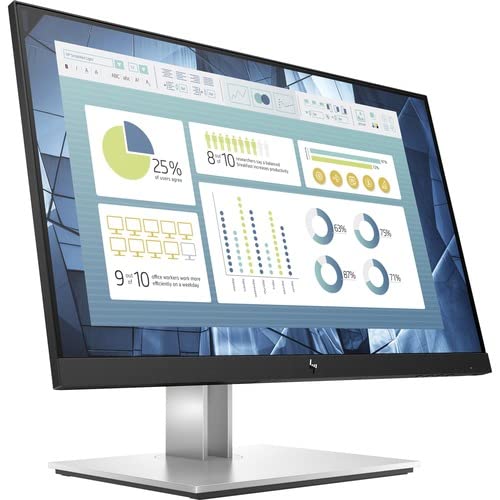
Number Of Screens: 1 | Screen Size Class: 22'' | Viewable Screen Size: 21.5'' | Screen Mode: Full Hd | Panel Technology: In-Plane Switching (Ips) Technology | Mounting Type: Wall Mount | Item Weight: 11.9 Pounds
⚠️ WARNING (California Proposition 65): This product may contain chemicals known to the State of California to cause cancer, birth defects, or other reproductive harm. For more information, please visit www.P65Warnings.ca.gov.
Frequently Asked Questions
Q: What is the screen size of the HP E22 G4 Monitor?A: The screen size is twenty-one point five inches. This size provides a comfortable viewing experience for various tasks.
Q: What resolution does the HP E22 G4 Monitor support?A: The monitor supports Full HD resolution of one thousand nine hundred twenty by one thousand eighty pixels. This ensures clear and vibrant images.
Q: What is the weight of the HP E22 G4 Monitor?A: The monitor weighs eleven point nine pounds. This weight makes it relatively easy to mount or move as needed.
Q: How is the HP E22 G4 Monitor mounted?A: It can be wall-mounted. The mounting type provides flexibility for positioning in various spaces.
Q: What type of panel technology does this monitor use?A: It uses In-Plane Switching (IPS) technology. This technology is known for its wide viewing angles and accurate colors.
Q: What are the dimensions of the HP E22 G4 Monitor?A: The dimensions are eight point fifteen inches in depth, nineteen point twenty-five inches in width, and eighteen point ninety-four inches in height. These dimensions help fit the monitor in various setups.
Q: How do I connect devices to the HP E22 G4 Monitor?A: You can connect devices using HDMI, VGA, or DisplayPort. This variety of ports accommodates different devices for versatile use.
Q: Is the HP E22 G4 Monitor suitable for gaming?A: Yes, it can be suitable for casual gaming. The five millisecond response time helps minimize motion blur during gameplay.
Q: What type of USB hub does the HP E22 G4 Monitor have?A: It has a built-in USB hub. This allows easy connectivity for additional peripherals like keyboards and mice.
Q: What is the ideal usage environment for the HP E22 G4 Monitor?A: It is ideal for office and home environments. Its Full HD display is suitable for productivity tasks and multimedia consumption.
Q: How do I clean the HP E22 G4 Monitor screen?A: Use a microfiber cloth with a gentle cleaning solution. Avoid using harsh chemicals or abrasive materials to prevent damage.
Q: What should I do if the monitor does not turn on?A: Check the power connection and ensure it is plugged in. If it still does not turn on, consult the user manual for troubleshooting.
Q: Is there a warranty for the HP E22 G4 Monitor?A: Yes, it typically comes with a limited warranty. Check with the retailer for specific warranty details and coverage.
Q: Can I adjust the brightness of the HP E22 G4 Monitor?A: Yes, you can adjust the brightness settings through the on-screen display menu. This allows you to customize your viewing experience.
Q: Does the HP E22 G4 Monitor have built-in speakers?A: No, this monitor does not have built-in speakers. External speakers or headphones are required for audio output.
Q: What is the color of the HP E22 G4 Monitor?A: The monitor is black. This color provides a sleek and modern look suitable for any workspace.