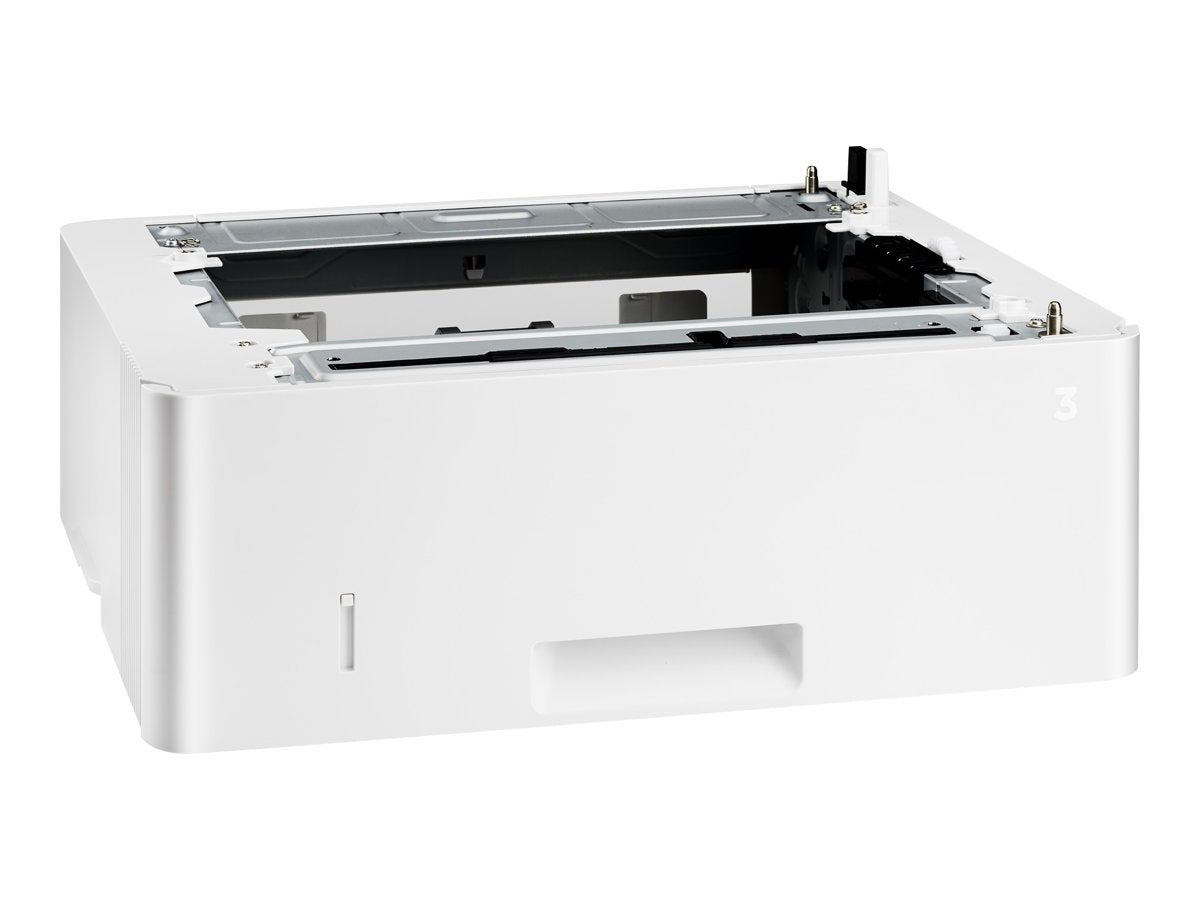
Media Capacity: 1 X 550 Sheettotal Media Capacity: 550Media Type: Plain Paperheight: 5.2''Width: 15''Depth: 14.1''Weight (Approximate): 8.16 Lbcompatibility: Hp Laserjet Pro Printers: M402D, M402Dn, M402Dw, M402N, M426Dw, M426Fdw, With Added Input Capacity Of 550-Sheets And Media Flexibility, This Accessory Supports Greater Productivity And Less Printer Management. Have Different Print Media Ready In The Printer When You Need It, And Print Up To 900-Pages Without Reloading. Those Who Want To Add Input Capacity And Media Flexibility To Their Hp Laserjet Printer Features Reduce Trips To The Printer To Reload Paper With This Paper Input Accessory. This 550-Sheet Input Tray Enables Loading Full Reams Of Paper Before The Tray Is Empty. Print More Pages Without Having To Reload Paper. Manage Your Business, Not Your Printer. Save Time By Refilling Your Paper Trays Less Often. Add This 550-Sheet Paper Tray, For A Total Input Capacity Of 900-Sheets, And Print For Longer Without Reloading Paper. Added Input Capacity Increases Uptime. Individuals And Small Workteams Will Enjoy Greater Productivity And Smoother Workflow Without Having To Manage Paper Resources.
⚠️ WARNING (California Proposition 65): This product may contain chemicals known to the State of California to cause cancer, birth defects, or other reproductive harm. For more information, please visit www.P65Warnings.ca.gov.
Frequently Asked Questions
Q: What are the dimensions of the HP D9P29A Laserjet Pro 550-Sheet Feeder Tray?A: The dimensions are fifteen inches in length, fourteen point one inches in depth, and five point two inches in height.
Q: What is the weight of the HP D9P29A Laserjet Pro 550-Sheet Feeder Tray?A: The weight is approximately eight point sixteen pounds.
Q: What is the total media capacity of the HP D9P29A tray?A: The total media capacity is five hundred fifty sheets.
Q: What media types can the HP D9P29A feeder tray accommodate?A: It can accommodate plain paper.
Q: Is the HP D9P29A compatible with other HP printer models?A: Yes, it is compatible with HP Laserjet Pro models including M402d, M402dn, M402dw, M402n, M426dw, and M426fdw.
Q: How can I increase the input capacity of my HP Laserjet printer?A: You can increase the input capacity by adding the HP D9P29A feeder tray, which allows for an additional five hundred fifty sheets.
Q: How do I install the HP D9P29A Laserjet Pro 550-Sheet Feeder Tray?A: Simply attach the tray to the compatible HP Laserjet printer by aligning it with the input slot until it clicks into place.
Q: Can I use this tray for printing different types of media?A: Yes, the tray supports various media types, allowing you to have different print media ready for use.
Q: What is the maximum number of pages I can print without reloading?A: You can print up to nine hundred pages without needing to reload the paper.
Q: How does the HP D9P29A tray improve productivity?A: It reduces the need to frequently reload paper, allowing for smoother workflow and less printer management.
Q: What is the package quantity for the HP D9P29A feeder tray?A: The package quantity is one.
Q: Is the HP D9P29A tray suitable for small work teams?A: Yes, it is designed to enhance productivity for individuals and small work teams.
Q: Can I return the HP D9P29A feeder tray if it doesn't work with my printer?A: Yes, you can return it if it is not compatible, but please check the return policy for specifics.
Q: What should I do if my HP D9P29A tray arrives damaged?A: Contact the seller immediately to report the damage and inquire about a replacement or return.
Q: How do I keep the HP D9P29A tray in good condition?A: Regularly clean the tray with a soft, dry cloth and ensure it is not overloaded with paper.
Q: Is the HP D9P29A Laserjet Pro 550-Sheet Feeder Tray easy to use?A: Yes, it is user-friendly and designed for straightforward installation and operation.