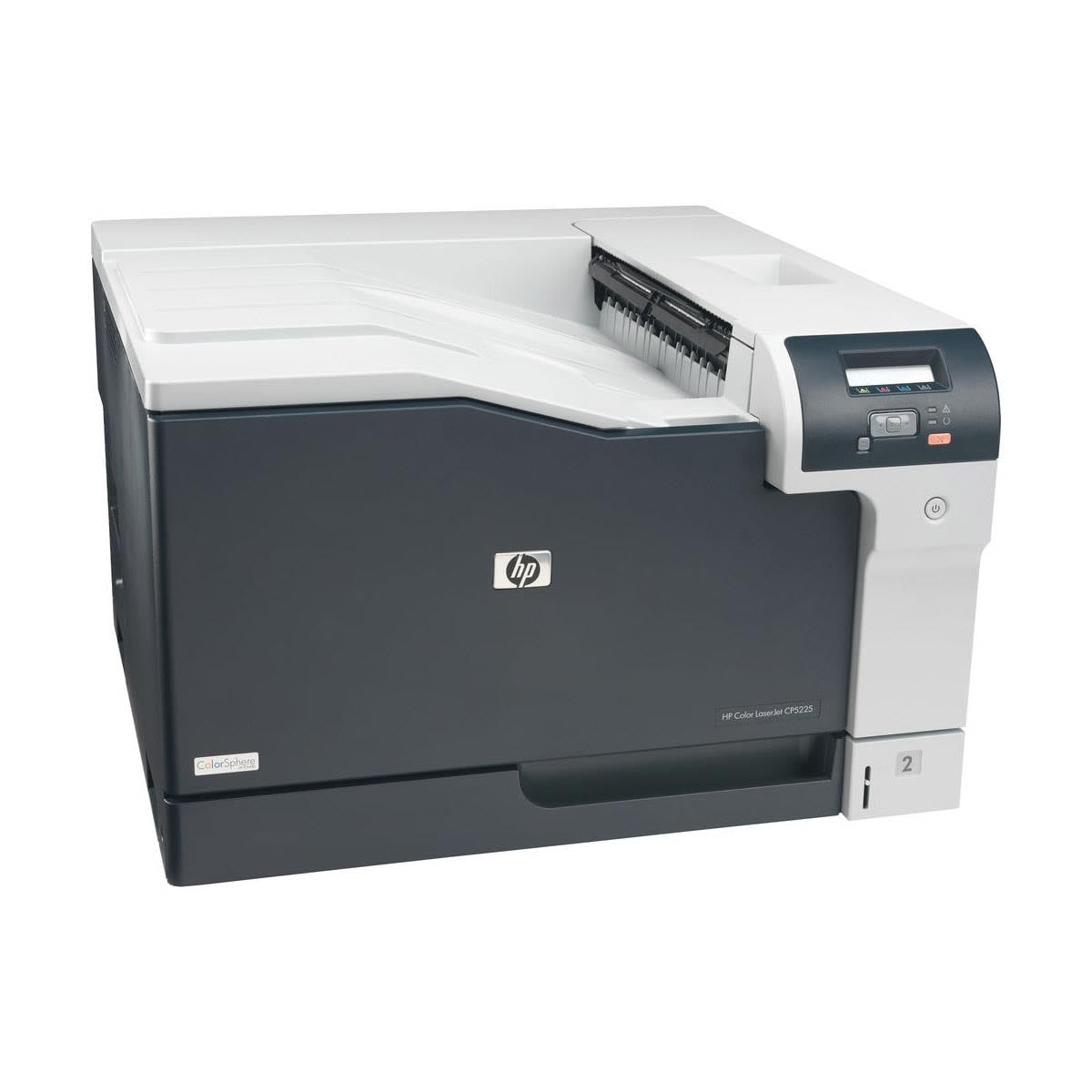
Gain Control And Make An Impact With The Hp Color Laserjet Professional Cp5225Dn Printer. This Affordable Laser Printer Is Ideal For 3-15 Users And Lets You Easily Print On A Variety Of Paper Types And Sizes. Enjoy Superior Print Quality At Speeds Of Up To 20 Pages Per Minute, Save Time And Paper With Automatic 2-Sided Printing, And Save Energy With Hp Auto-On/Auto-Off Technology.
⚠️ WARNING (California Proposition 65): This product may contain chemicals known to the State of California to cause cancer, birth defects, or other reproductive harm. For more information, please visit www.P65Warnings.ca.gov.
Frequently Asked Questions
Q: What are the dimensions of the HP Color LaserJet Professional CP5225dn printer?A: The printer measures twenty-one point five inches in length, twenty-three point six inches in width, and thirteen point three inches in height. This compact size makes it suitable for office environments.
Q: What type of printer is the HP Color LaserJet Professional CP5225dn?A: It is a color duplex laser printer. This type allows for high-quality color printing and automatic double-sided printing.
Q: How many users is this printer designed for?A: The HP Color LaserJet Professional CP5225dn is ideal for three to fifteen users. This makes it perfect for small to medium-sized businesses.
Q: How do I set up the HP Color LaserJet Professional CP5225dn printer?A: To set it up, connect the power cord, install the toner cartridges, and follow the on-screen instructions on the control panel. Make sure to connect it to a network for shared access.
Q: What types of paper can I use with this printer?A: You can use various types and sizes of paper, including plain, glossy, and cardstock. The printer features adjustable paper trays to accommodate different paper formats.
Q: Is the HP Color LaserJet Professional CP5225dn printer suitable for printing marketing materials?A: Yes, it is designed for printing everyday business documents as well as marketing materials. Its high-quality output makes it ideal for professional presentations.
Q: How do I maintain the HP Color LaserJet Professional CP5225dn printer?A: To maintain the printer, regularly clean the exterior and interior surfaces, and replace toner cartridges as needed. Additionally, keep the printer in a dust-free environment.
Q: What is the warranty period for this printer?A: The printer comes with a one-year limited warranty. This includes access to twenty-four-hour, seven days a week free HP Web support.
Q: Can I use third-party toner cartridges with this printer?A: It is recommended to use original HP toner cartridges. Using third-party cartridges may lead to quality issues and could void the warranty.
Q: What kind of energy-saving features does this printer have?A: The HP Color LaserJet Professional CP5225dn includes HP Auto-On/Auto-Off Technology. This feature helps save energy by turning the printer on and off automatically.
Q: How fast can this printer print documents?A: The printer can print at speeds of up to twenty pages per minute. This efficiency helps in managing printing tasks quickly.
Q: What is the print cost estimator feature?A: The print cost estimator compares the cost of printing internally versus at a copy shop. This helps businesses manage their printing expenses effectively.
Q: Does this printer have a user-friendly control panel?A: Yes, it features an intuitive control panel with a two-line, sixteen-character backlit LCD display. This makes it easy to navigate and manage print tasks.
Q: How do I troubleshoot common issues with this printer?A: For troubleshooting, refer to the user manual or the HP support website. Common issues include paper jams and connectivity problems, which can often be resolved with simple steps.
Q: What should I do if my printer arrives damaged?A: If the printer arrives damaged, contact the retailer or HP customer service immediately for assistance with returns or exchanges. Ensure you keep all packaging materials.
Q: Is this printer compatible with wireless printing?A: Yes, the HP Color LaserJet Professional CP5225dn supports wireless printing. You can print from various devices connected to the same network.