

Cart
0


Hp Chromebook Plus X360 14B 2 In 1 Laptop (14'' Fhd Touchscreen, Intel 8 Core I3 N305, 8Gb Ram, 256Gb Ufs, Pen) For Home & Stude
Vendor: HP
Type: 2-in-1 Convertibles
Sku: WBCOMB0DKX6HW16
Availability: In Stock
Couldn't load pickup availability
Guarantee safe checkout

Sold by Electroeshop, an authorized reseller.
Returns accepted within 30 days | support@electroeshop.com
Shipping Information
- Free Standard Shipping — United States only
- Processing Time: 1–3 business days
- Estimated Delivery: 3–5 business days after dispatch
- Double-boxed, fully insured & discreetly packaged
- Tracking number sent via email once dispatched
- Orders over $250 require signature upon delivery. Taxes calculated at checkout.
Returns & Refund
Returns accepted within 30 days of delivery.
Damaged or Defective Item
Free return shipping + replacement or full refund
Wrong Item Received
Free return shipping + replacement or full refund
Change of Mind
Return shipping at customer's expense · 25% restocking fee applies
All returns require a Return Authorization (RA) number before sending.
View Full Return & Refund Policy
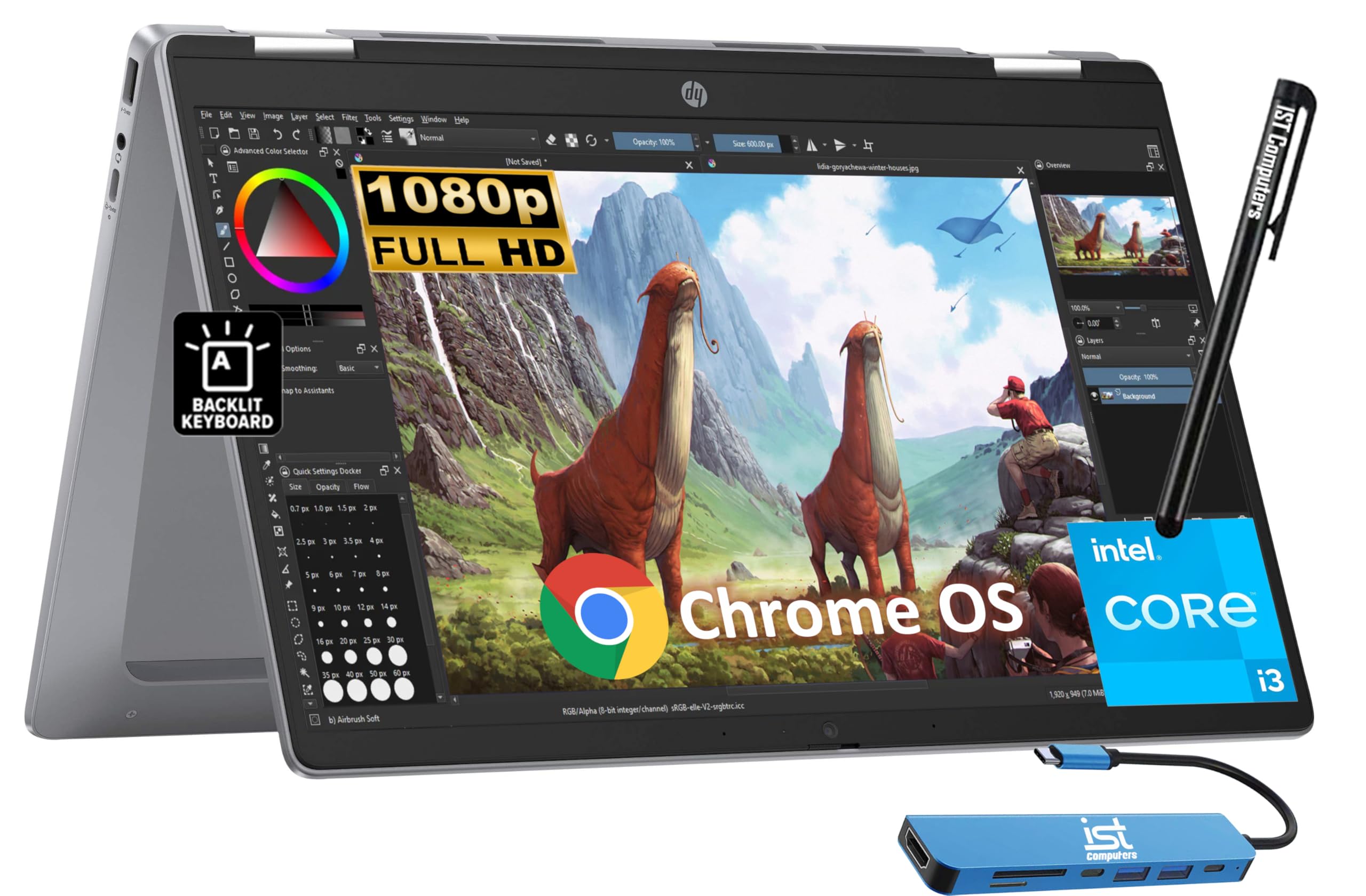
Hp Chromebook Plus X360 14B 2 In 1 Laptop (14'' Fhd Touchscreen, Intel 8 Core I3 N305, 8Gb Ram, 256Gb Ufs, Pen) For Home & Stude
$593.81

Frequently Asked Questions
- Q: What are the dimensions of the HP Chromebook Plus x360? A: The dimensions are twelve point seventy-two inches by eight point twenty-eight inches by zero point eighty-one inches. This compact size makes it portable and easy to use.
- Q: What is the weight of the HP Chromebook Plus x360? A: The weight is three point zero three pounds. This lightweight design enhances its portability for students and home users.
- Q: What type of processor does the HP Chromebook Plus x360 have? A: It features an Intel Core i3-N305 processor with up to three point eight gigahertz speed. This ensures smooth performance for multitasking and everyday tasks.
- Q: How much RAM does the HP Chromebook Plus x360 have? A: It has eight gigabytes of LPDDR5 RAM. This memory capacity supports efficient multitasking and fast application loading.
- Q: What is the storage capacity of the HP Chromebook Plus x360? A: It comes with two hundred fifty-six gigabytes of UFS storage. This allows for ample space to store files, documents, and multimedia.
- Q: What display features does the HP Chromebook Plus x360 have? A: The display is a fourteen inch FHD touchscreen with a resolution of one thousand nine hundred twenty by one thousand eighty pixels. This provides clear visuals and an interactive experience.
- Q: How do I charge the HP Chromebook Plus x360? A: You can charge it using the included USB-C charger. Simply connect the charger to the USB-C port and plug it into a power outlet.
- Q: Is the HP Chromebook Plus x360 suitable for gaming? A: Yes, it can handle light gaming, thanks to its Intel UHD Graphics. However, it's not designed for high-end gaming.
- Q: Can I use the HP Chromebook Plus x360 for video conferencing? A: Yes, it has a built-in HP True Vision 1080p FHD camera. This ensures clear video quality for online meetings and classes.
- Q: What operating system does the HP Chromebook Plus x360 run? A: It runs on Chrome OS. This operating system is optimized for web-based applications and offers seamless integration with Google services.
- Q: How do I clean the HP Chromebook Plus x360? A: Use a soft, lint-free cloth to wipe the screen and keyboard. Avoid using harsh chemicals, as they may damage the device.
- Q: Is the battery replaceable in the HP Chromebook Plus x360? A: No, the battery is not user-replaceable. If you experience battery issues, contact HP support for assistance.
- Q: How do I store the HP Chromebook Plus x360? A: Store it in a cool, dry place when not in use. Ensure it's powered off to save battery life and prevent overheating.
- Q: Is the HP Chromebook Plus x360 safe for children? A: Yes, it is suitable for children, especially for educational purposes. It includes parental controls that can be set up to ensure safe use.
- Q: What warranty comes with the HP Chromebook Plus x360? A: It comes with a one-year manufacturer warranty. This covers defects in materials and workmanship.
- Q: What should I do if the HP Chromebook Plus x360 arrives damaged? A: Contact customer support immediately to report the issue. They will guide you through the return or exchange process.