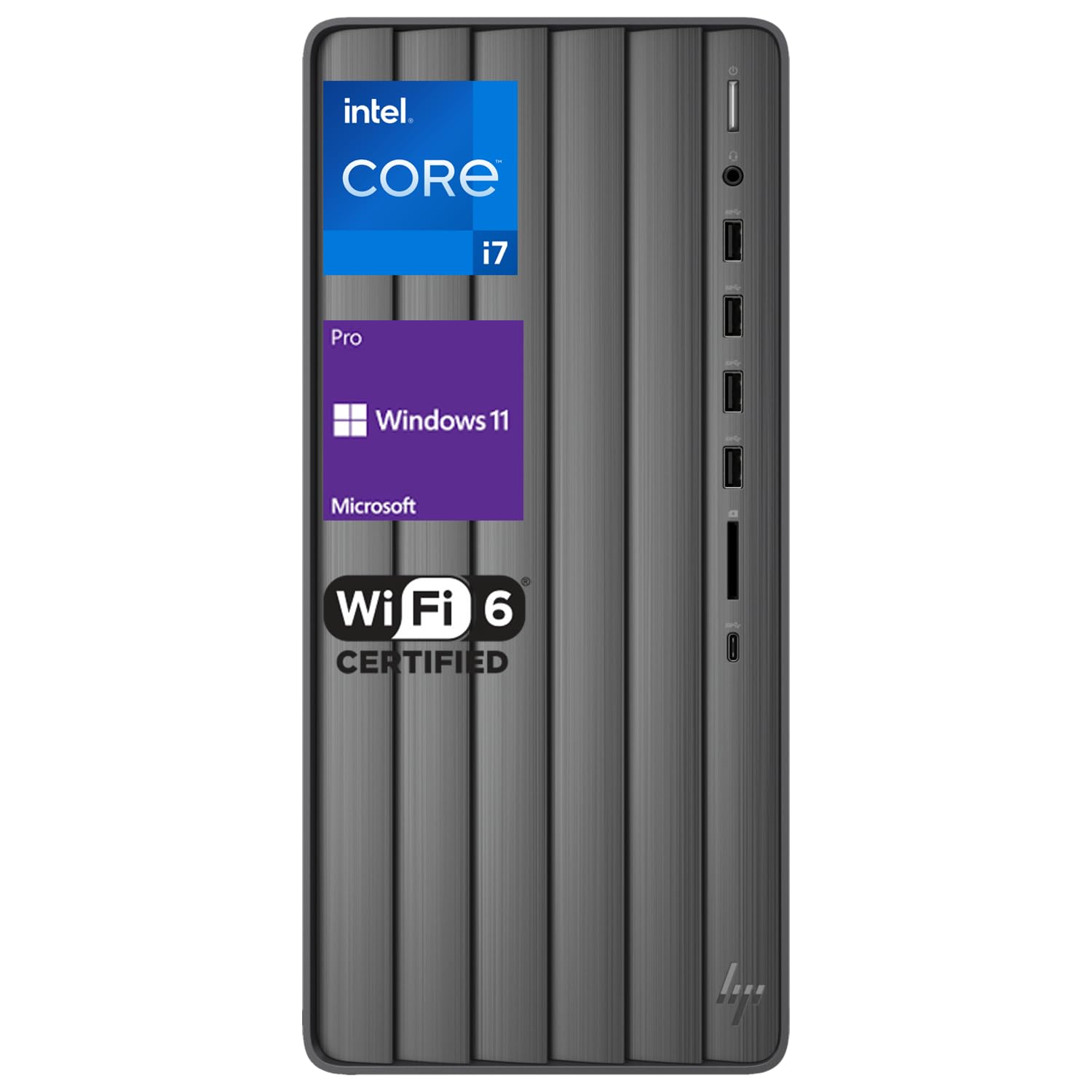
Key Features And Benefits: Cpu:&Nbsp;Intel Core I7-13700 (Base Frequency At 1.5 Ghz, Up To 5.2 Ghz With Intel Turbo Boost Technology, 30 Mb L3 Cache, 16 Cores, 24 Threads) Memory: Up To 64Gb Ddr4 Ram Hard Drive: Up To 2Tb Pcie M.2 Solid State Drive + 2Tb Hard Disk Drive Operating System: Windows 11 Pro Graphics: Intel Uhd Graphics Ports: 4 X Superspeed Usb Type-A 1 X Hp 3-In-1 Media Card Reader 1 X Superspeed Usb Type-C 4 X Usb 2.0 Type A 4 X Audio In/Out 1 X Vga 1 X Hdmi 1 X Rj-45 Optical Drive: No Wireless Connectivity: Wi-Fi 6 And Bluetooth Bluetooth: Yes Weight:&Nbsp;13.14 Pounds Dimensions: 6.12 X 11.97 X 13.28 In Color: Black
⚠️ WARNING (California Proposition 65): This product may contain chemicals known to the State of California to cause cancer, birth defects, or other reproductive harm. For more information, please visit www.P65Warnings.ca.gov.
Frequently Asked Questions
Q: What are the dimensions of the HP Business Envy i7 Tower Desktop?A: The dimensions are six point twelve inches in length, eleven point ninety-seven inches in width, and thirteen point twenty-eight inches in height. This compact size allows it to fit easily in most office environments.
Q: What type of RAM does the HP Envy i7 use?A: It uses sixty-four gigabytes of DDR4 RAM. This high-bandwidth memory ensures smooth multitasking and improved performance for various applications.
Q: What is the storage capacity of the HP Business Envy i7?A: It offers a total of two terabytes of PCIe M.2 solid state drive storage and an additional two terabytes of hard disk drive space. This combination provides ample storage for files and applications.
Q: How powerful is the CPU in the HP Envy i7?A: The CPU is an Intel Core i7-13700, with a base frequency of one point five gigahertz and can reach up to five point two gigahertz with Intel Turbo Boost Technology. It features thirty megabytes of L3 cache, sixteen cores, and twenty-four threads for high performance.
Q: What ports are available on the HP Business Envy i7?A: It includes four SuperSpeed USB Type-A ports, one SuperSpeed USB Type-C port, four USB 2.0 Type A ports, four audio in/out ports, one VGA port, one HDMI port, and one RJ-45 port. This variety facilitates connectivity with multiple devices.
Q: What operating system does the HP Envy i7 come with?A: It comes pre-installed with Windows eleven Pro. This operating system enhances productivity through its intuitive interface and improved multitasking features.
Q: How do I connect to the internet with the HP Envy i7?A: You can connect to the internet via Wi-Fi six and Bluetooth. This ensures fast and reliable wireless connectivity for all your online needs.
Q: What is the weight of the HP Business Envy i7?A: The weight is thirteen point fourteen pounds. This weight makes it relatively portable for a desktop computer.
Q: How do I set up the HP Business Envy i7?A: To set it up, connect the wired keyboard and mouse, plug it into a power source, and follow the on-screen instructions during the Windows setup process. It's designed for easy installation.
Q: Is the HP Envy i7 suitable for gaming?A: Yes, it is suitable for gaming due to its powerful Intel Core i7 processor and Intel UHD Graphics. However, for high-end gaming, additional dedicated graphics may be recommended.
Q: How should I clean the HP Envy i7?A: Use a soft, dry cloth to wipe the exterior. Avoid using harsh chemicals or liquids directly on the computer, as this can damage the components.
Q: What is the warranty on the HP Envy i7?A: It typically comes with a manufacturer's warranty of one year. Be sure to check the specific warranty details provided with your purchase.
Q: Can I upgrade the RAM in the HP Envy i7?A: Yes, the RAM can be upgraded up to sixty-four gigabytes. This offers flexibility for improving performance as needed.
Q: How do I troubleshoot if the HP Envy i7 doesn't power on?A: First, check if it is plugged in and the outlet is functioning. If it still doesn’t power on, consult the user manual for further troubleshooting steps or contact customer support.
Q: What if I want to return the HP Envy i7?A: You can typically return it within the return policy period, usually thirty days, as long as it is in its original condition. Check the retailer's return policy for specific details.