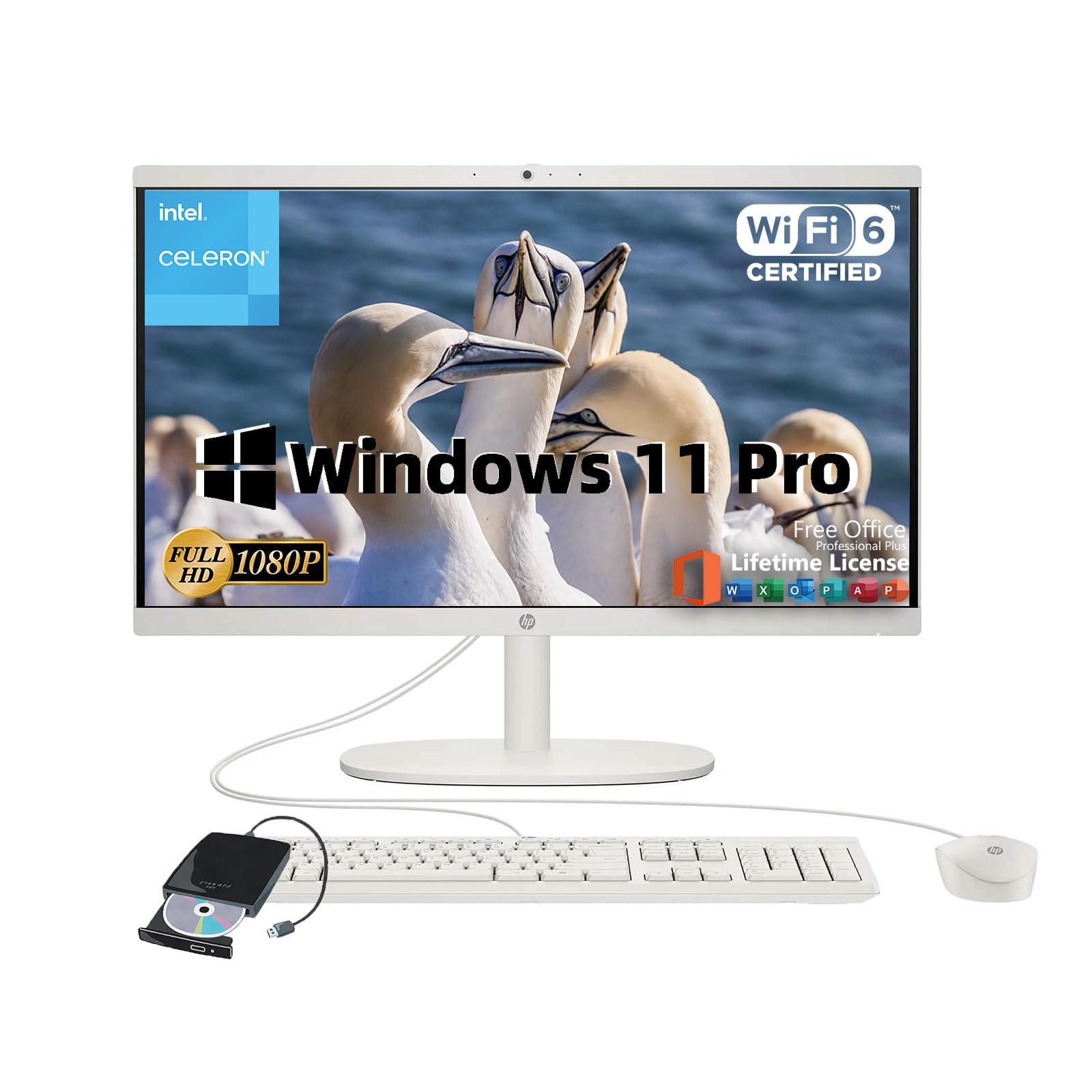
Statement:Original Seal Is Opened For Upgrade Only. If The Computer Has Modifications, Then The Manufacturer Box Is Opened For It To Be Tested And Inspected And To Install The Upgrades To Achieve The Specifications As Advertised.General Informationbrand: Hpproduct Name: Hp All-In-One Business Desktopoperating System: Microsoft Windows 11 Procolor: Cashmere Whitegraphicsgraphics Type: Integratedgraphics:Intel Uhd Graphics 600Processorintel Celeron J4025Total Cores: 2Total Threads: 2Max Turbo Frequency: 2.9 Ghzdisplaydisplay Type: Ledscreen Type: Vascreen Size: 21.5 Inchesscreen Resolution: 1920X1080(Fhd)Memory & Storageup To 32 Gb Ddr4 Ram 3200 Mt/Sup To 2 Tb Ssdports & Slots2 X Usb-A 2.02 X Usb-A 3.01 X Usb-C 3.01X Hdmiwirelesswi-Fi 6Bluetoothfeatures720P Front-Facing Cameradimensions & Weight19.43'' H X 15.07'' W X 6.69'' D9.19 Pounds.
⚠️ WARNING (California Proposition 65): This product may contain chemicals known to the State of California to cause cancer, birth defects, or other reproductive harm. For more information, please visit www.P65Warnings.ca.gov.
Frequently Asked Questions
Q: What is the screen size of the HP All-in-One Desktop?A: The screen size is twenty-one point five inches. This display offers a full HD resolution of one thousand nine hundred twenty by one thousand eighty pixels.
Q: What type of processor does the HP All-in-One Desktop have?A: It features an Intel Celeron J4025 processor. This dual-core processor operates at a maximum turbo frequency of two point nine gigahertz.
Q: How much RAM can this HP desktop support?A: It can support up to thirty-two gigabytes of DDR4 RAM. This high capacity ensures smooth multitasking and efficient performance.
Q: What is the storage capacity of the HP All-in-One Desktop?A: It has a storage capacity of one terabyte SSD. This allows for fast boot times and ample storage for files and applications.
Q: Does the HP All-in-One Desktop support Wi-Fi?A: Yes, it supports Wi-Fi six technology. This provides faster internet speeds and improved connectivity.
Q: What ports are available on the HP All-in-One Desktop?A: It includes two USB-A two point zero ports, two USB-A three point zero ports, one USB-C three point zero port, and one HDMI port. These ports facilitate various connectivity options.
Q: How do I set up the HP All-in-One Desktop for use?A: Simply connect the power cable and turn it on. The desktop comes pre-installed with Windows eleven Pro and Microsoft Office for immediate use.
Q: Is this HP All-in-One Desktop suitable for gaming?A: No, it is not specifically designed for gaming. Its Intel UHD Graphics integrated solution is best suited for business tasks and media consumption.
Q: Can I upgrade the RAM or storage in the HP All-in-One Desktop?A: Yes, you can upgrade both RAM and storage. However, the initial seal is opened for upgrades, and modifications should be handled carefully.
Q: How do I clean the screen of the HP All-in-One Desktop?A: Use a soft, lint-free cloth slightly dampened with water. Avoid using harsh chemicals that could damage the screen.
Q: Is the HP All-in-One Desktop safe for children?A: Yes, it is safe for children. However, adult supervision is recommended during use, particularly with internet connectivity.
Q: What is the weight of the HP All-in-One Desktop?A: The weight is nine point nineteen pounds. This makes it relatively easy to move if needed.
Q: What should I do if my HP All-in-One Desktop does not turn on?A: Check if the power cable is securely connected and the outlet is functional. If the issue persists, contact customer support for assistance.
Q: What is the warranty period for the HP All-in-One Desktop?A: The warranty period typically lasts one year from the date of purchase. Be sure to check the specific details provided by the manufacturer.
Q: Does the HP All-in-One Desktop come with a keyboard and mouse?A: Yes, it usually comes bundled with a keyboard and mouse. This ensures you have everything needed to start using the computer immediately.