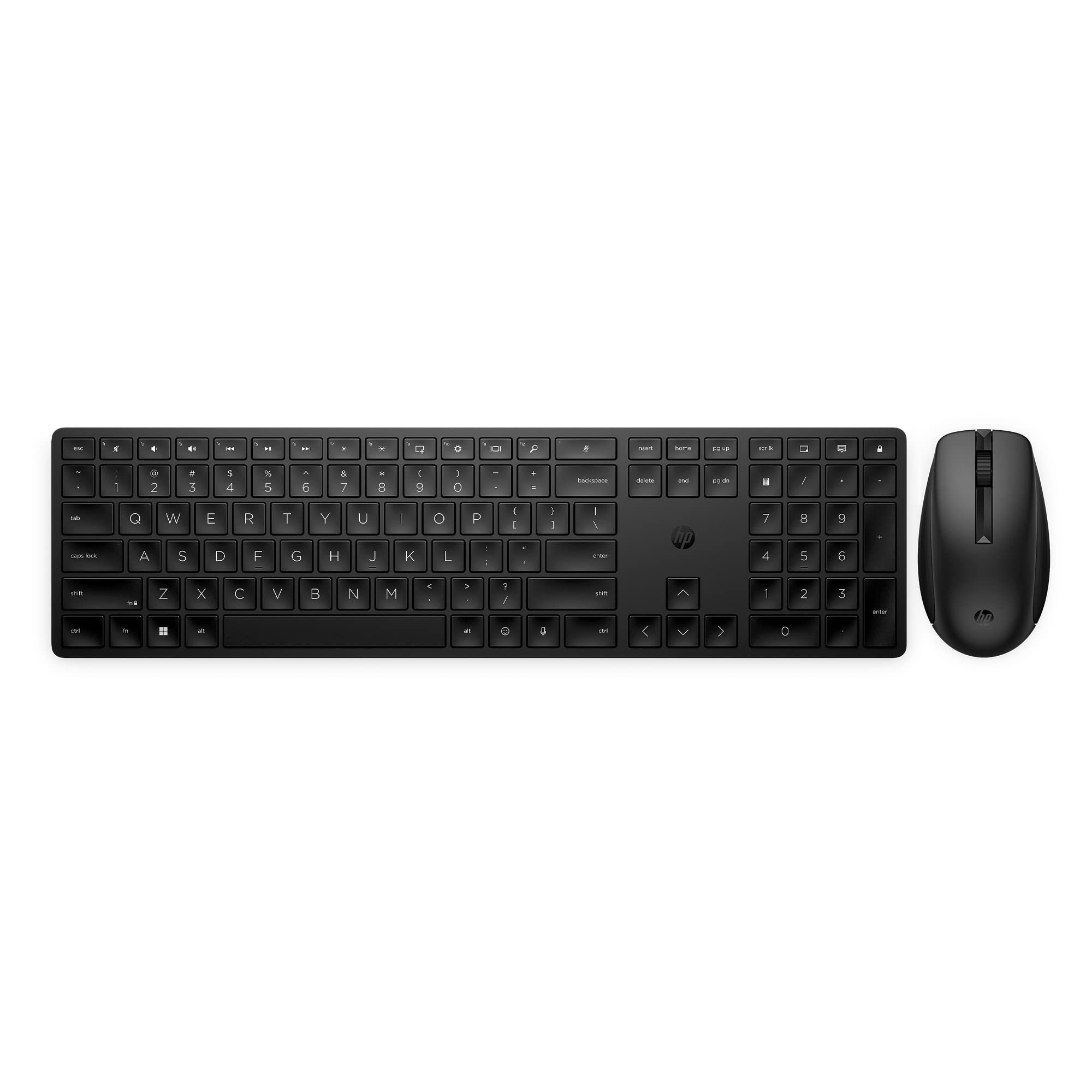
Get Everything You Want In A Wireless Keyboard And Mouse With The Hp 650 Wireless Keyboard And Mouse Combo. Eliminate Cord Clutter With A Single 2.4Ghz Wireless Connection For Both Keyboard And Mouse And Enjoy Compatibility With Windows, Macos, Or Chrome Devices. Experience Quieter Computing Without Noisy Clicks And Keystrokes With This Low-Profile Keyboard With Numeric Keypad And Mouse While Enjoying 2.4Ghz Wireless Connectivity (1) Using A Single Usb-A Receiver. Easily Customize 20+ Programmable Keys On This Keyboard Using The Hp Accessory Center (1) To Work Smarter With Fewer Keystrokes, Plus Customize Your Wireless Mouse Settings To Your Preferred Cursor Speed And Sensitivity. Work Just About Anywhere With Multi-Surface Technology That Delivers Reliable Mouse Tracking On Most Surfaces (2), Even Marble, Plus The Improved Optical Sensor Gives You Precise, Accurate Control Of Every Click And Selection For Greater Speed And Efficiency. Energy Efficient, The Hp 650 Wireless Mouse And Keyboard Combo Lets You Stay Productive All-Day Without Interruption With 20+ Months Of Battery Life For The Keyboard And 24+ Months For The Mouse Using Just 2 Aaa Batteries (2). (1) Requires Hp Accessory Center (Hpac) Software. Hpac Available For Free Download In Microsoft Store Or Apple Store. (2) Does Not Track On Glass. (3) Utilizes 2 Aaa Batteries. Battery Life Based On 5 Days Week, 8 Hours Per Day. Actual Battery Life Will Vary With Use And Environmental Conditions And Will Naturally Decrease With Time And Usage. (4) Recycled Plastic Content Percentage Is Based On The Definition Set In The Ieee 1680.1-2018 Epeat Standard. Keyboard Contains 62% Pcr. (5) Select Household Wipes Can Be Safely Used To Clean Hp 650 Wireless Keyboard & Mouse Combo Up To 1,000 Wipes: See Wipe Manufacturers Instructions For Disinfecting And The Hp Cleaning Guide For Hp-Tested Wipe Solutions
⚠️ WARNING (California Proposition 65): This product may contain chemicals known to the State of California to cause cancer, birth defects, or other reproductive harm. For more information, please visit www.P65Warnings.ca.gov.
Frequently Asked Questions
Q: What is the size of the HP 650 Wireless Keyboard and Mouse Combo?A: The dimensions are approximately zero point seventy-one inches in height, four point fifty-four inches in width, and sixteen point eighty-five inches in length.
Q: What materials are used in the HP 650 Wireless Keyboard and Mouse?A: Over sixty percent of the plastics used in this combo are sourced from post-consumer recycled materials.
Q: What type of batteries does the HP 650 Wireless Keyboard and Mouse use?A: Both devices are powered by two AAA batteries that provide long-lasting performance.
Q: How do I connect the HP 650 Wireless Keyboard and Mouse?A: You connect both devices using a single USB receiver that operates on a two point four GHz wireless frequency.
Q: Can I customize the keys on the HP 650 Wireless Keyboard?A: Yes, you can customize over twenty programmable keys using the HP Accessory Center software.
Q: Is the HP 650 Wireless Keyboard suitable for gaming?A: While it is designed for productivity, the customizable keys may offer some benefits for casual gaming.
Q: How can I clean the HP 650 Wireless Keyboard and Mouse?A: You can use household wipes as specified in the HP cleaning guide; it can withstand up to one thousand wipes.
Q: What is the battery life for the HP 650 Wireless Keyboard and Mouse?A: The keyboard lasts over twenty months, while the mouse lasts over twenty-four months on a pair of AAA batteries.
Q: Is the HP 650 Wireless Keyboard and Mouse compatible with all operating systems?A: Yes, it is compatible with Windows, macOS, and Chrome devices.
Q: What surfaces can the HP 650 Wireless Mouse track on?A: The mouse can track reliably on most surfaces, including marble, but does not track on glass.
Q: Does the HP 650 Wireless Keyboard have a numeric keypad?A: Yes, the keyboard includes a numeric keypad for added functionality.
Q: Is the HP 650 Wireless Keyboard ergonomic?A: Yes, it features an ergonomic design with adjustable legs and contoured keycaps for comfortable typing.
Q: Can I adjust the mouse sensitivity on the HP 650?A: Yes, you can customize the mouse DPI settings for cursor speed and sensitivity using the HP Accessory Center.
Q: What color is the HP 650 Wireless Keyboard and Mouse Combo?A: The combo is primarily black in color.
Q: What should I do if the HP 650 Wireless Keyboard or Mouse doesn't work?A: First, check the battery levels and ensure the USB receiver is properly connected; if issues persist, refer to HP's support.
Q: Is there a warranty for the HP 650 Wireless Keyboard and Mouse?A: Yes, HP typically offers a warranty for their products, but specific details can vary.