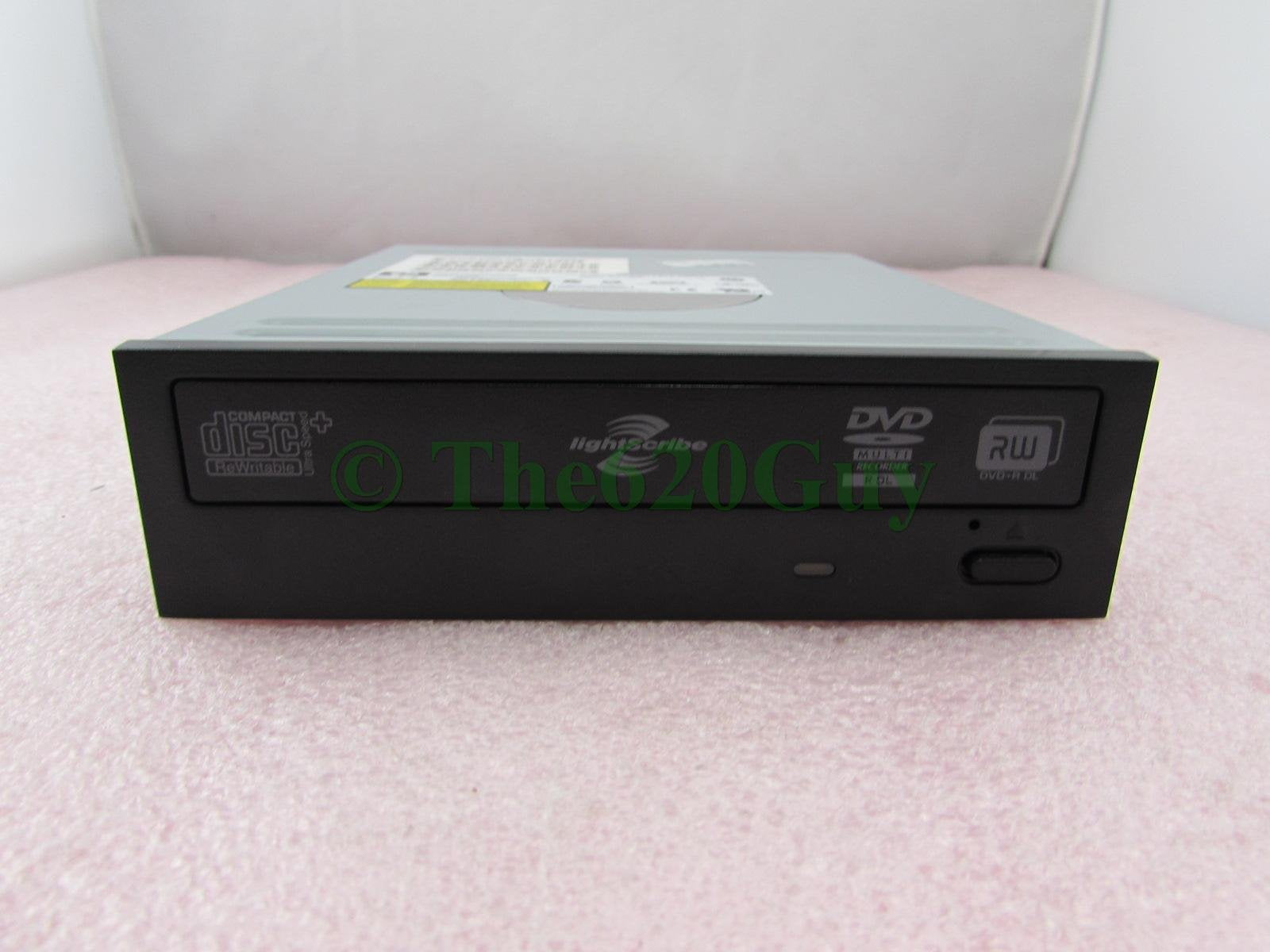
Features:&Bull; Black Bezel&Bull; Lightscribe Technology&Bull; 2 Mb Buffer&Bull; Serial Ata (Sata) Interface&Bull; 5.25-Inch Form Factorfront Panel Features:&Bull; Led Busy Indicator&Bull; Eject/Load Button&Bull; Emergency Eject Holerear Panel Features:&Bull; Serial Ata Interface&Bull; Serial Ata Power Connectorwrite Speeds:&Bull; Cdr: 40X&Bull; Cdrw: 40X&Bull; Dvd-Ram: 8X&Bull; Dvd-R: 8X&Bull; Dvd-R Dl: 8X&Bull; Dvd+R: 8X&Bull; Dvd+R Dl: 8X&Bull; Dvd-Rw: 8X&Bull; Dvd+Rw: 8Xread Speeds:&Bull; Cd: 40X&Bull; Cdr: 40X&Bull; Cdrw: 40X&Bull; Dvd: 16X&Bull; Dvd-Ram: 16X&Bull; Dvd-R: 16X&Bull; Dvd-R Dl: 16X&Bull; Dvd+R: 16X&Bull; Dvd+R Dl: 16X&Bull; Dvd-Rw: 16X&Bull; Dvd+Rw: 16X
⚠️ WARNING (California Proposition 65): This product may contain chemicals known to the State of California to cause cancer, birth defects, or other reproductive harm. For more information, please visit www.P65Warnings.ca.gov.
Frequently Asked Questions
Q: What are the dimensions of the HP 447310-001 DVD±RW DL LightScribe Rewritable SATA Black Optical Drive?A: The dimensions are five point twenty-five inches by five point twenty-five inches by five point twenty-five inches. This compact size makes it suitable for standard computer drives.
Q: What is the write speed of this optical drive?A: The write speed varies from eight times to forty times depending on the media type. For instance, it writes CDs at forty times and DVD-RAM at eight times.
Q: What type of interface does the HP DVD drive use?A: It uses a Serial ATA (SATA) interface. This ensures fast data transfer rates and compatibility with most modern computers.
Q: How do I install the HP DVD±RW DL optical drive?A: To install, open your computer case, connect the SATA data cable and power connector, and secure it in place. Then, close the case and boot your computer.
Q: Is this optical drive compatible with both Windows and Mac operating systems?A: Yes, it is compatible with both Windows and Mac operating systems. Just ensure you have the necessary drivers installed.
Q: Can I use this drive to burn LightScribe labels?A: Yes, this optical drive supports LightScribe technology. You can burn custom labels directly onto compatible discs.
Q: How do I maintain the HP DVD drive for optimal performance?A: To maintain it, ensure it is kept dust-free and avoid exposing it to extreme temperatures. Regularly update your drive's firmware for better performance.
Q: What should I do if the drive does not read my discs?A: If it does not read discs, try cleaning the lens with a soft cloth. If issues persist, check for firmware updates or consult customer support.
Q: Is there a warranty available for the HP 447310-001 optical drive?A: Yes, this product typically comes with a manufacturer's warranty. Check the packaging or manufacturer's website for specific details.
Q: Can I use the HP DVD drive with external enclosures?A: Yes, you can use this drive with external enclosures that support SATA connections. Just ensure the enclosure is compatible with your computer.
Q: What types of discs can I use with this optical drive?A: You can use various disc types including CD, CD-R, CD-RW, DVD-R, DVD+R, DVD-RW, and DVD+RW. It also supports dual-layer DVDs.
Q: How do I clean the optical drive?A: You can clean the optical drive by using a CD/DVD lens cleaner disc. This helps remove dust and debris from the lens.
Q: What is the read speed of this optical drive?A: The read speed is up to forty times for CDs and sixteen times for DVDs. This ensures quick access to your data.
Q: Does the HP DVD drive require additional power?A: Yes, it requires a SATA power connector from your power supply. Make sure your computer has this connection available.
Q: Is this drive suitable for gaming consoles?A: No, this drive is designed for computers and is not compatible with gaming consoles. Check for console-specific drives instead.