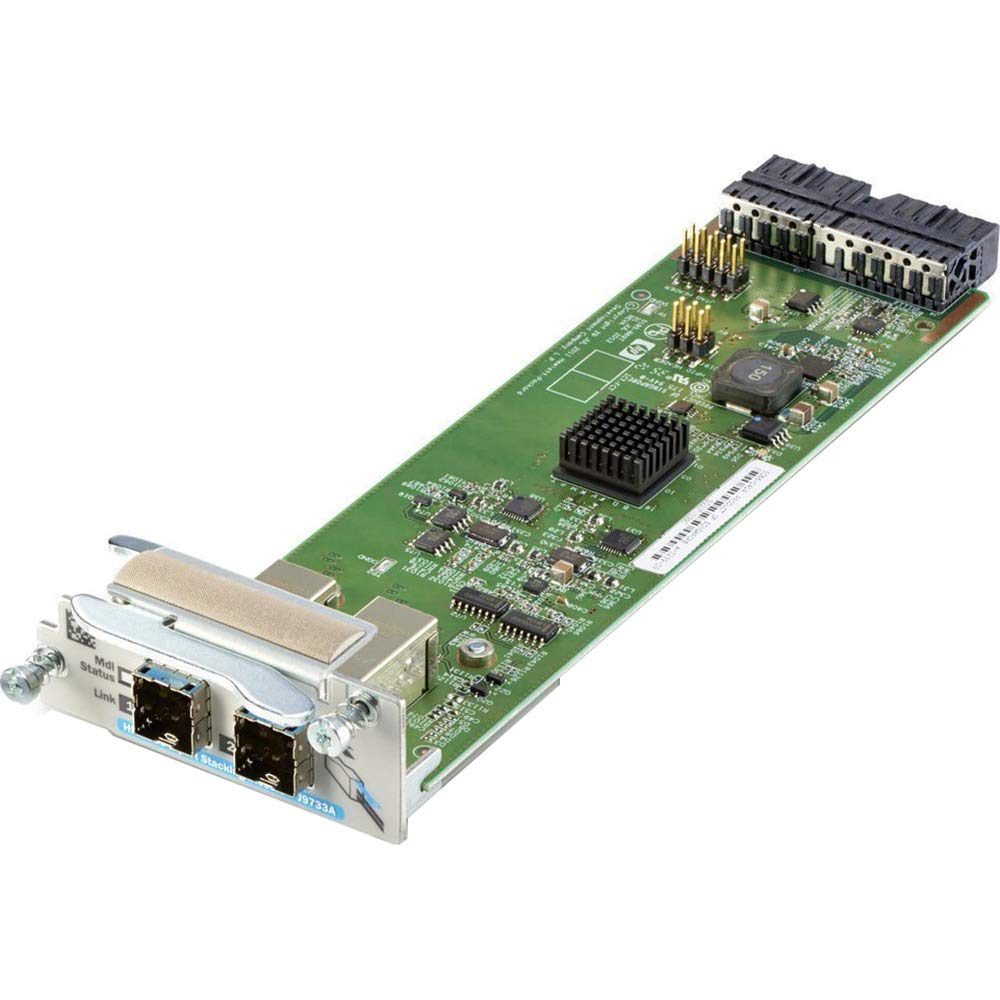
The Hp 2920 2-Port Stacking Module Is Used With The Hp 2920 Switch Series Switches To Allow Stacking In A System Of Up To 4 Switch Units.
⚠️ WARNING (California Proposition 65): This product may contain chemicals known to the State of California to cause cancer, birth defects, or other reproductive harm. For more information, please visit www.P65Warnings.ca.gov.
Frequently Asked Questions
Q: What are the dimensions of the HP 2920 2-Port Stacking Module?A: The HP 2920 2-Port Stacking Module measures eight inches in length, two point zero one inches in width, and ten inches in height.
Q: How many ports does the HP 2920 Stacking Module have?A: This module has two ports, allowing for efficient connectivity and stacking.
Q: What connectivity technology does this network card support?A: The HP 2920 2-Port Stacking Module supports wired connectivity technology, ensuring reliable network performance.
Q: How do I install the HP 2920 Stacking Module?A: To install the module, simply insert it into the HP 2920 Switch Series switches following the manufacturer's guidelines.
Q: Is this stacking module compatible with other HP switches?A: Yes, it is specifically designed to work with the HP 2920 Switch Series, allowing for stacking of up to four switch units.
Q: What is Power Over Ethernet capability of this module?A: The HP 2920 Stacking Module supports Power Over Ethernet Plus, allowing for power delivery alongside data through the network cabling.
Q: How do I maintain the HP 2920 2-Port Stacking Module?A: To maintain the module, ensure it is free from dust and debris, and regularly check for firmware updates to optimize performance.
Q: What safety precautions should I take when using this module?A: Ensure proper grounding and avoid exposure to moisture to prevent damage and ensure safe operation of the stacking module.
Q: Can I stack more than four HP 2920 switches using this module?A: No, the HP 2920 Stacking Module is designed to stack a maximum of four switch units only.
Q: What should I do if the stacking module arrives damaged?A: If the module arrives damaged, contact customer support immediately for assistance with returns or exchanges.
Q: What is the warranty period for the HP 2920 Stacking Module?A: The warranty period for the HP 2920 Stacking Module typically lasts for one year from the date of purchase.
Q: Is there any special software required for this module?A: No special software is required; it integrates seamlessly with the HP 2920 Switch Series for immediate functionality.
Q: How do I troubleshoot connectivity issues with the module?A: To troubleshoot connectivity issues, check the physical connections and ensure that the switches are powered on and configured correctly.
Q: What type of environment is suitable for this network module?A: The HP 2920 Stacking Module is best suited for controlled environments, avoiding extreme temperatures and humidity.
Q: Is this module suitable for home networks?A: While it can be used in home networks, it is primarily designed for enterprise-grade systems requiring robust connectivity.