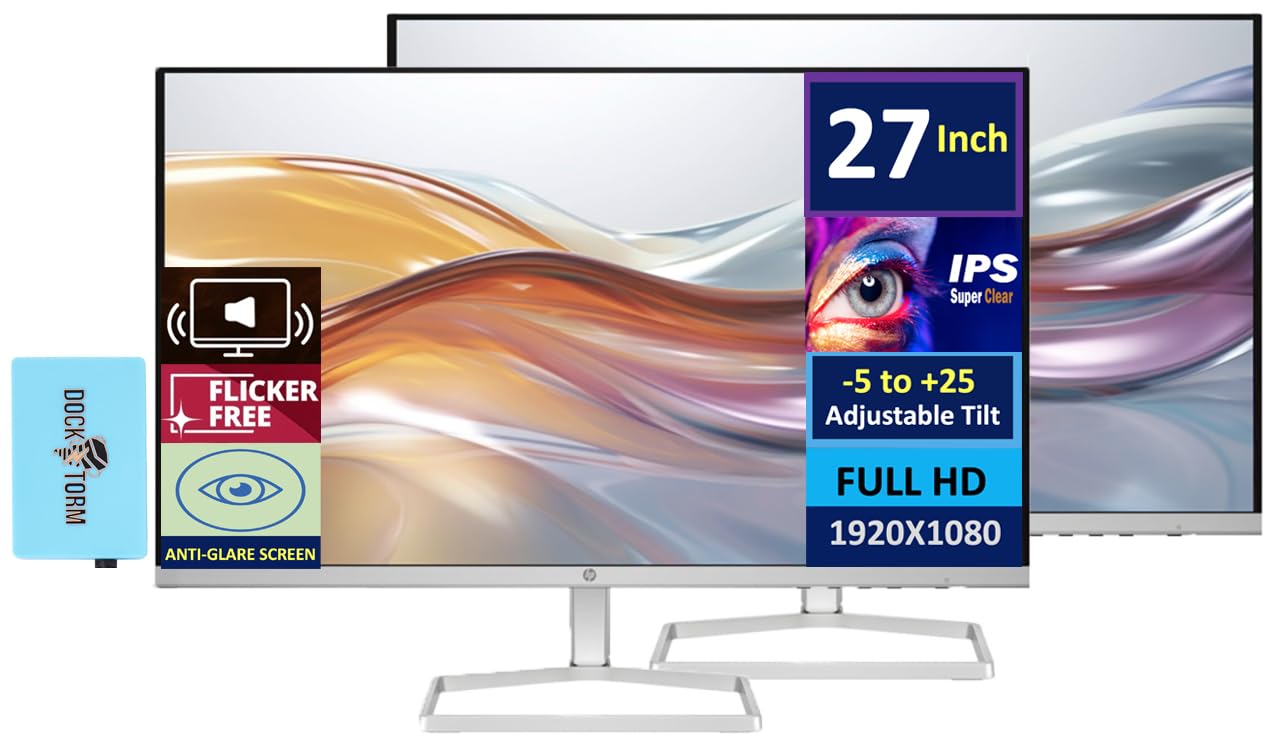
Hp 27'' Fhd Ips (1920X1080) Monitor With Speakers Bundle With Docztorm Dockips Technologyview Every Angle Of Every Visual With Ips Technology, Amazing Depth, And Clarity Through The Stunning 1500:1 Contrast Ratio And Ultra-Wide Viewing Angles.100 Hz Refresh Ratewith A 100 Hz Refresh Rate, This Monitor Is Capable Of Clearer Details, Smoothly Moving From Frame To Frame, Allowing For Faster Split-Second Reaction Time.Specifications Tabledisplay Size: (27'')Aspect Ratio: 16:9Response Time: 5Ms Gtg (With Overdrive)Contrast Ratio: 1500:1Pixel Pitch: 0.31 X 0.31 Mmpixel Per Inch: 82Color Support: 16.7Mproduct Color: Whitewebcam: Noresolution (Maximum): Fhd Ips (1920X1080)Resolutions Supported: 640 X 480; 720 X 400; 800 X 600; 1024 X 768; 1280 X 720; 1280 X 800; 1280 X 1024; 1440 X 900; 1600 X 900; 1680 X 1050; 1920 X 1080Vesa Mount: Nobacklight Type: Edge-Litvertical And Horizontal Viewing Angle: 178 Degreedisplay Features: On-Screen Controls; Anti-Glare; Integrated Speakers; Hp Eye Easeonscreen Controls: Management; Information; Exit; Input; Color; Image; Power; Menu; Brightness+Port And Connectors: 2X Hdmi 1.4, 1X Vga, 1 X 3.5 Mm Audio Jack (Audio Out); 1 X 3.5 Mm Audio Jack (Audio In)Hdcp: Yeswhat'S In The Box: Monitor; Hdmi Cable; Power Adapter; Ac Power Cord; Document Kitdimensions (Wxdxh): 23.93 X 1.35 X 14.01 Inweight: 7.23 Lbdocztorm: Includes Docztorm Usb Hub (Special Edition Portable Docztorm Data Hub; Super Speedy Data Sync Rate Upto 5Gbps)
⚠️ WARNING (California Proposition 65): This product may contain chemicals known to the State of California to cause cancer, birth defects, or other reproductive harm. For more information, please visit www.P65Warnings.ca.gov.
Frequently Asked Questions
Q: What is the screen size of the HP 27 Monitor?A: The screen size is twenty-seven inches. This monitor offers a Full HD resolution of one thousand nine hundred twenty by one thousand eighty pixels.
Q: What is the refresh rate of this monitor?A: The refresh rate is one hundred hertz. This allows for smoother visuals and enhanced performance during fast-moving content.
Q: What are the dimensions of the HP 27 Monitor?A: The dimensions are twenty-three point ninety-three inches wide, one point thirty-five inches deep, and fourteen point zero one inches high. This size makes it suitable for various workspaces.
Q: How do I connect the HP 27 Monitor to my computer?A: You can connect it using two HDMI ports or one VGA port. The monitor also includes a three point five millimeter audio jack for audio output.
Q: Does the monitor support VESA mounting?A: No, this monitor does not support VESA mounting. You will need to use the included stand for placement.
Q: Can I adjust the tilt of the HP 27 Monitor?A: Yes, it has an adjustable tilt range of negative five to positive twenty-five degrees. This feature allows you to customize your viewing angle for comfort.
Q: What is the weight of the HP 27 Monitor?A: The weight is seven point twenty-three pounds. This makes it relatively lightweight for a monitor of its size.
Q: How do I care for the HP 27 Monitor?A: You should clean the screen with a soft, dry cloth. Avoid using harsh chemicals that could damage the display.
Q: Is the HP 27 Monitor safe for prolonged use?A: Yes, it features HP Eye Ease technology to reduce eye strain during extended use. This helps maintain comfort during long viewing sessions.
Q: How should I store the HP 27 Monitor when not in use?A: Store it in a cool, dry place, preferably in its original packaging to protect it from dust and damage. Avoid placing heavy objects on top of it.
Q: Is this monitor suitable for gaming?A: Yes, the monitor's one hundred hertz refresh rate provides a smooth gaming experience. However, check your graphics card compatibility for optimal performance.
Q: What type of speakers does the HP 27 Monitor have?A: It has integrated dual two-watt speakers. They provide decent audio quality for casual use without needing external speakers.
Q: What resolutions does the HP 27 Monitor support?A: It supports multiple resolutions, including six hundred forty by four hundred eighty up to one thousand nine hundred twenty by one thousand eighty. This range accommodates various device outputs.
Q: How do I troubleshoot display issues with the HP 27 Monitor?A: First, check all connections to ensure they are secure. If the issue persists, try connecting to a different device or using a different cable.
Q: What is the warranty on the HP 27 Monitor?A: The warranty typically covers one year from the date of purchase. Check with the retailer for specific warranty details and conditions.