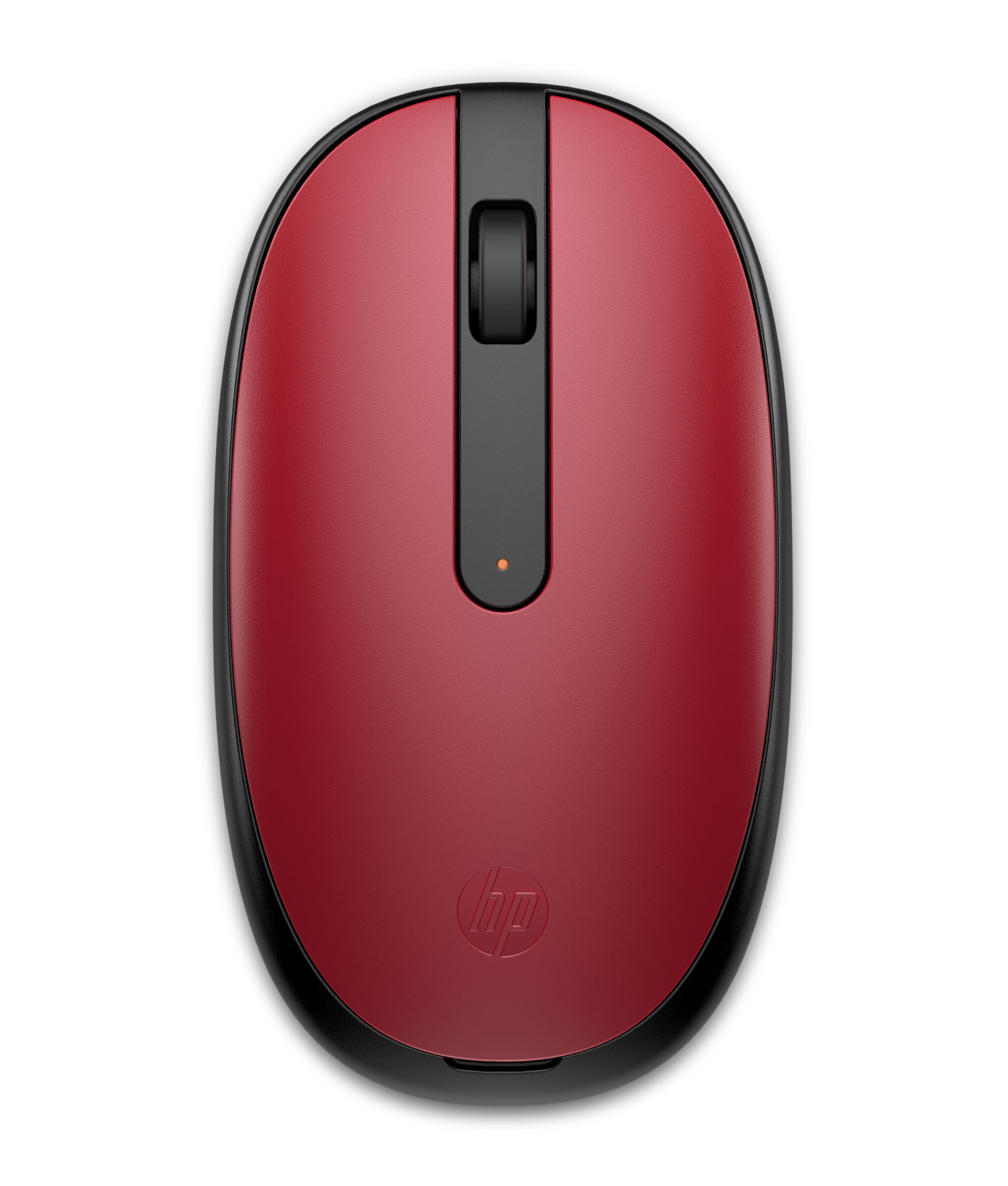
Upgrade Your Computing Experience With The Hp 240 Bluetooth Mouse, The Ultimate Wireless Companion For Your Computer Or Laptop Pc. Enjoy Seamless Connectivity, Stronger Connection, And Greater Power Efficiency Thanks To Bluetooth 5.1 Technology, Which Lets You Effortlessly Connect To Your Device Without The Hassle Of Plugging In A Dongle. Experience Smooth, Speedy, And Sensitive Control With The Super Accurate Optical Sensor Of The Hp 240 Bluetooth Mouse. With A Tracking Capability Of Up To 1600 Dpi, It Precisely Captures Every Flick Of Your Wrist, Ensuring Fast And Lag-Free Movement For Unparalleled Precision And Control. This Thoughtfully Crafted Hp Mouse Boasts An Ergonomic Grip And Slim Design Ideal For All-Day, Comfortable Use, Whether You'Re Left- Or Right-Handed. Optimized To Fit Your Needs, Whether You'Re Computing From The Office, The Kitchen Table, Or The Coffee Shop, The Hp 240 Bluetooth Mouse Features Three Buttons Plus A Scroll Wheel, Providing A User-Friendly Interface For Seamless Navigation. Choose From Stylish Black, Red, Or Silver To Match Your Personal Style And Workspace Aesthetics. Never Worry About Running Out Of Power During Crucial Tasks. The Hp 240 Bluetooth Mouse Offers An Impressive Battery Life Of Up To 15 Months On A Single Aa Battery (Included). Keep Working Without Interruptions And Enjoy The Convenience Of Extended Battery Life.
⚠️ WARNING (California Proposition 65): This product may contain chemicals known to the State of California to cause cancer, birth defects, or other reproductive harm. For more information, please visit www.P65Warnings.ca.gov.
Frequently Asked Questions
Q: What is the size of the HP 240 Bluetooth Mouse?A: The HP 240 Bluetooth Mouse measures one point fifteen inches in length, two point thirty-eight inches in width, and four point twenty-one inches in height. This compact size makes it highly portable and easy to use.
Q: What materials are used in the HP 240 Bluetooth Mouse?A: The HP 240 Bluetooth Mouse is made of rubber and printing material. These materials contribute to its ergonomic grip and overall durability.
Q: Does the HP 240 Bluetooth Mouse have a wired option?A: No, the HP 240 Bluetooth Mouse is a wireless device that uses Bluetooth technology for connectivity. This eliminates the need for a wired connection or dongle.
Q: How do I connect the HP 240 Bluetooth Mouse to my computer?A: Simply turn on the mouse and enable Bluetooth on your computer. The HP 240 Bluetooth Mouse will automatically pair with your device, allowing for hassle-free connectivity.
Q: Can I use the HP 240 Bluetooth Mouse with a Mac?A: Yes, the HP 240 Bluetooth Mouse is compatible with Mac computers. It works seamlessly with both Windows PCs and Mac devices.
Q: Is the HP 240 Bluetooth Mouse suitable for left-handed users?A: Yes, the HP 240 Bluetooth Mouse is designed to be comfortable for both left and right-handed users, featuring an ergonomic grip for all-day use.
Q: How long does the battery of the HP 240 Bluetooth Mouse last?A: The HP 240 Bluetooth Mouse offers an impressive battery life of up to fifteen months on a single AA battery, which is included with the purchase.
Q: How do I clean the HP 240 Bluetooth Mouse?A: To clean the HP 240 Bluetooth Mouse, use a soft, dry cloth to wipe the exterior. Avoid using liquids or abrasive materials that could damage the surface.
Q: Can I use the HP 240 Bluetooth Mouse while charging?A: No, the HP 240 Bluetooth Mouse does not have a charging option as it operates on a replaceable AA battery. You will need to replace the battery when it runs out.
Q: What is the tracking capability of the HP 240 Bluetooth Mouse?A: The HP 240 Bluetooth Mouse features a tracking capability of up to sixteen hundred DPI. This ensures precise control and smooth movement on various surfaces.
Q: Is the HP 240 Bluetooth Mouse suitable for gaming?A: While the HP 240 Bluetooth Mouse is designed for general use and productivity, its DPI may not meet the high-performance needs of serious gamers. It's best suited for everyday tasks.
Q: What colors are available for the HP 240 Bluetooth Mouse?A: The HP 240 Bluetooth Mouse is available in three stylish colors: black, red, and silver. You can choose one that matches your personal style.
Q: What type of warranty does the HP 240 Bluetooth Mouse come with?A: The HP 240 Bluetooth Mouse typically comes with a limited warranty, which covers defects in materials and workmanship. Check the manufacturer's website for specific warranty details.
Q: What do I do if the HP 240 Bluetooth Mouse is not connecting?A: If the HP 240 Bluetooth Mouse is not connecting, ensure Bluetooth is enabled on your device and that the mouse is charged. Restarting both devices may also help resolve connectivity issues.
Q: Is the HP 240 Bluetooth Mouse suitable for travel?A: Yes, the HP 240 Bluetooth Mouse is slim and portable, making it an excellent choice for travel. Its compact design fits easily in a laptop bag or backpack.