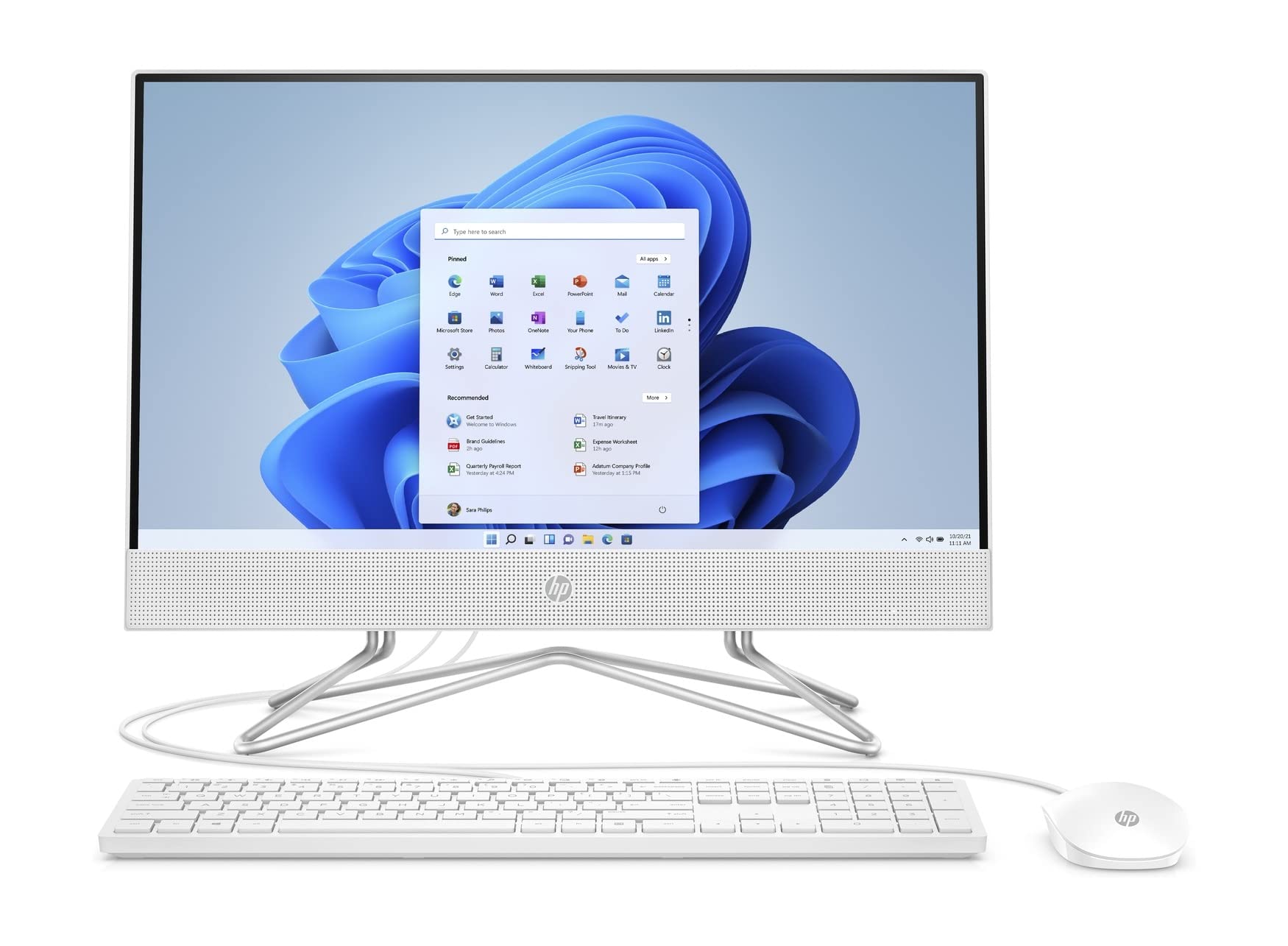
The HP All-in-One 22-df0003w is a versatile desktop computer that seamlessly combines powerful performance with an elegant design. Ideal for students, professionals, and families, this all-in-one device offers a modern solution for everyday computing tasks, from browsing the web to streaming videos and handling office applications.
Designed with a 21.5-inch diagonal FHD IPS display, the HP All-in-One provides stunning visuals and a comfortable viewing experience. The integrated Intel Celeron G5900T Dual-Core Processor ensures smooth performance for multitasking, while the 256 GB PCIe NVMe M.2 Solid State Drive offers fast storage access, making it perfect for users who need to store and retrieve data quickly. With a sleek, white finish, this all-in-one computer fits seamlessly into any workspace.
Key Features:
Windows 10 Home: Experience a familiar environment that enhances productivity and ease of use.
FHD IPS Display: 1920 x 1080 resolution with vibrant colors and wide viewing angles.
256 GB PCIe NVMe SSD: Provides up to 15x faster performance than traditional hard drives, improving load times and responsiveness.
Integrated HP TrueVision HD Camera: Enables clear video chats, even in low-light conditions, ensuring you stay connected.
Dual Array Microphone: Enhanced audio quality with advanced noise reduction for clearer communication.
Comprehensive Connectivity: Includes multiple USB ports, HDMI output, and wireless capabilities with Wi-Fi 5 and Bluetooth 4.2.
The HP All-in-One 22-df0003w is an excellent choice for users seeking a reliable and stylish computing solution. Its combination of performance, storage, and design makes it suitable for various tasks, from remote work to home entertainment. With its integrated features and sleek aesthetics, this all-in-one computer is designed to meet the needs of modern users looking for efficiency and elegance in their technology.
⚠️ WARNING (California Proposition 65): This product may contain chemicals known to the State of California to cause cancer, birth defects, or other reproductive harm. For more information, please visit www.P65Warnings.ca.gov.
Frequently Asked Questions
Q: What are the dimensions of the HP All-in-One PC?A: The HP All-in-One PC has dimensions of twenty-one point five inches wide, nine point one inches deep, and nine point one inches high.
Q: What type of processor does this PC have?A: This PC is equipped with an Intel Celeron G5900T dual-core processor, offering efficient performance for everyday tasks.
Q: How much RAM is included in the HP All-in-One?A: The HP All-in-One comes with four gigabytes of DDR4 RAM, which enhances multitasking capabilities.
Q: What is the display resolution of the HP All-in-One?A: The display resolution is one thousand nine hundred twenty by one thousand eighty pixels, providing full HD visuals.
Q: How do I set up my HP All-in-One PC?A: To set it up, connect the power cable, plug in the USB keyboard and mouse, and follow the on-screen instructions for Windows activation.
Q: Is this PC suitable for gaming?A: Yes, the Intel UHD graphics allow for smooth streaming of content and casual gaming on this PC.
Q: How do I connect this PC to Wi-Fi?A: You can connect to Wi-Fi by selecting your network from the settings menu and entering the password when prompted.
Q: Does the HP All-in-One have a built-in camera?A: Yes, it features an HP TrueVision HD privacy camera that pops up when in use, ensuring your privacy.
Q: How do I clean the HP All-in-One screen?A: To clean the screen, use a soft, lint-free cloth lightly dampened with water or a screen-safe cleaner.
Q: Is the HP All-in-One safe for children?A: Yes, this PC has features like a privacy camera and parental controls available in Windows 10 to ensure safety for children.
Q: What is the warranty period for the HP All-in-One?A: The HP All-in-One typically comes with a one-year limited warranty covering hardware defects.
Q: Can I upgrade the RAM in this All-in-One PC?A: Yes, the RAM is upgradeable, allowing for improved performance if you require more memory in the future.
Q: What should I do if my HP All-in-One won't turn on?A: First, check if the power cable is securely connected. If it is, try a different outlet or contact HP support.
Q: Does this PC support Bluetooth devices?A: Yes, the HP All-in-One supports Bluetooth four point two, enabling connectivity with various Bluetooth accessories.
Q: What ports are available on the HP All-in-One?A: It includes four USB ports, an HDMI out, and a headphone jack for versatile connectivity options.
Q: How much storage does the HP All-in-One have?A: The HP All-in-One is equipped with a two hundred fifty-six gigabyte PCIe NVMe solid-state drive for fast storage performance.