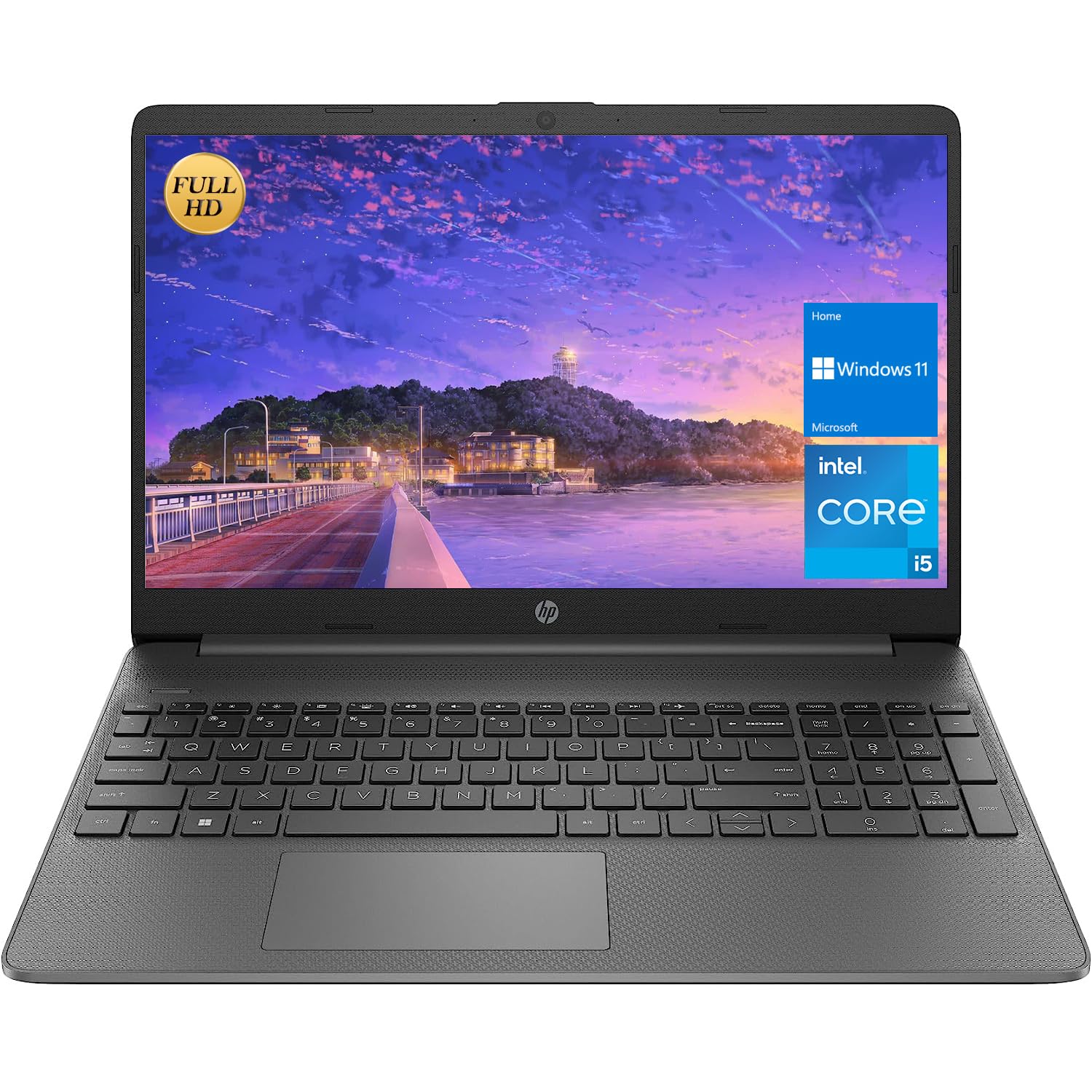
We Sells Computers With Upgraded Configurations. If The Computer Has Modifications (Listed Above), Then The Manufacturer Box Is Opened For It To Be Tested And Inspected And To Install The Upgrades To Achieve The Specifications As Advertised. If No Modifications Are Listed, The Item Is Unopened And Untested. Defects & Blemishes Are Significantly Reduced By Our In Depth Inspection & Testing. Switching Out Of S Mode In Windows 11 Windows 11 In S Mode Is Designed For Security And Performance, Exclusively Running Apps From The Microsoft Store. If You Want To Install An App That Isn'T Available In The Microsoft Store, You'Ll Need To Switch Out Of S Mode 1. On Your Pc Running Windows 11 In S Mode, Open Settings > System > Activation. 2. In The Switch To Windows 11 Pro Section, Select Go To The Store. (If You Also See An ''Upgrade Your Edition Of Windows'' Section, Be Careful Not To Click The ''Go To The Store'' Link That Appears There.) 3. On The Switch Out Of S Mode (Or Similar) Page That Appears In The Microsoft Store, Select The Get Button. After You See A Confirmation Message On The Page, You'Ll Be Able To Install Apps From Outside Of The Microsoft Store. Standing Screen Display Size:15.6 Inches Max Screen Resolution:1920X1080 Pixels Processor:4.4 Ghz Core_I3-1215U Ram :Upgraded To 16 Gb Ddr4 Hard Drive:Upgraded To 1 Tb Ssd Graphics Coprocessor:Intel Uhd Graphics Chipset Brand:Intel Card Description:Integrated Wireless Type:Bluetooth, 802.11A/B/G/N Number Of Usb 2.0 Ports:1 Number Of Usb 3.0 Ports:1 Average Battery Life (In Hours):10 Hours Hardware Platform:Pc Operating System:Windows 11 Home Item Weight:5.1 Pounds Product Dimensions:14.11 X 0.71 X 9.53 Inches Color:Gray Number Of Processors:6 Computer Memory Type :Ddr4 Sdram Hard Drive Interface:Esata Optical Drive Type:No
⚠️ WARNING (California Proposition 65): This product may contain chemicals known to the State of California to cause cancer, birth defects, or other reproductive harm. For more information, please visit www.P65Warnings.ca.gov.
Frequently Asked Questions
Q: What are the dimensions of the HP 15.6 FHD Flagship Business Laptop?A: The dimensions are fourteen point eleven inches in length, nine point fifty-three inches in width, and zero point seventy-one inches in height.
Q: What type of display does this laptop have?A: This laptop features a fifteen point six inch Full HD anti-glare display with a maximum resolution of one thousand nine hundred twenty by one thousand eighty pixels.
Q: How much RAM and storage does the laptop have?A: The laptop is equipped with sixteen gigabytes of DDR4 RAM and has a one terabyte NVMe SSD for storage.
Q: What processor is used in the HP 15.6 laptop?A: It uses an Intel four-core i3-1215U processor with a maximum clock speed of four point four gigahertz.
Q: How do I switch out of S mode in Windows 11?A: To switch out of S mode, open Settings, go to System, then Activation, and select Go to the Store under the Switch to Windows 11 Pro section.
Q: Is the laptop suitable for gaming?A: Yes, the HP 15.6 laptop can handle casual gaming due to its upgraded RAM and SSD, providing sufficient performance for many games.
Q: Can I use this laptop for video editing?A: Yes, the laptop's sixteen gigabytes of RAM and powerful processor make it suitable for video editing tasks.
Q: What operating system comes with this laptop?A: The HP 15.6 laptop comes with Windows 11 Home pre-installed.
Q: How do I clean and maintain this laptop?A: To clean the laptop, use a soft, lint-free cloth to wipe the screen and body; avoid using harsh chemicals.
Q: What is the average battery life of this laptop?A: The average battery life is approximately ten hours, depending on usage.
Q: Is there a warranty included with the laptop?A: Yes, the laptop typically comes with a one-year manufacturer's warranty that covers hardware defects.
Q: What should I do if the laptop arrives damaged?A: If the laptop arrives damaged, contact customer support immediately for guidance on returns or exchanges.
Q: How many USB ports does the laptop have?A: The laptop includes one USB two point zero port and one USB three point zero port for connectivity.
Q: Is the laptop compatible with Bluetooth devices?A: Yes, this laptop supports Bluetooth connectivity, allowing you to connect to various devices.
Q: What color options are available for this laptop?A: The laptop is available in a sleek gray color, providing a professional look.
Q: Does this laptop have an optical drive?A: No, this laptop does not come with an optical drive; it is designed for digital content.